Delete additional form settings from global SDV
Source Data Verification (SDV) relates to the process of ensuring data accuracy and integrity within a clinical trial by reviewing and comparing the data recorded in the source documents, such as laboratory results, medical history, adverse event records, and so on against the data captured in the case report forms (CRFs). Once the SDV process is completed, the responsible personnel can review the findings and approve SDV.
At times, you might want to configure additional percentage settings for certain CRF data to undergo verification. This might be needed as the requirements of the sponsors are different due to the specifics of certain sites, prioritization of sensitive data fields, regulatory standards, and so on. If the variable(s) of a particular form no longer have to be distinct from the global SDV, then you can remove additional configurations for the CRFs whose data no longer requires individual SDV settings.
Important
Once the additional configurations are deleted from global settings, the SDV needs to be executed to get updated SDV approval.
-
In the EDC application header, select the STUDY INFO tab.
-
In the left pane of the page that opens, expand SDV and select the SDV Setting tab.
-
On the SDV Setting - Global SDV page that opens, from the Additional form setting list, locate the form you want to delete. Then, from the Action(s) column next to it, select Delete
 .
.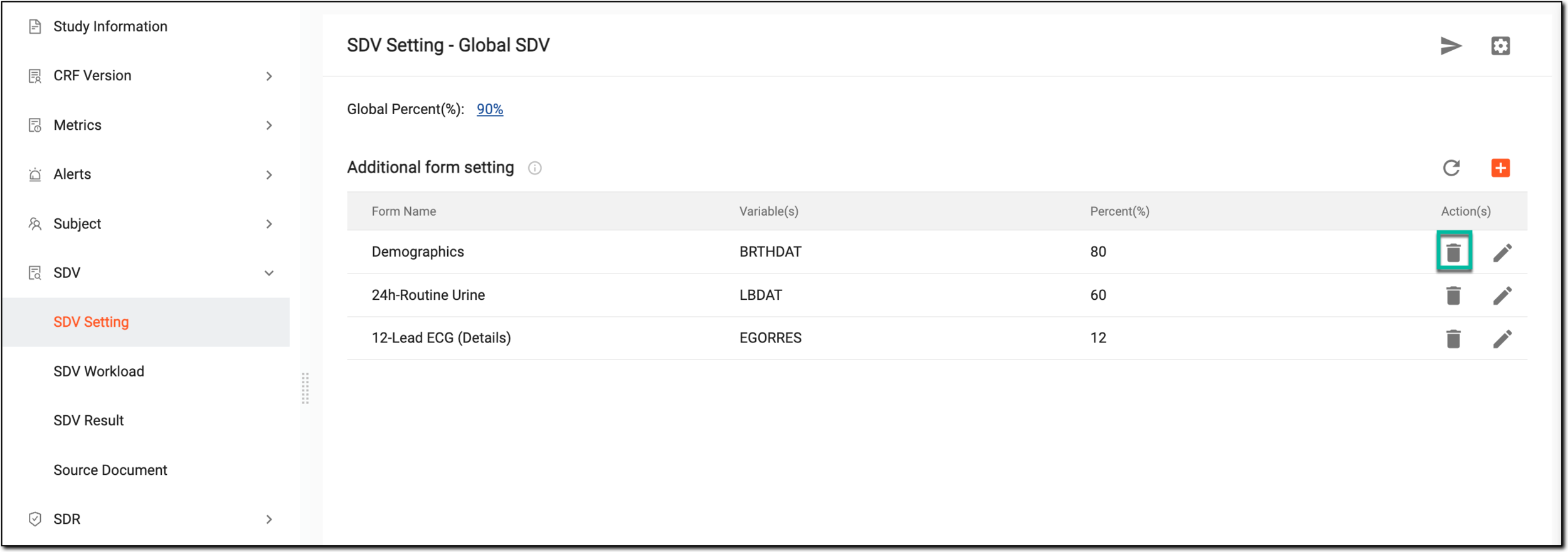 Figure 1. Selecting to delete form
-
In the Delete Item dialog that appears, select to confirm deletion.
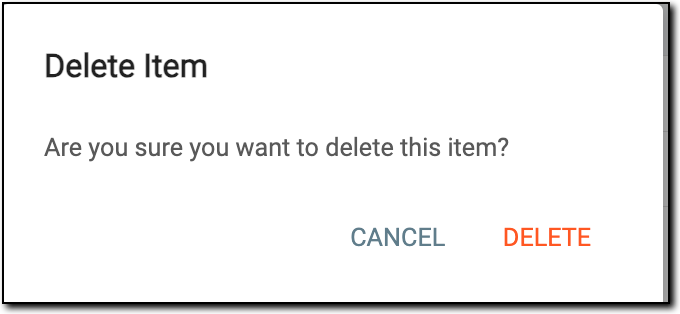 Figure 2. Confirming to delete form
Upon confirmation, the additional configurations for the specific CRF are removed. You can now execute SDV to apply the updated verification settings to your study.