Configure additional form setting
Source Data Verification (SDV) relates to the process of ensuring data accuracy and integrity within a clinical trial by reviewing and comparing the data recorded in the source documents, such as laboratory results, medical history, adverse event records, and so on against the data captured in the case report forms (CRFs). Once the SDV process is completed, the responsible personnel can review the findings and approve SDV.
Before the SDV process is initiated based on the sponsors requirements, a percentage plan is created that specifies what CRFs must undergo SDV. One such simple percentage plan is the global SDV, which is developed to outline how much of the CRF data must undergo verification.
At times, you might want to configure additional percentage settings for certain CRF data to undergo verification. This might be needed as the requirements of the sponsors are different due to the specifics of certain sites, prioritization of sensitive data fields, regulatory standards, and so on.If specific SDV configurations are set for any CRFs, they can be reviewed and managed from the Additional form setting block.
In this section, you can learn how to configure SDV percentage settings for specific CRFs and their variables additional to the global SDV setting.
-
In the EDC application header, select the STUDY INFO tab.
-
In the left pane of the page that opens, expand SDV and select the SDV Setting tab.
-
On the SDV Setting - Global SDV page that opens, from the toolbar of the Additional form setting table, select New Item
 .
.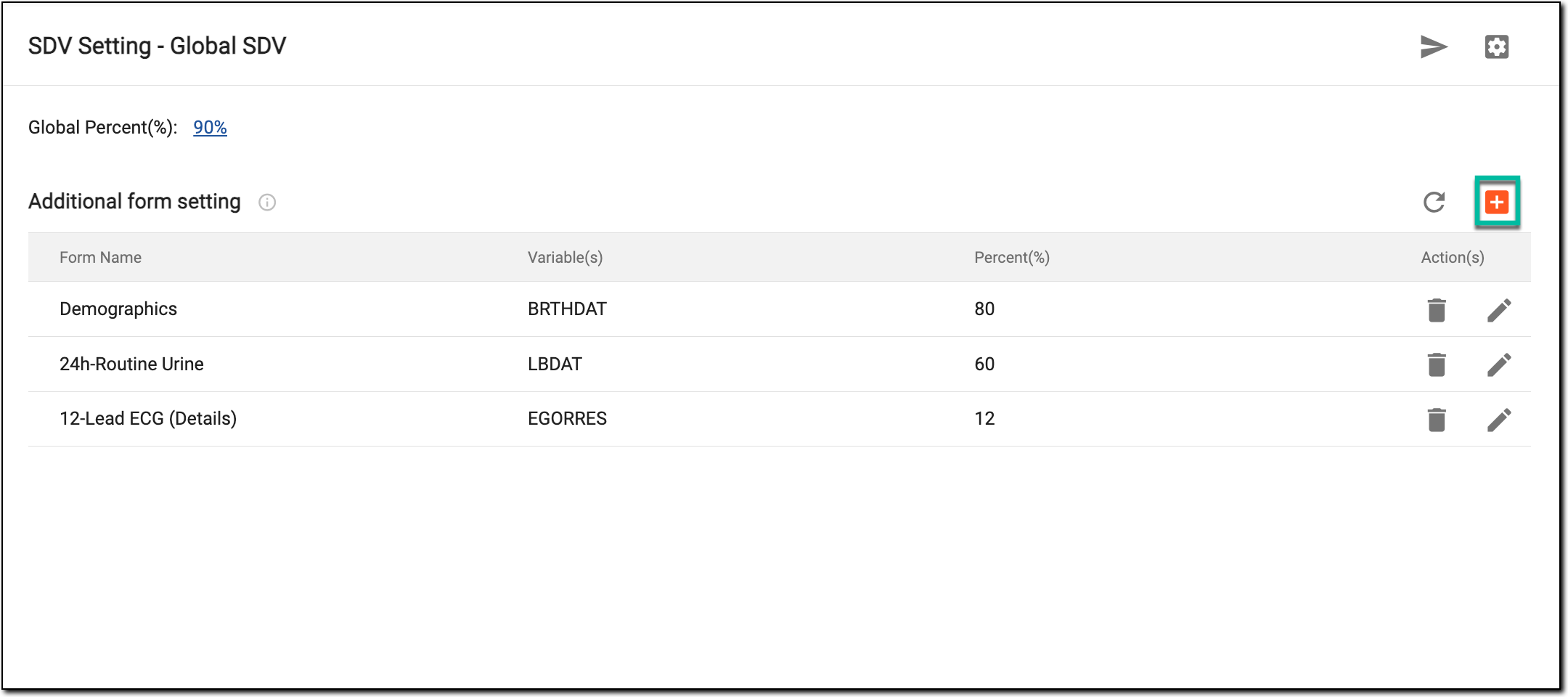 Figure 1. Selecting to add form
-
In the New dialog that appears, enter the details of the form as explained in the following table.
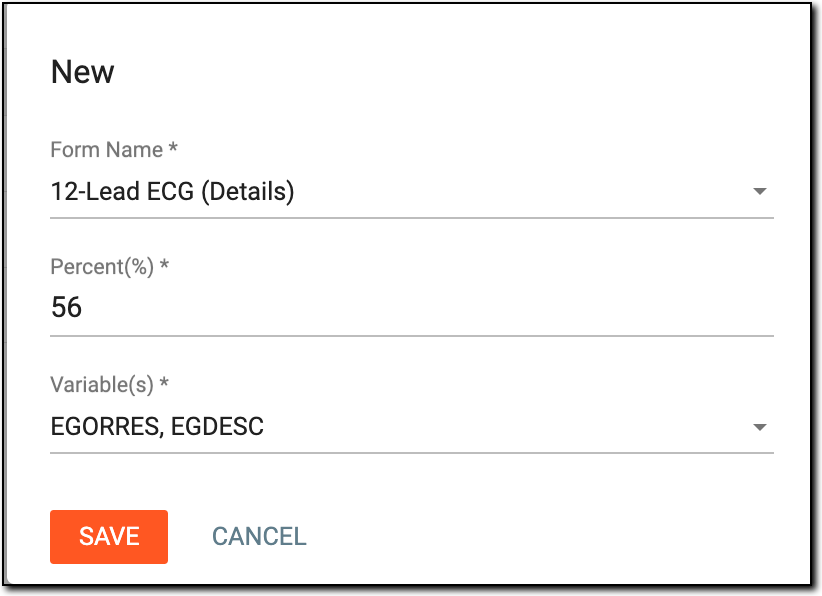 Figure 2. Configuring additional form setting
Tip
In the following table, mandatory elements are marked with an asterisk (*).
Element
Details
Form Name*
Select the name of the form from the dropdown list whose percentage will differ from the global SDV.
Represents the name of the form whose percentage differs from the global SDV.
Percent(%)*
Enter the percentage of data that you want to undergo SDV within the selected CRF.
Variable(s)*
Select the variables of the form being added. SDV is only performed for the selected variables.
SAVE
Select
 to save the settings.
CANCEL
Select
 to dismiss without making any changes.
Once saved, the additional SDV settings are configured for the selected form and its variables. You can now execute and generate updated SDV.