View pending monitoring visit letters
When the monitoring visit is to occur or has already occurred, letters are sent to the site of the monitoring visit to confirm the visit or follow-up its occurrence.
In CTMS, you can track the most up-to-date list of letters that are expected to be sent on corresponding monitoring visits.
-
Access the study management page in one of the following ways:
-
In the CTMS application header, select the DASHBOARD tab and then select the study dashboard of your interest.
 Figure 1. Accessing study management from dashboard
-
In the CTMS application header, select the STUDY MANAGEMENT tab. Then from the Study Data List table, select the study name of your interest.
 Figure 2. Accessing study management from study data list
-
-
On the study management page that opens, in the left pane, select Email Report > Pending Send Letters.
-
In the Pending Send Letters List table that appears, view the list of all pending confirmation and follow-up letters for different monitoring visits.
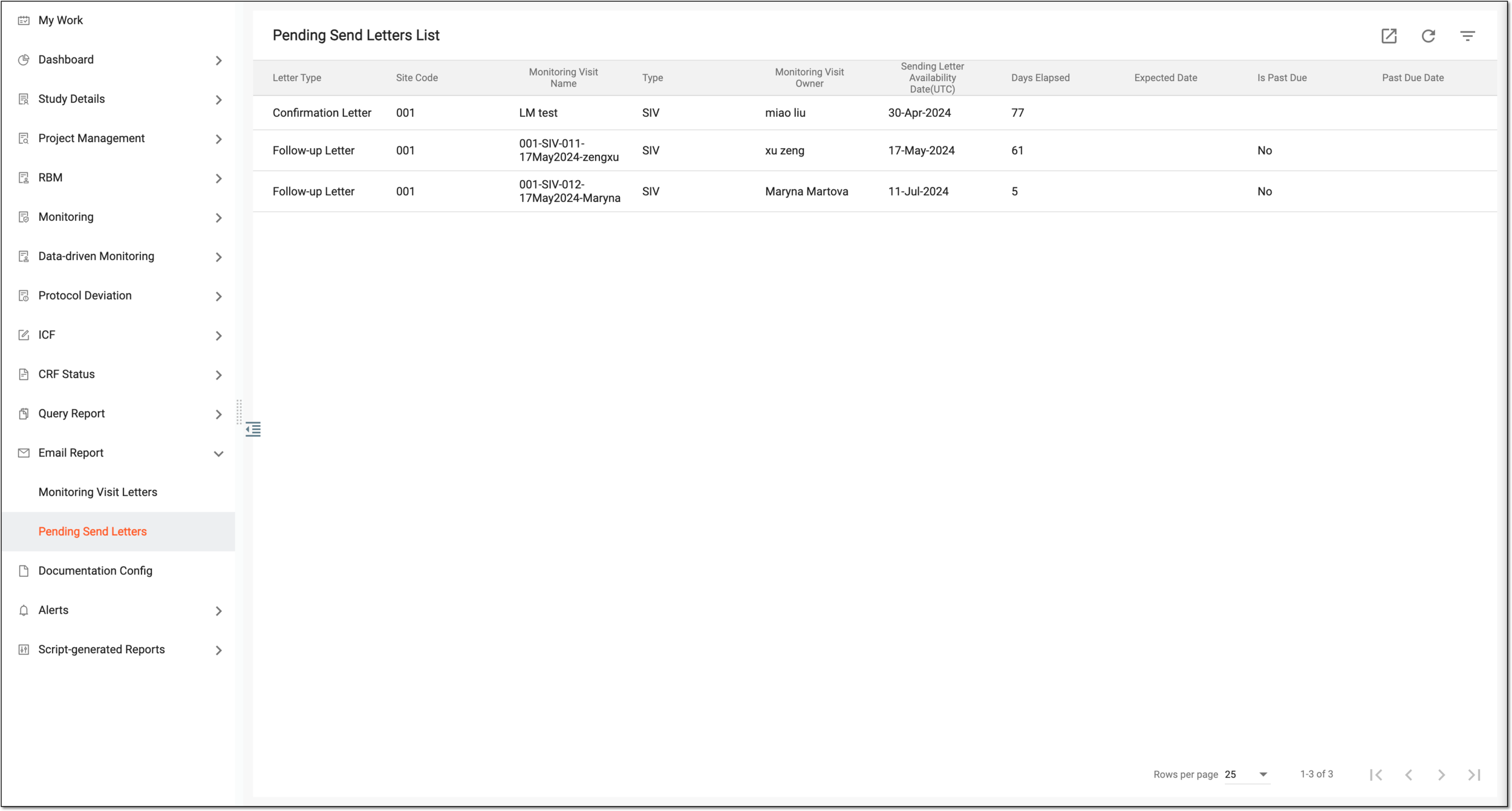 Figure 3. Viewing letters pending sending
You have reviewed the list of all pending monitoring visit letters.