Log management
The eTMF application stores and handles all the documents and files related to your study activities. Most of the files can be confidential and contain sensitive data. So it is essential to have an opportunity to review all the actions performed by users within the system.
For instance, you see that a user logged in to eTMF and exported a document that has sensitive data. You can then address the user and find out the purpose of such an action.
-
In the eTMF application header, select the ADMIN tab.
-
On the page that opens, in the left pane, select Log Management.
-
In the Logs table that appears, view the list of events that have occurred in the system, their type, users who performed them, time of action and other details.
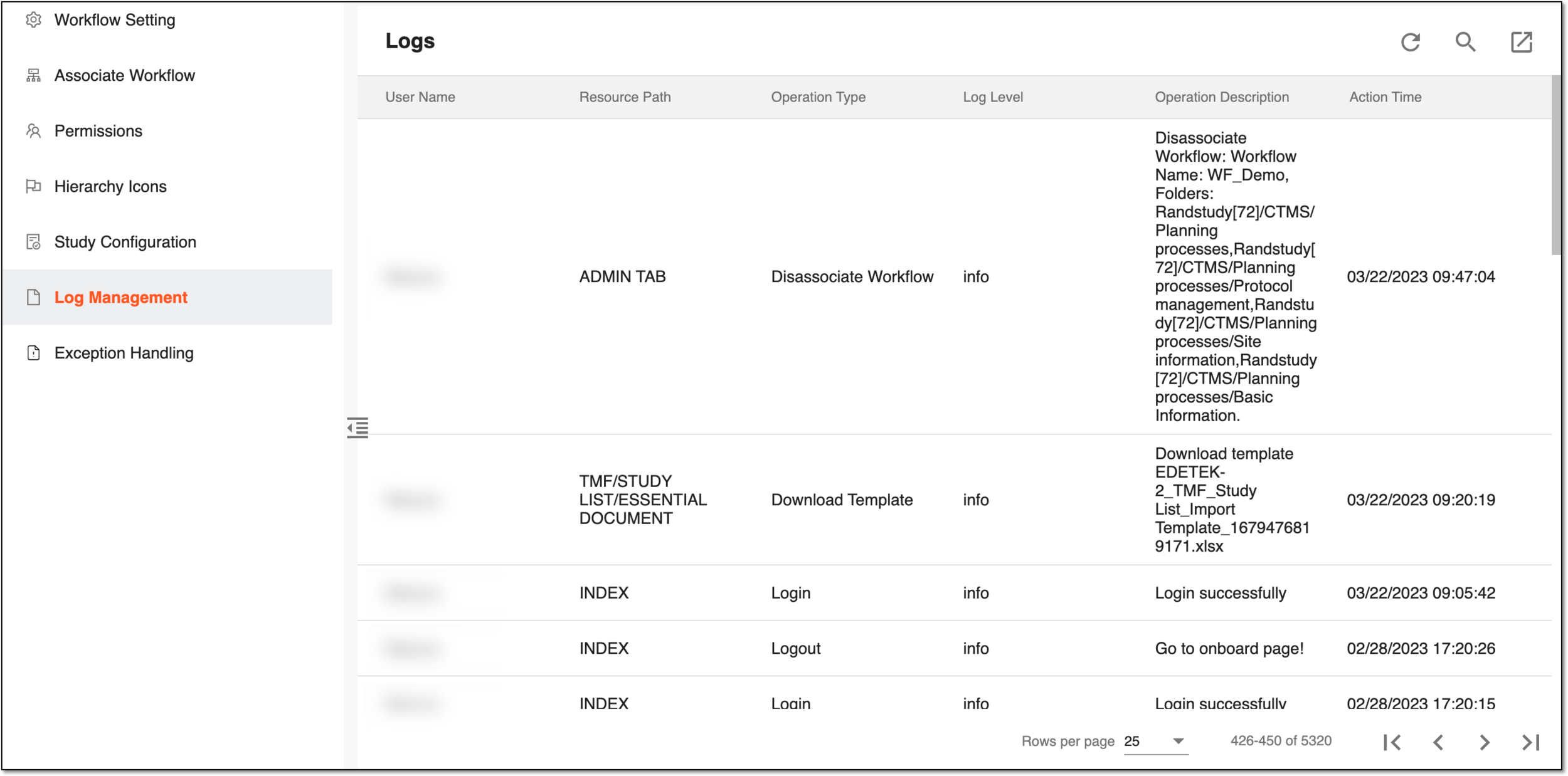 Figure 1. Viewing event log
Column
Details
User Name
Represents the name of the user who has performed an action in the system.
Resource Path
Represents the path to a resource with which the user interacted while performing their action.
For instance, if the user has appended the file under the Essential Documents page of eTMF, the path to the resource is as follows:
TMF/STUDY LIST/ESSENTIAL DOCUMENT/ESSENTIAL DOCUMENT FILE
Operation Type
Represents the type of operation (action) performed by the user.
For instance, Login, Append File, Download File, and so on.
Log Level
Represents the log level identifier that refers to a hierarchical system that categorizes the severity or importance of log records generated by the system.
For instance, log level info stands for informative messages about the normal flow of the program. These messages are typically used to record events or milestones during the program's execution.
Operation Description
Represents details of the performed action.
For instance, for Append File action, the description contains the result of the action, file name, and other details as follows:
Append File: Append
File Name: Randstudy[72]_append_file_in_EssDoc_document_warehouse_config_Study.png
Version: 2.1
Original Document Needed: Yes
Original Document Received: No
Master File Name: Randstudy[72]_eTMF 4.0 User Manual_IS 1_Study.docx
Path: /Randstudy[72]/Essential Document (V3.2.0)/Central Trial Documents/General/Relevant Communications
Action Time
Represents, when the action has been performed.
You have viewed the log of events within the eTMF application. You can also export the log data to your local machine.