View hierarchy icons
In eTMF, the File Management and Essential Documents pages represent a hierarchy of folders with files. Each object of the hierarchy is marked with its respective icon, the legend for which you can check under the ADMIN > Hierarchy Icons subtab.
To view the hierarchy icons list
-
In the eTMF application header, select the ADMIN tab.
-
On the page that opens, in the left pane, select Hierarchy Icons.
-
On the Icon List page, view the legend for all the icons used in the eTMF file storage hierarchy tree.
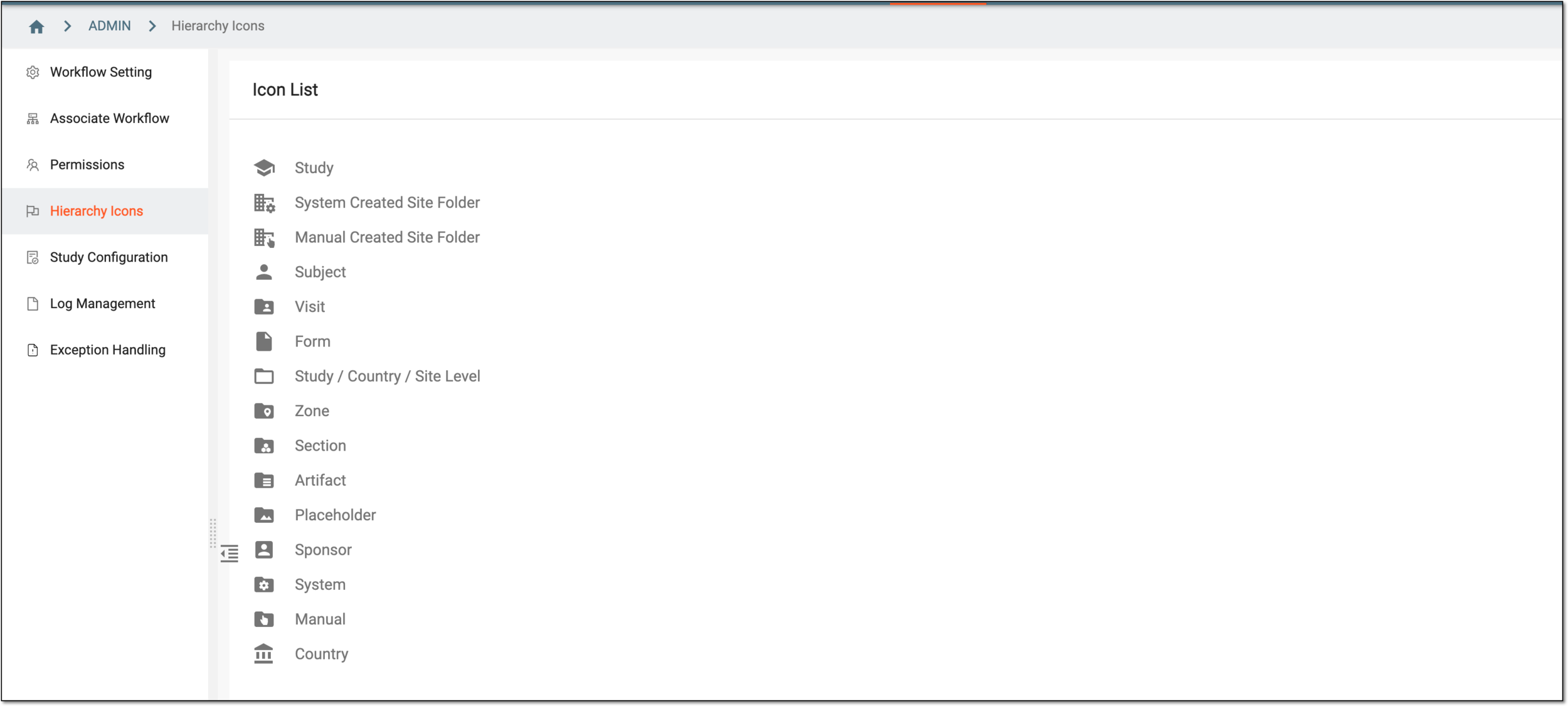 Figure 1. Viewing hierarch icons
You have viewed the eTMF file storage hierarchy icons list.