Download SDR result file from export history
Source Data Review (SDR) refers to a comprehensive review of the collected data to evaluate its quality, consistency, and compliance with the study protocol, standard operating procedure, and regulatory requirements. During SDR, the CRA or data management team examines the data for completeness, accuracy, and compliance with the study protocol and regulatory requirements.
After submitting SDR result records or adding new ones to the list if required, the entire SDR result report can be exported from EDC to your computer in an XLSX file. All the previously exported files are stored in the export history, so you can download any previous version of it if needed.
-
In the EDC application header, select the STUDY INFO tab.
-
In the left pane of the page that opens, expand SDV & SDR and select the SDR Result tab.
-
From the workspace toolbar of the SDR Result page that opens, select History
 .
.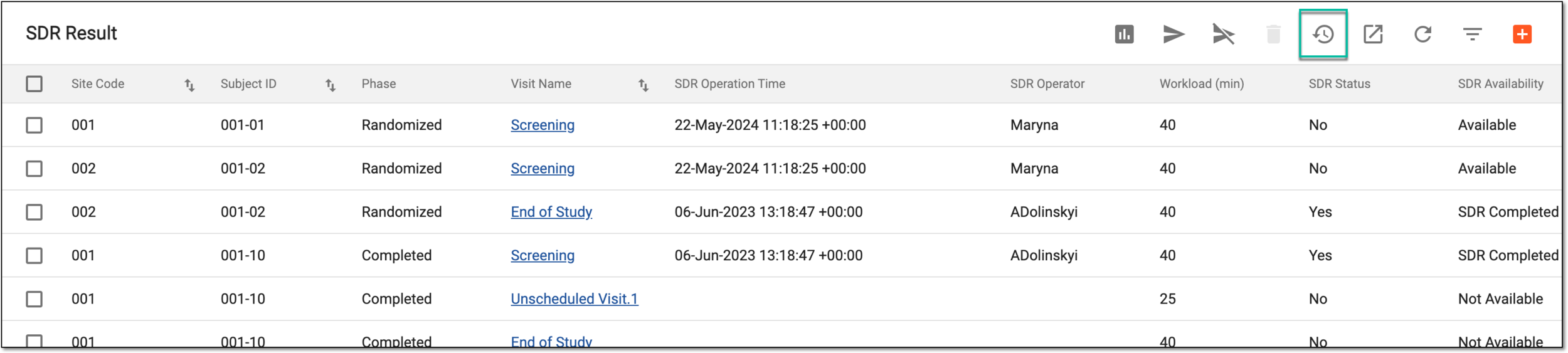 Figure 1. Accessing export history
-
In the Export History dialog that appears, view the complete history of previously generated files and next to the one(s) you want to download, select Export
 .
.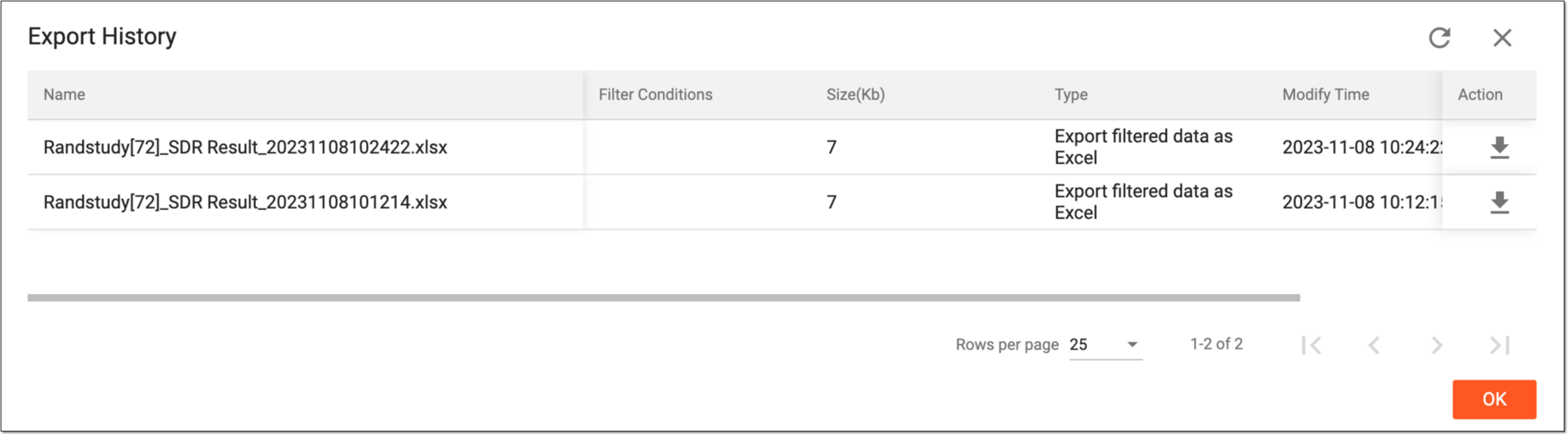 Figure 2. Downloading file from export history
Once downloaded and saved, the SDR result report is available on your computer. Select  to close the dialog.