Add SDR result record
Source Data Review (SDR) refers to a comprehensive review of the collected data to evaluate its quality, consistency, and compliance with the study protocol, standard operating procedure, and regulatory requirements. During SDR, the CRA or data management team examines the data for completeness, accuracy, and compliance with the study protocol and regulatory requirements.
Under the SDR Result tab, you can track the SDR status on the reviewed source documentation. If there are some documents pertaining to some subjects or visits that need to undergo SDR and they are not on the list, you can add them additionally.
-
In the EDC application header, select the STUDY INFO tab.
-
In the left pane of the page that opens, expand SDR and select the SDR Result tab.
-
From the workspace toolbar of the SDR Result page that opens, select New Item
 .
.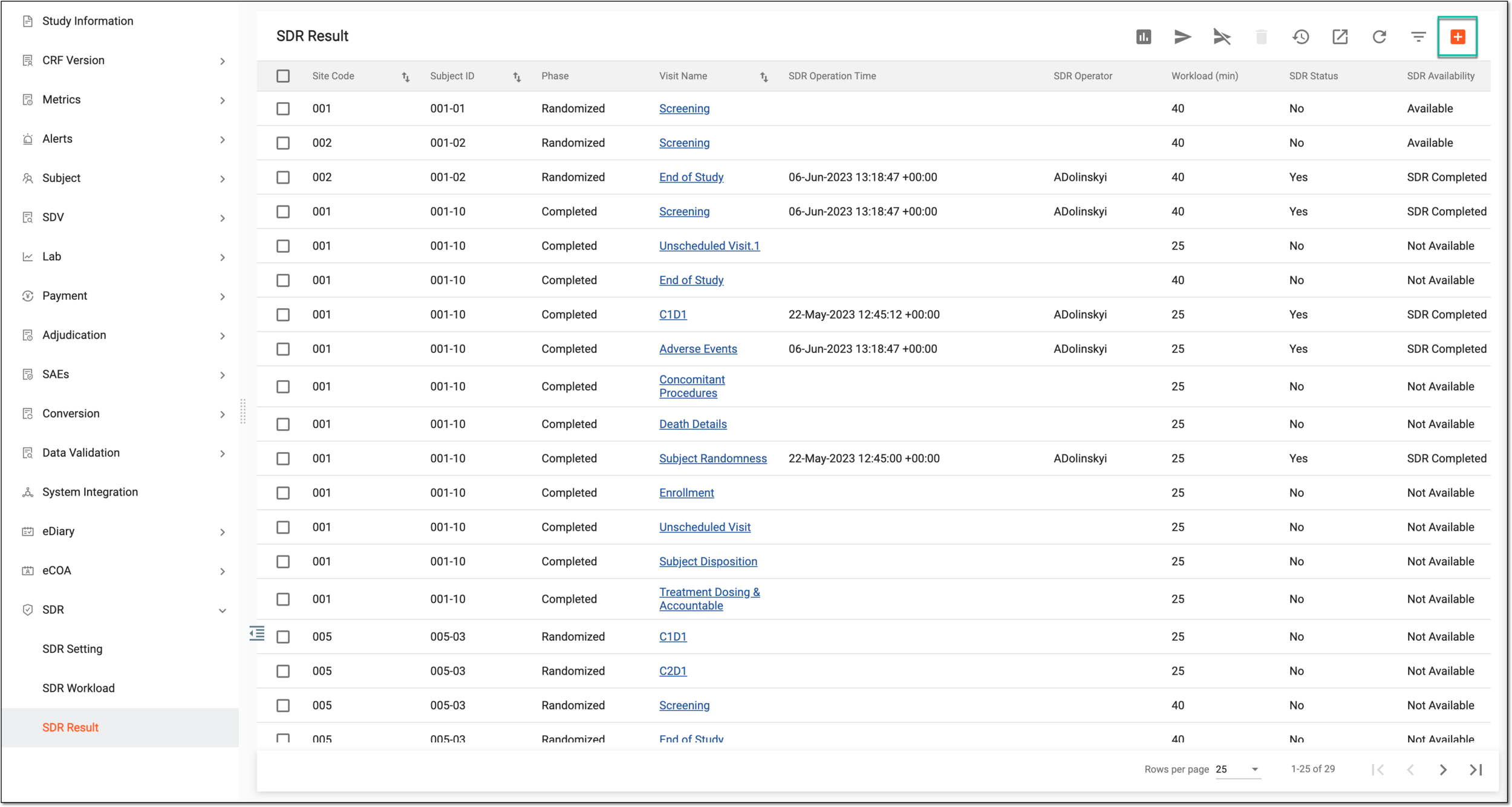 Figure 1. Adding new SDR result record
-
In the dialog that appears, fill in the form as explained in the following table.
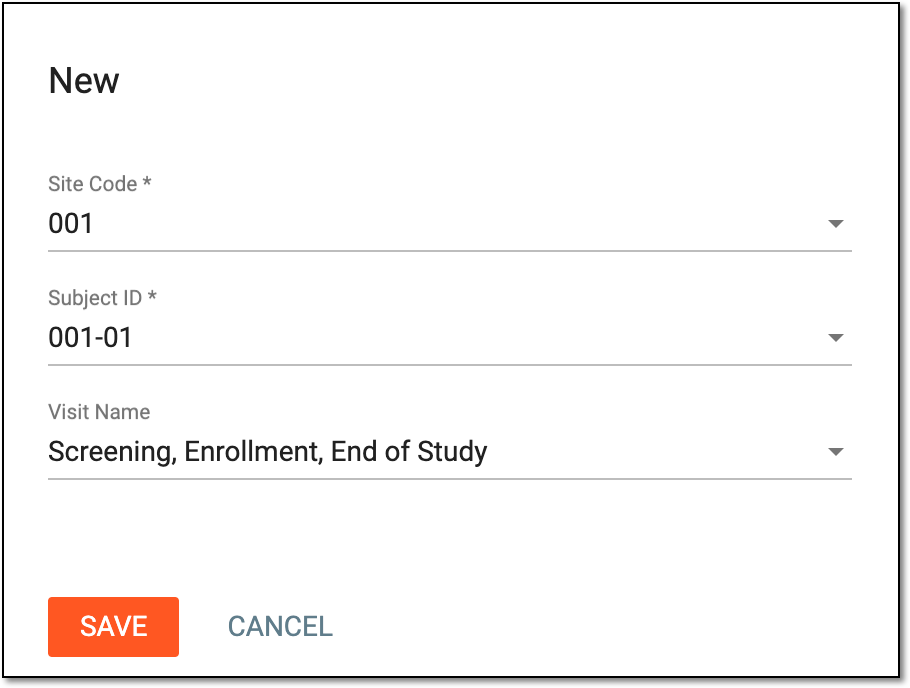 Figure 2. Configuring new SDR result record
Tip
In the following table, mandatory elements are marked with an asterisk (*).
Element
Details
Site Code*
Select the code of the site with subjects for whom you want to track SDR.
Subject ID*
Select the ID of the subject whose visits you want to track for SDR completion.
Visit Name
Select the visits that you want to add for SDR tracking. The SDR result records are added for each visit separately.
SAVE
Select
 to add the SDR result record.
CANCEL
Select
 to discard the changes and close the dialog.
Once saved, the new SDR result record is added to the list so the source documents in corresponding visits need to undergo SDR.