Setting users to skip course
The eLearning courses are electronic courses designed to educate personnel on how to use the eClinical system according to the role assigned. The courses offered can be mandatory or optional.
With the Set Skip User functionality, you can set up for a user to skip a course assigned to them. The users who have not completed the course but are added to the list of those who can skip courses receive the privilege to perform certain actions that are otherwise only permitted once the course is completed. This situation occurs when the user has already taken a similar course and wants to skip the second one.
For instance, if course A is assigned to user A, which is mandatory, upon completion of course A, user A can access the EDC application. If user A is added to the list of users who can skip courses, then the user can access the EDC application without completing course A.
-
In the ADMIN application header, select the REPORT tab.
-
On the page that opens, in the left pane, select eLearning Result.
 Figure 1. Accessing eLearning result
-
On the eLearning Result page that appears, from the toolbar, select Set Skip User
 .
.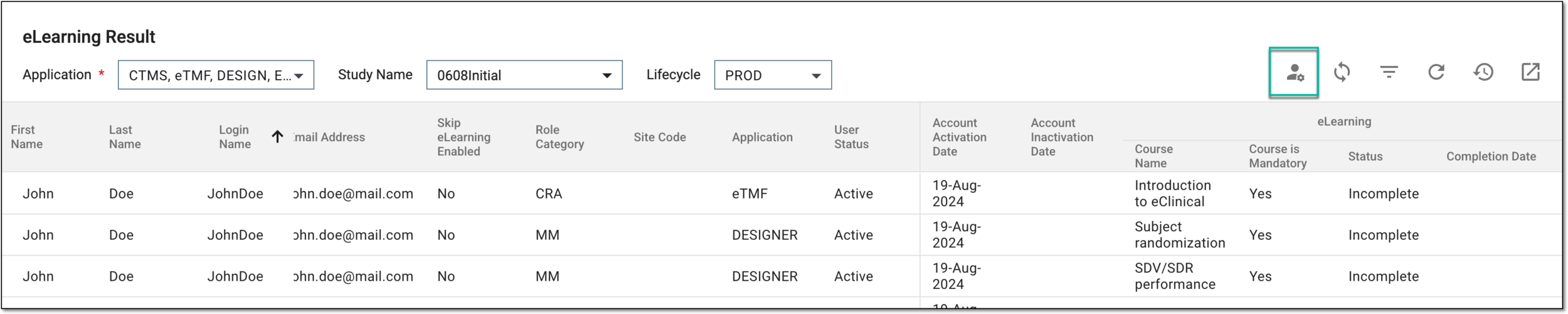 Figure 2. Accessing settings for course skipping
-
In the Set Skip User dialog that appears, select the user or multiple users for whom you want to allow skipping the eLearning course completion and select
 .
.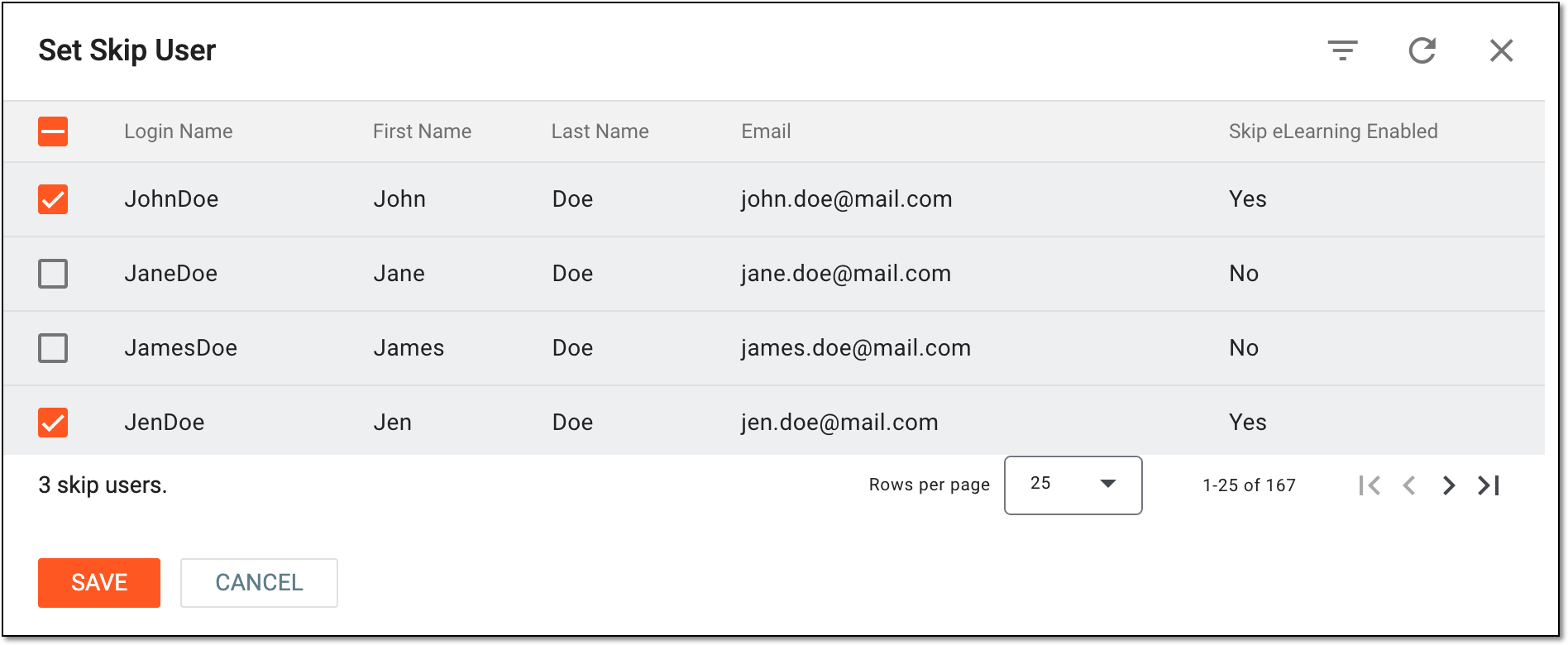 Figure 3. Selecting users to skip eLearning course
Once saved, the selected users can skip the eLearning courses.