Add identity provider
An identity provider centralizes the SSO authentication, moreover, it manages the user authentication.
An identity provider can be added when a new client requests for an SSO authentication. When a new client requests an SSO authentication, an identity provider can be added by using the unique ID received from the client.
You can add an identity provider by making use of the unique identity ID provided by the client.
-
In the ADMIN application header, select the CONFIGURATION tab.
-
In the left pane of the page that appears, select Single Sign-On > IDPs.
-
On the Identity Provider page that appears, select New Item
 .
.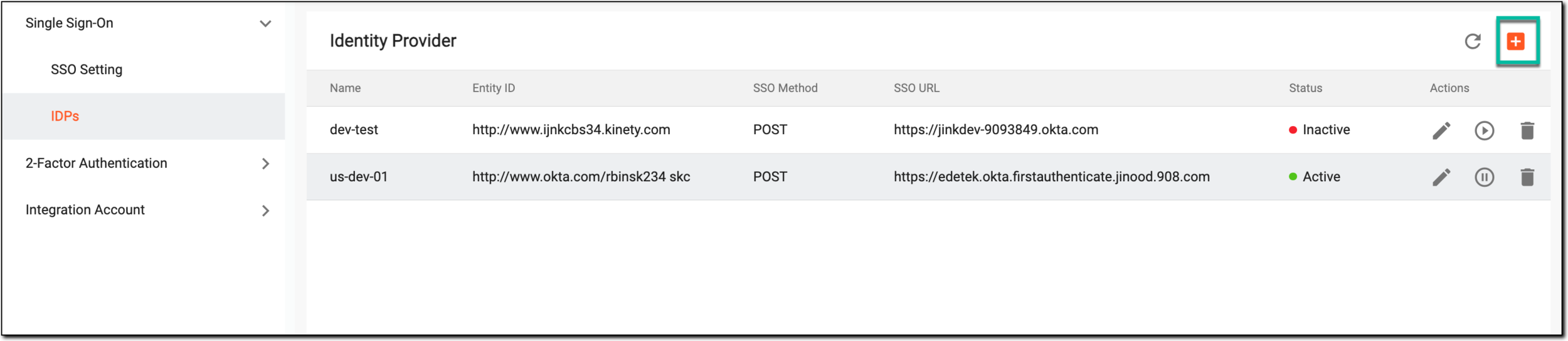 Figure 1. Selecting to add new identity provider
-
In the New dialog that appears, fill in the fields as explained in the following table.
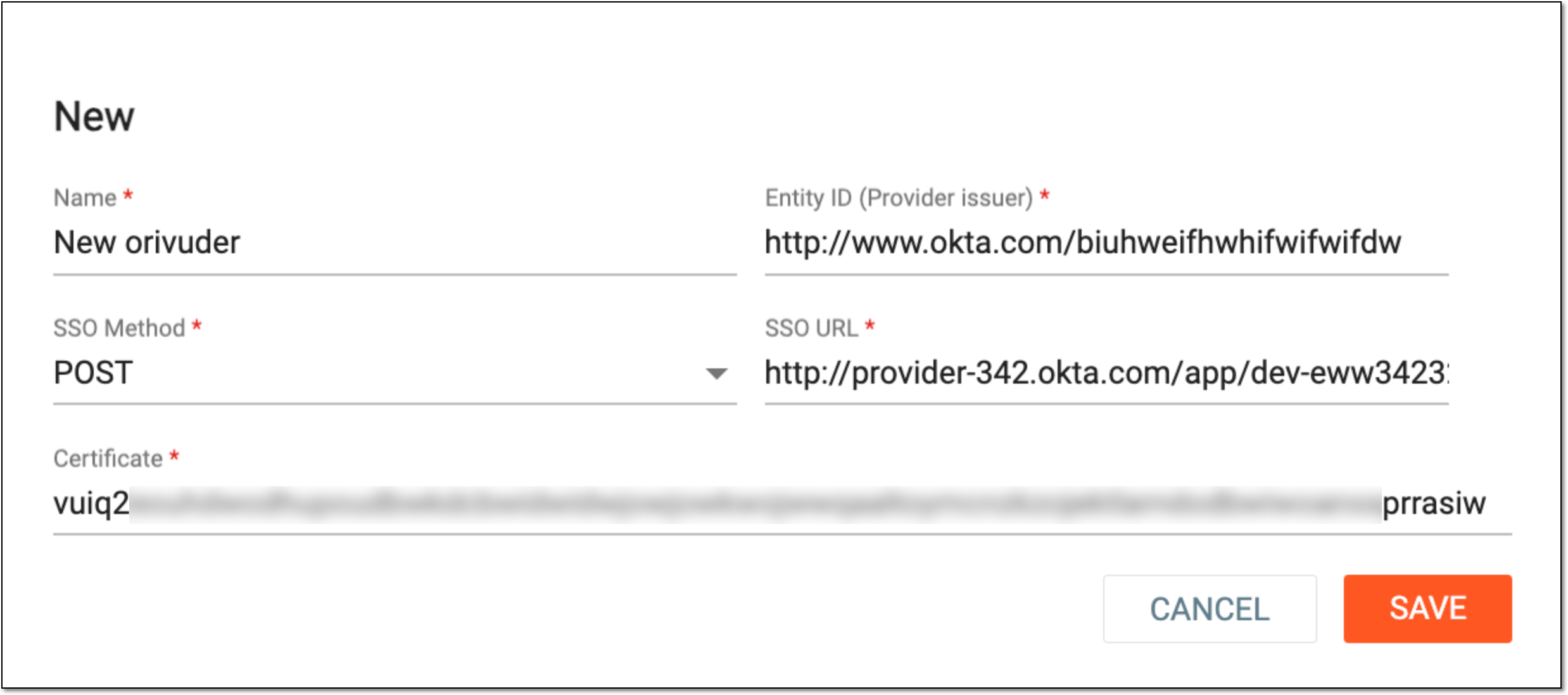 Figure 2. Adding identity provider
Tip
In the following table, mandatory elements are marked with an asterisk (*).
Element
Details
Name*
Enter the name of the identity provider.
Entity ID (Provider issuer)*
Enter the ID provided by the company that requested the SSO authentication.
SSO Method*
Select the method of the SSO authentication from the dropdown menu.
SSO URL*
Enter the web address of the SSO provided by the company.
Certificate*
Enter the certificate of the SSO identity provider company that requested the SSO authentication.
SAVE
Select
 to add the identity provider.
CANCEL
Select
 to dismiss without adding the identity provider.
Once saved, the new identity provider is added.