Reset 2FA method
If a user is facing any technical difficulty while resetting their 2FA method, they can request the account managers t do it for them. Using the User 2FA Status page, the account managers can reset the 2FA authentication method for the user upon their request.
To reset the 2FA method for a user
-
In the ADMIN application header, select the CONFIGURATION tab.
-
On the page that appears, from the left pane, select 2-Factor Authentication > User 2FA Status.
-
In the User 2FA Status table that appears, next to the needed user, select Reset
 .
.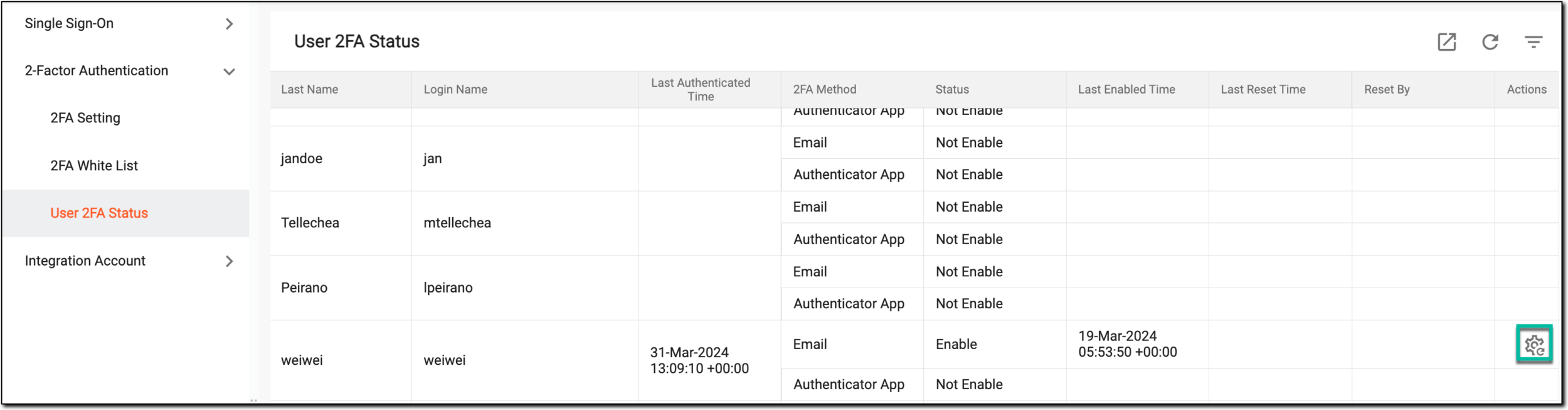 Figure 1. Selecting to reset user
-
In the confirmation dialog that appears, select
 to reset the 2FA method for the user.
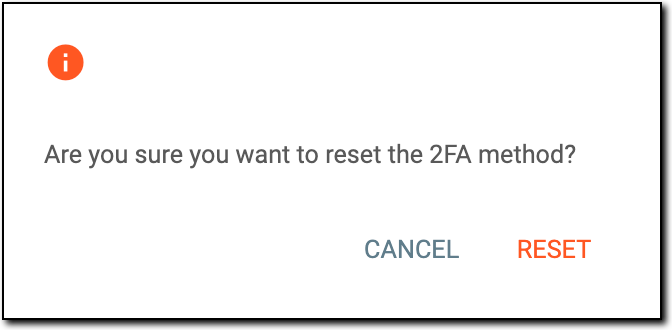 Figure 2. Resetting 2FA method for user
Once completed, the 2FA method is reset for the user.