Subscribe to your tasks digest email
The purpose of the EDC system is to collect, store, and process subject data. In order to maintain all the processes, different user roles are responsible for performing various tasks, such as CRF completion, source data verification (SDV), query resolution, and more.
For your convenience, all the tasks that you have to perform in the system are presented on a single interactive dashboard called My Work. From this dashboard, you can subscribe to receive daily, weekly, or monthly emails comprising all your tasks so as not to miss anything important.
Tip
Upon subscription, you receive all the digest letters on the email address associated with your eClinical user account.
-
In the EDC application header, select the DASHBOARD tab.
-
On the My Work page that opens, from the workspace toolbar, select Mail Setting
 .
.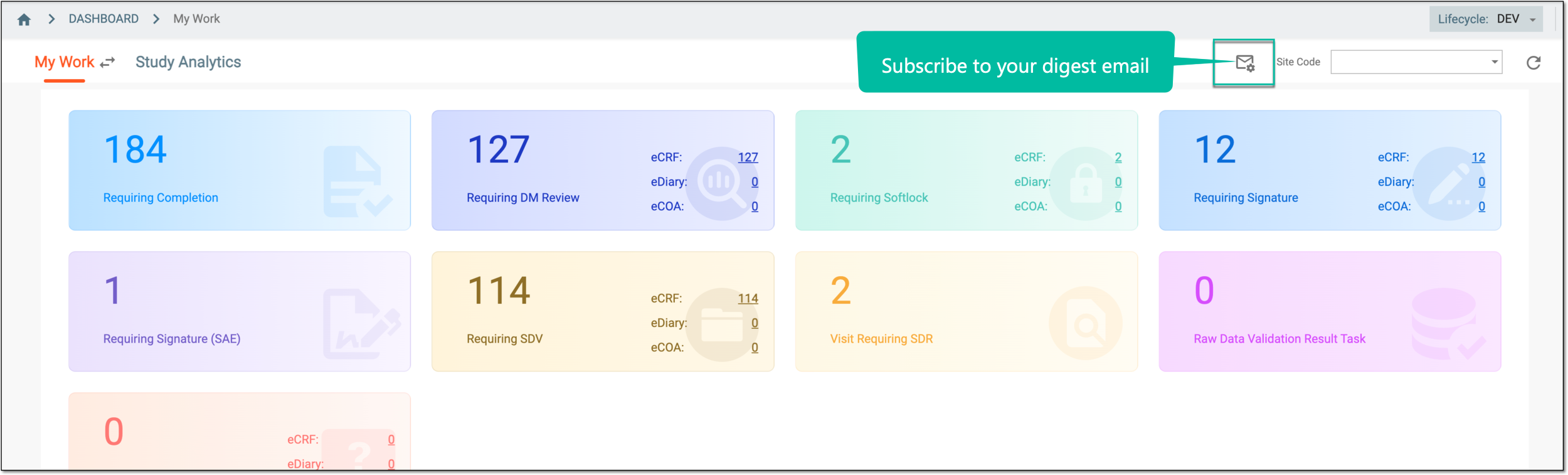 Figure 1. Accessing subscription settings
-
In the dialog that opens, complete the subscription settings as explained in the following table.
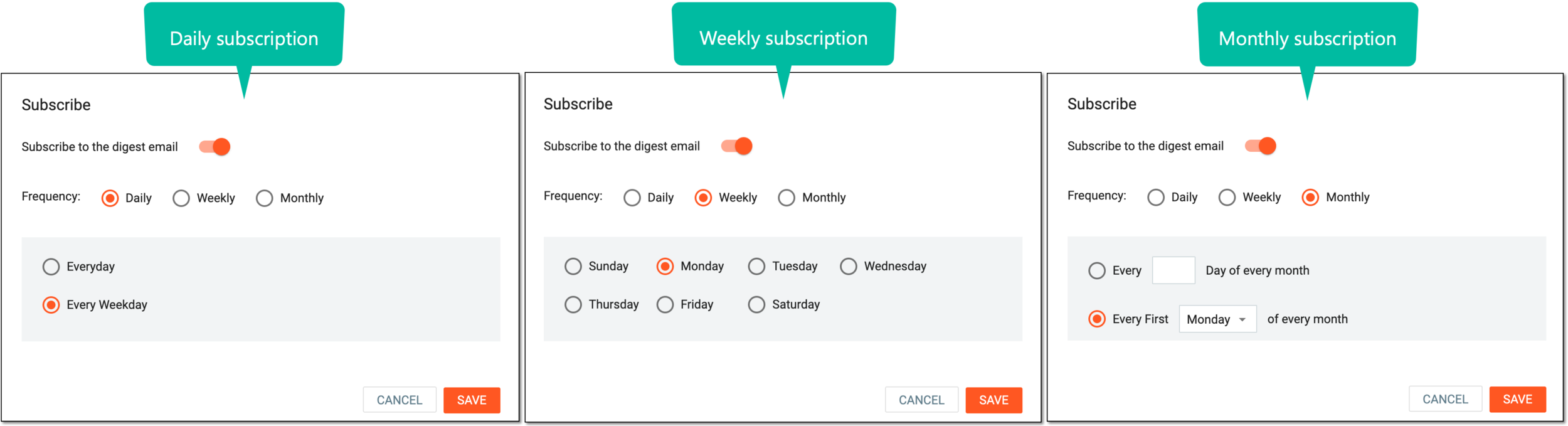 Figure 2. Configuring subscription
Element
Details
Subscribe to the digest email
-
Turn the toggle on to enable the subscription settings and configure the frequency of your digest email.
-
Turn the toggle off to disable the subscription settings and do not receive emails on your tasks.
Frequency
Select the Daily option to receive a digest email every day or every weekday.
Select the Weekly option to receive a digest email weekly on a selected day.
Select the Monthly option to receive a digest email on the set day or weekday of every month.
SAVE
Select
 to save the implemented changes.
CANCEL
Select
 to discard the changes without saving.
 -
Once saved, the subscription configuration is applied. Depending on the selection you either start or stop receiving regular digest emails on your tasks from EDC.