Import placeholders
In eTMF, placeholders (also known as "planned documents") are folders or containers that store study documents and records planned to be collected during a clinical trial. With these documents and records, you can evaluate the clinical trial conduct, the integrity and quality of trial data, and compliance of the investigator, sponsor, and monitor with the standards of Good Clinical Practice (GCP) and with all applicable regulatory requirements (ICH Guideline for GCP, E6, Section 8).
After introducing changes in bulk in the exported file with placeholder details, you can import these updates at once using the Import functionality, diminishing the manual effort in case of editing placeholders individually.
-
In the eTMF application header, select the TMF tab.
-
On the page that opens, in the left pane, select the Study List subtab.
-
In the Study List table, select the needed study name.
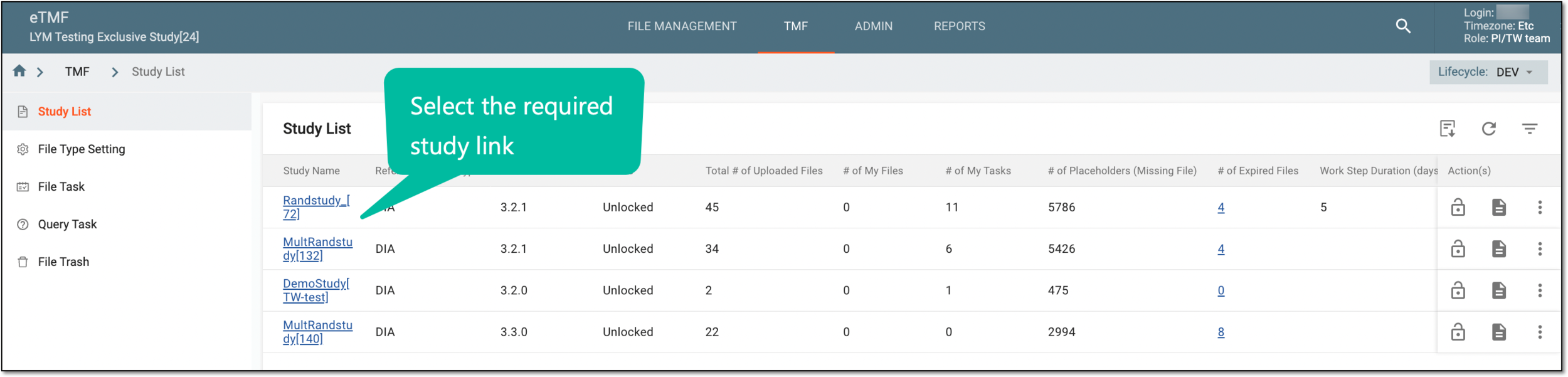 Figure 1. Selecting study
-
On the page that opens, select the Study Tracking pane option.
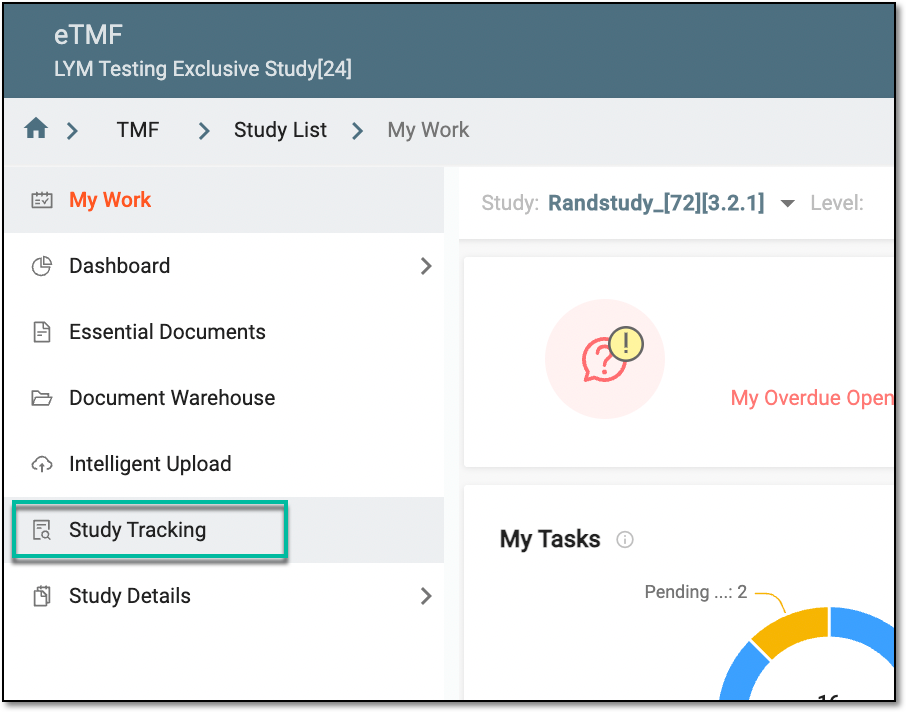 Figure 2. Accessing study tracking page
-
On the Study Tracking page that opens, switch to the Placeholder tab.
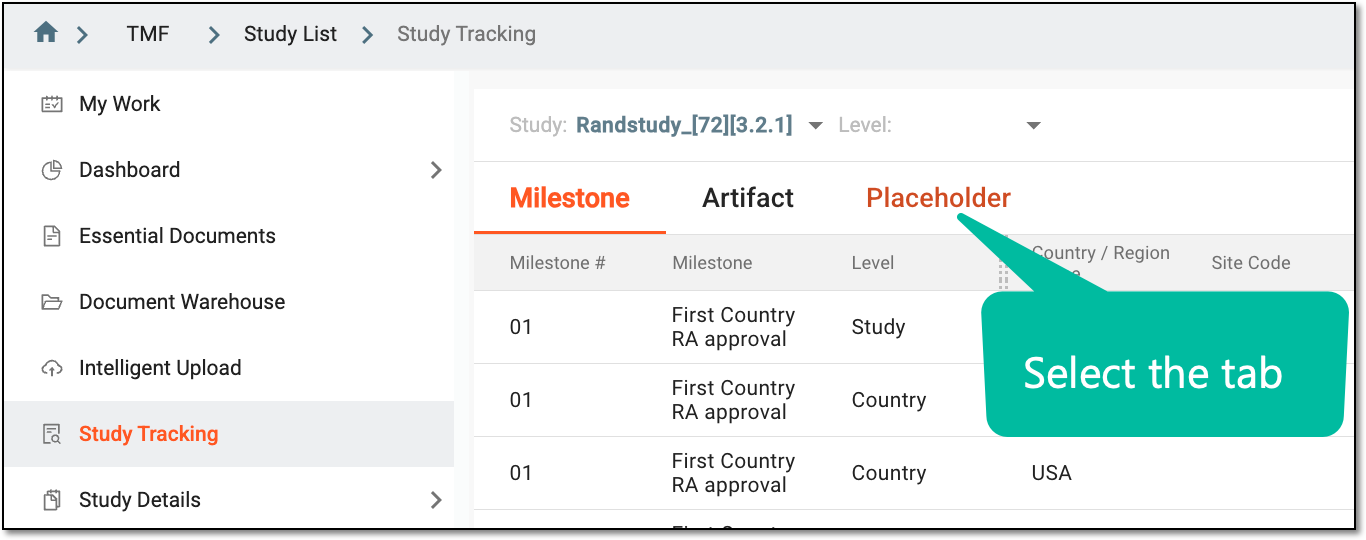 Figure 3. Accessing placeholders
-
From the workspace toolbar of the contents panel that appears, select Import
 .
.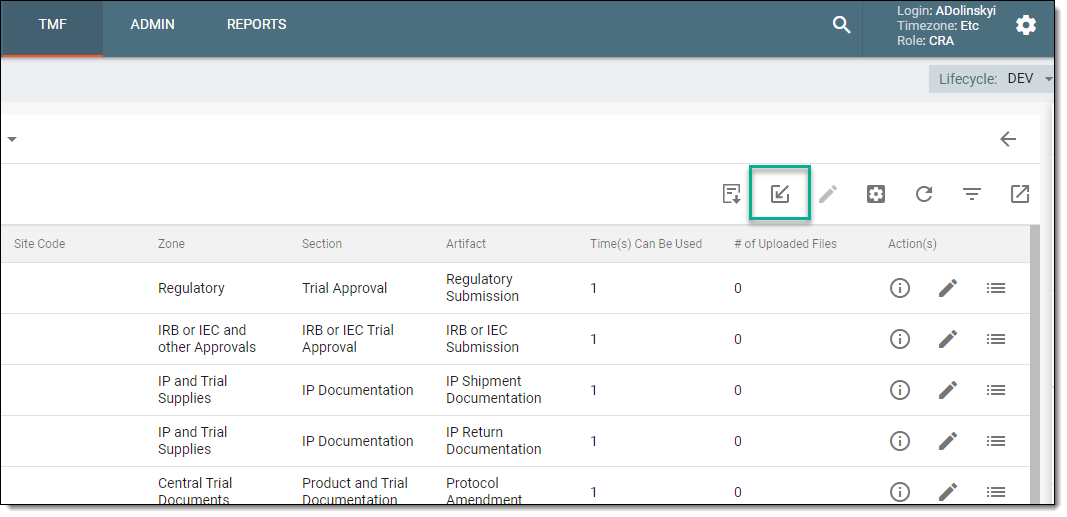 Figure 4. Importing placeholders
-
Follow the prompts of your operating system to locate and select the needed spreadsheet.
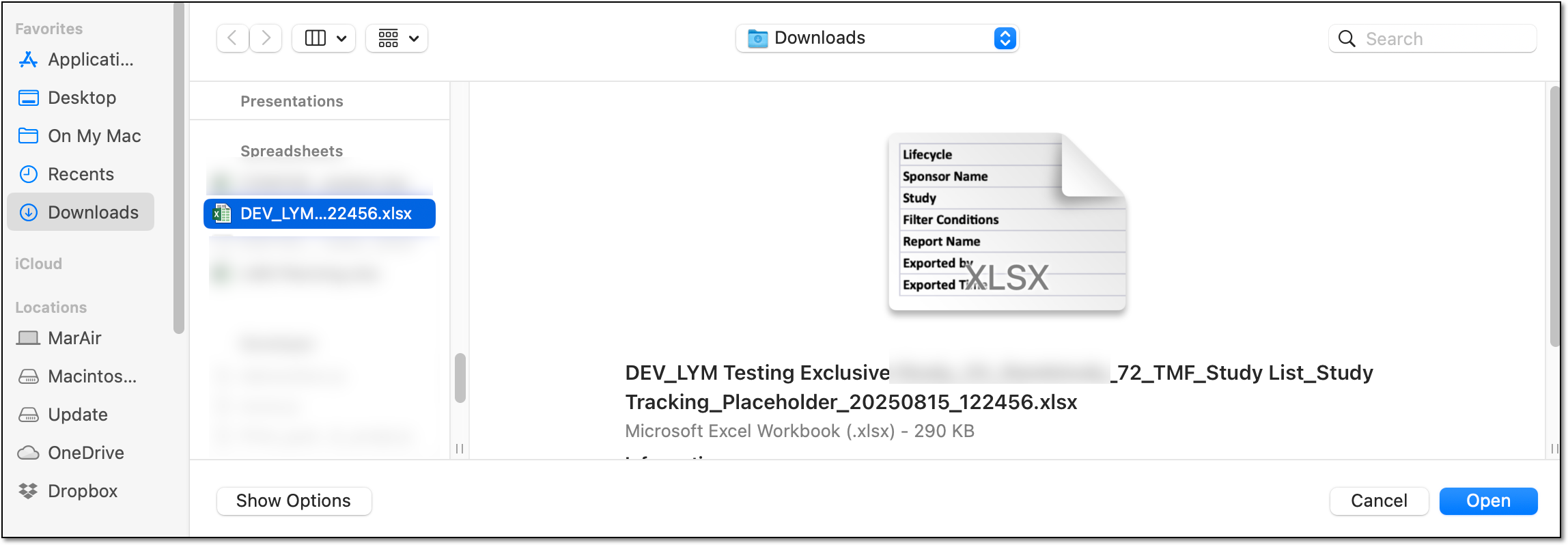 Figure 5. Locating XLSX file on your PC
Tip
If your file requires additional validation and fixes, you receive a similar prompt. Select OK, double-check the file, and reproduce steps 6-7.
 Figure 6. Prompting for additional required checks
Once selected, the placeholder usage configuration is imported into eTMF.