Export placeholder
In eTMF, placeholders (also known as "planned documents") are folders or containers that store study documents and records planned to be collected during a clinical trial. With these documents and records, you can evaluate the clinical trial conduct, the integrity and quality of trial data, and compliance of the investigator, sponsor, and monitor with the standards of Good Clinical Practice (GCP) and with all applicable regulatory requirements (ICH Guideline for GCP, E6, Section 8).
In the eTMF application, you can export placeholders for a particular study to work with them offline and import them back into eTMF. With this functionality, you can update existing placeholders in bulk instead of editing them one by one.
-
In the eTMF application header, select the TMF tab.
-
On the page that opens, in the left pane, select the Study List subtab.
-
In the Study List table, select the needed study name.
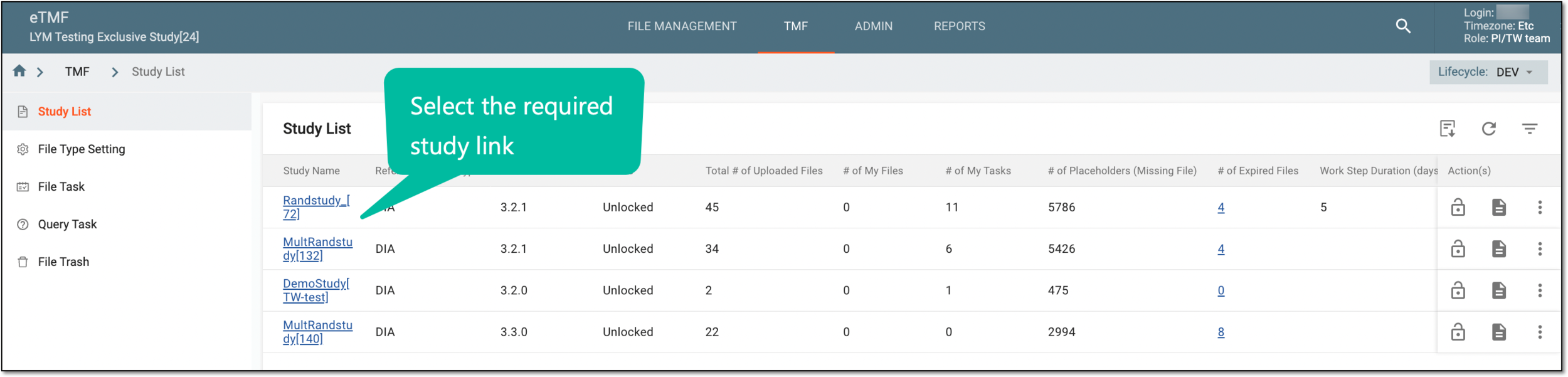 Figure 1. Selecting study
-
On the page that opens, select the Study Tracking pane option.
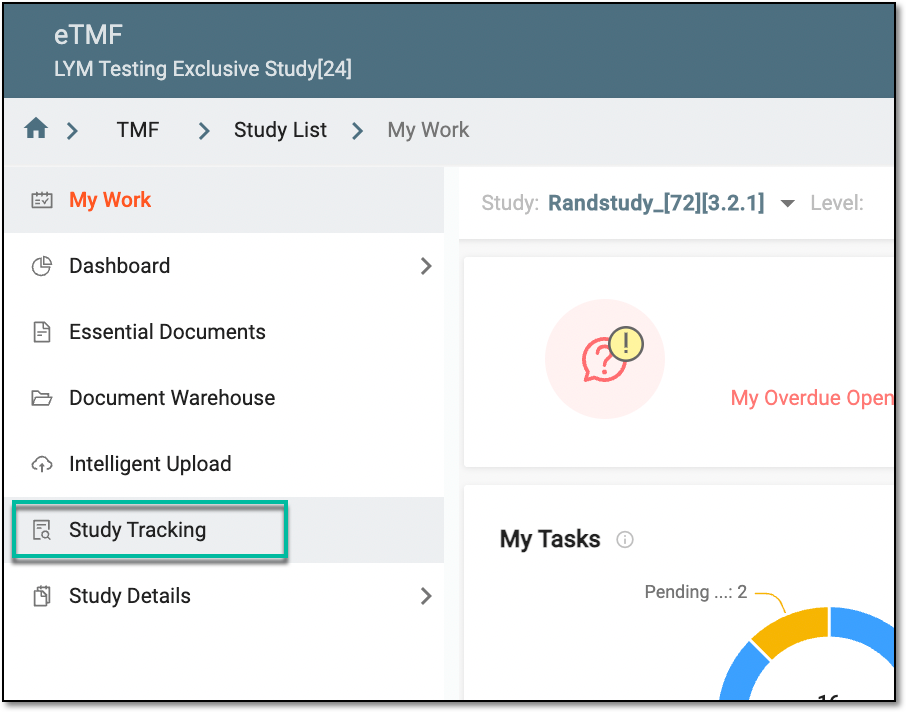 Figure 2. Accessing study tracking page
-
On the Study Tracking page that opens, switch to the Placeholder tab.
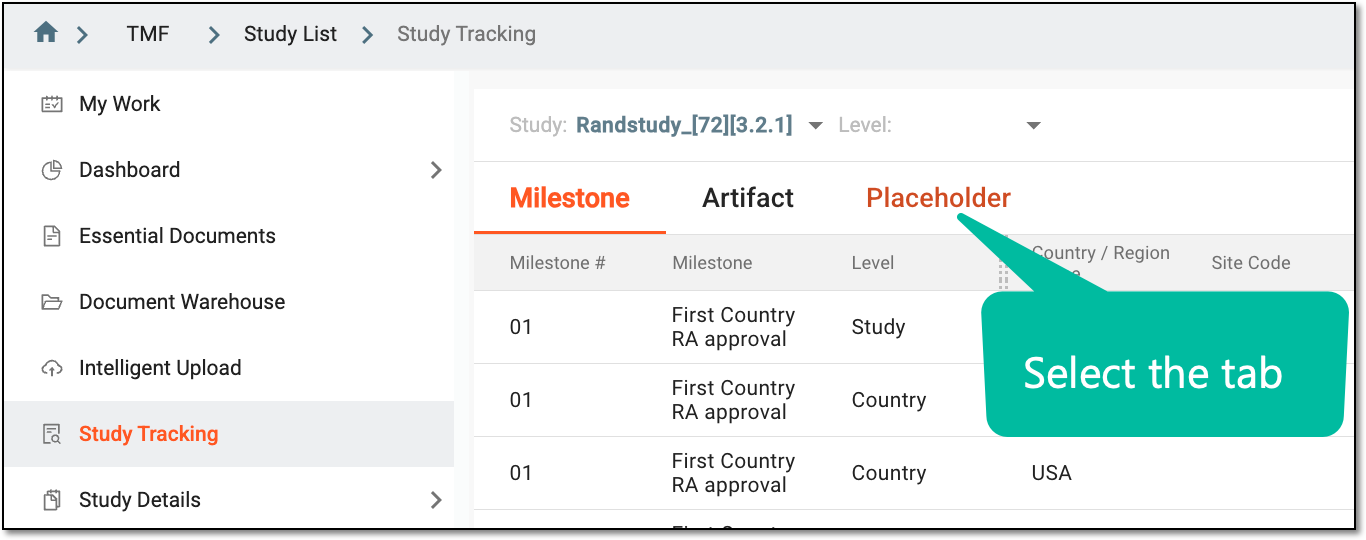 Figure 3. Accessing placeholders
-
From the workspace toolbar of the contents panel that appears, select Export
 .
.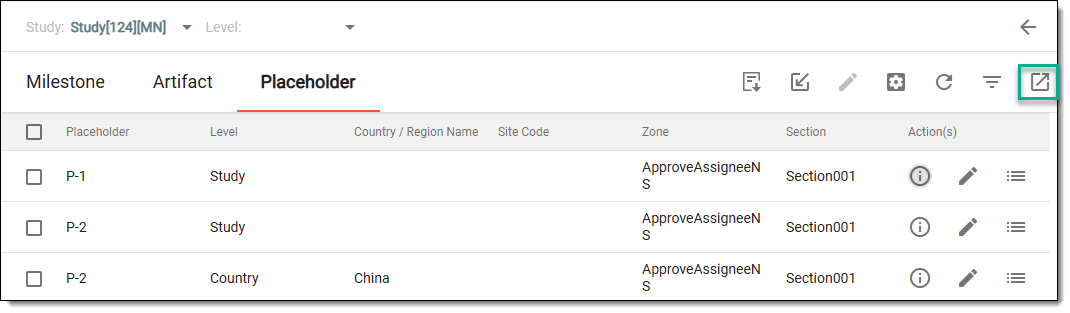 Figure 4. Exporting placeholder
Once exported, the file is saved on your system in the XLSX format. You can now work with it offline.