Delete subject discontinuation rule
In clinical trials, a subject phase constitutes a pathway marking the progression of participants through various stages of the study. Each phase serves as a milestone that captures the subject's journey and is integral to the overall trial design and scientific integrity.
The Study Designer application provides various tools to configure the subject phase flow. One such tool enables the configuration of the subject discontinuation rule. However, this rule can be deleted if deemed unnecessary or conflicts with the evolving study objectives. The ability to modify or remove the subject discontinuation rule is crucial for maintaining the flexibility and adaptability of the study.
-
In the Study Designer application header, select the SUBJECT PHASE tab.
 Figure 1. Accessing subject phase configuration
-
From the toolbar, select the latest unlocked CRF version, otherwise, you cannot work with subject phases.
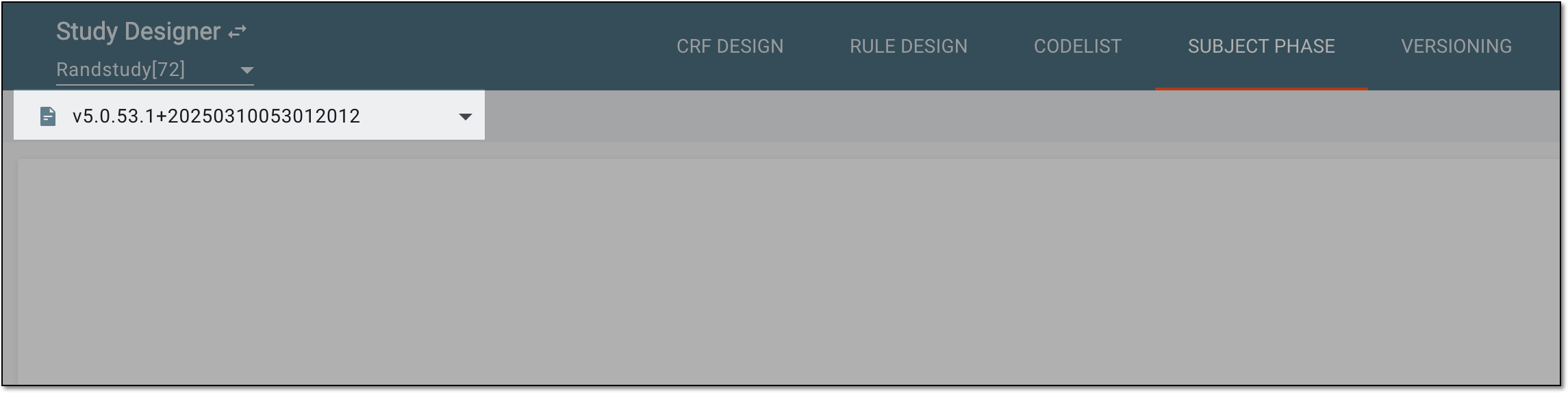 Figure 2. Selecting unlocked CRF version
-
From the same toolbar, select Auto-derive Discontinue
 .
.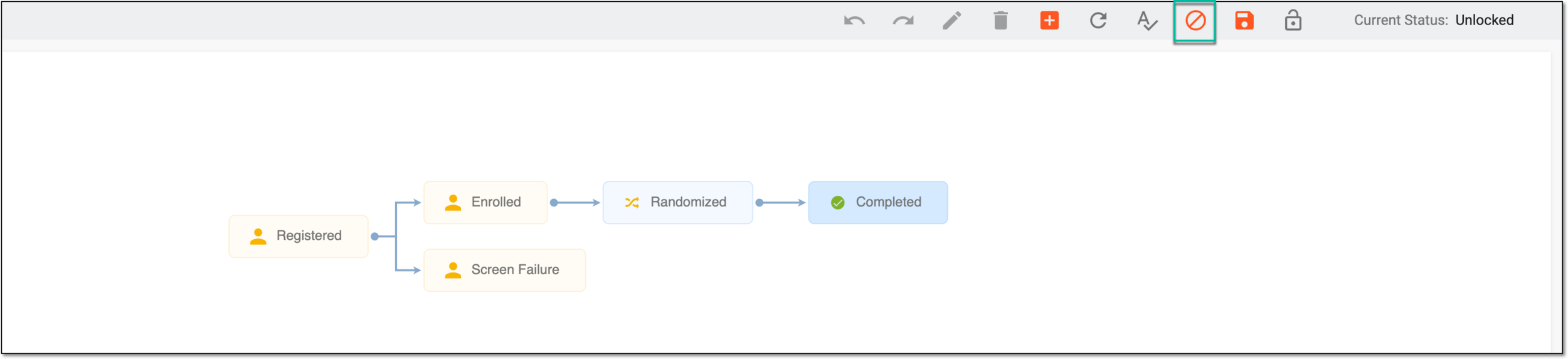 Figure 3. Accessing autoderived discontinuation configuration
-
In the Auto-derive Discontinue dialog that appears, select
 .
.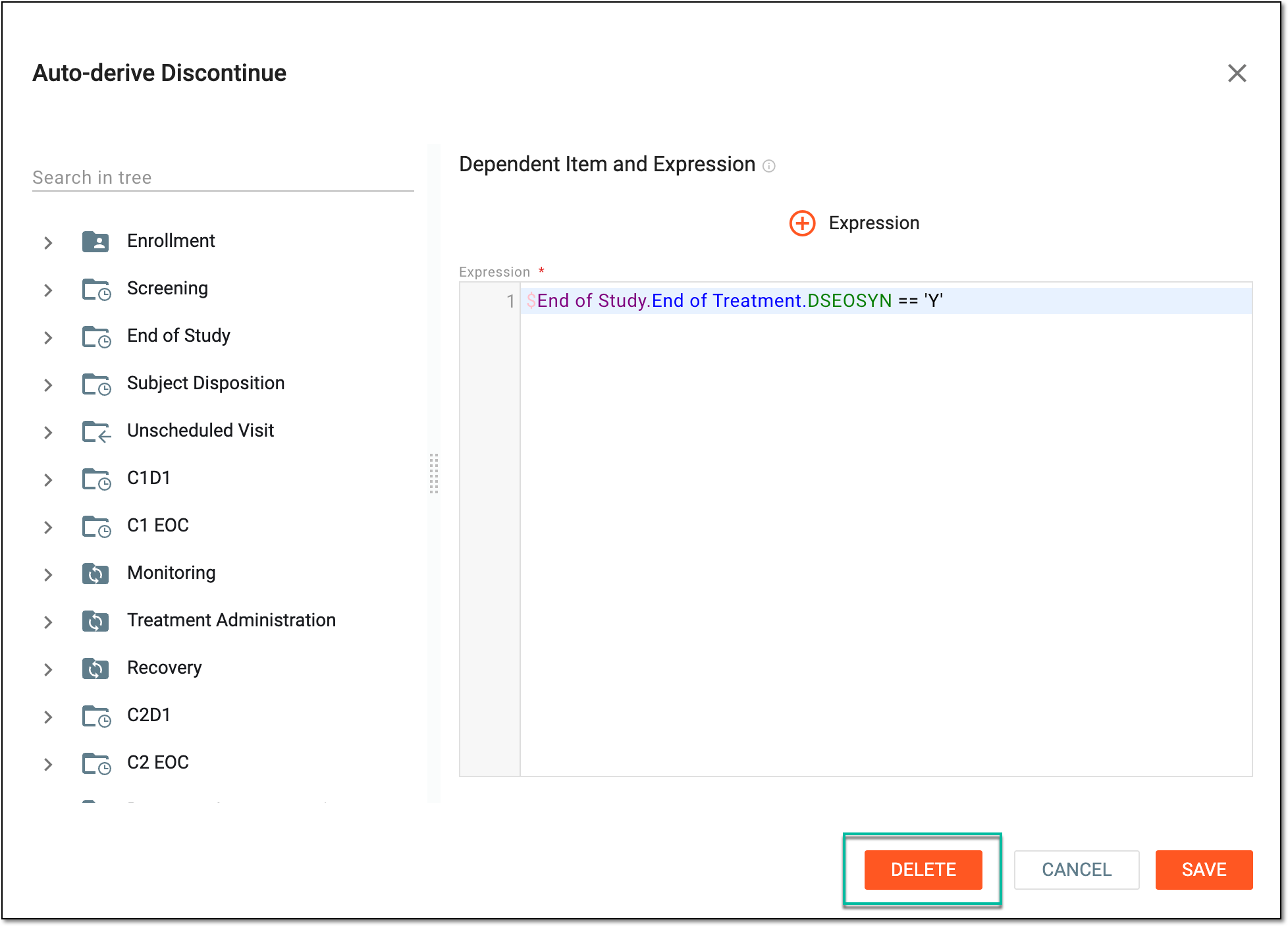 Figure 4. Selecting to delete subject discontinuation rule
-
In the confirmation dialog that appears, select
 .
. Figure 5. Deleting subject discontinuation rule
Once confirmed, the subject discontinuation rule is deleted.