Download eCOA schedules and reminders from history
eCOA is a software application designed to run on mobile devices such as smartphones or tablets, enabling subjects or nurses to complete electronic Clinical Outcome Assessments (eCOA) through mobile devices. The eClinical EDC system has customizable configurations that facilitate integration with the eCOA mobile application, enabling real-time data collection.
In eClinical EDC, you can access a dynamic view of visit forms along with their statuses and other details for efficient tracking of updates made in the eCOA mobile application. This list can be exported to your computer in the XLSX format. The history of the downloads is available via the Export History feature so that you can download any needed file version from there.
-
In the EDC application header, select the STUDY INFO tab.
-
In the left pane of the page that opens, expand eCOA and select Schedules and Reminders.
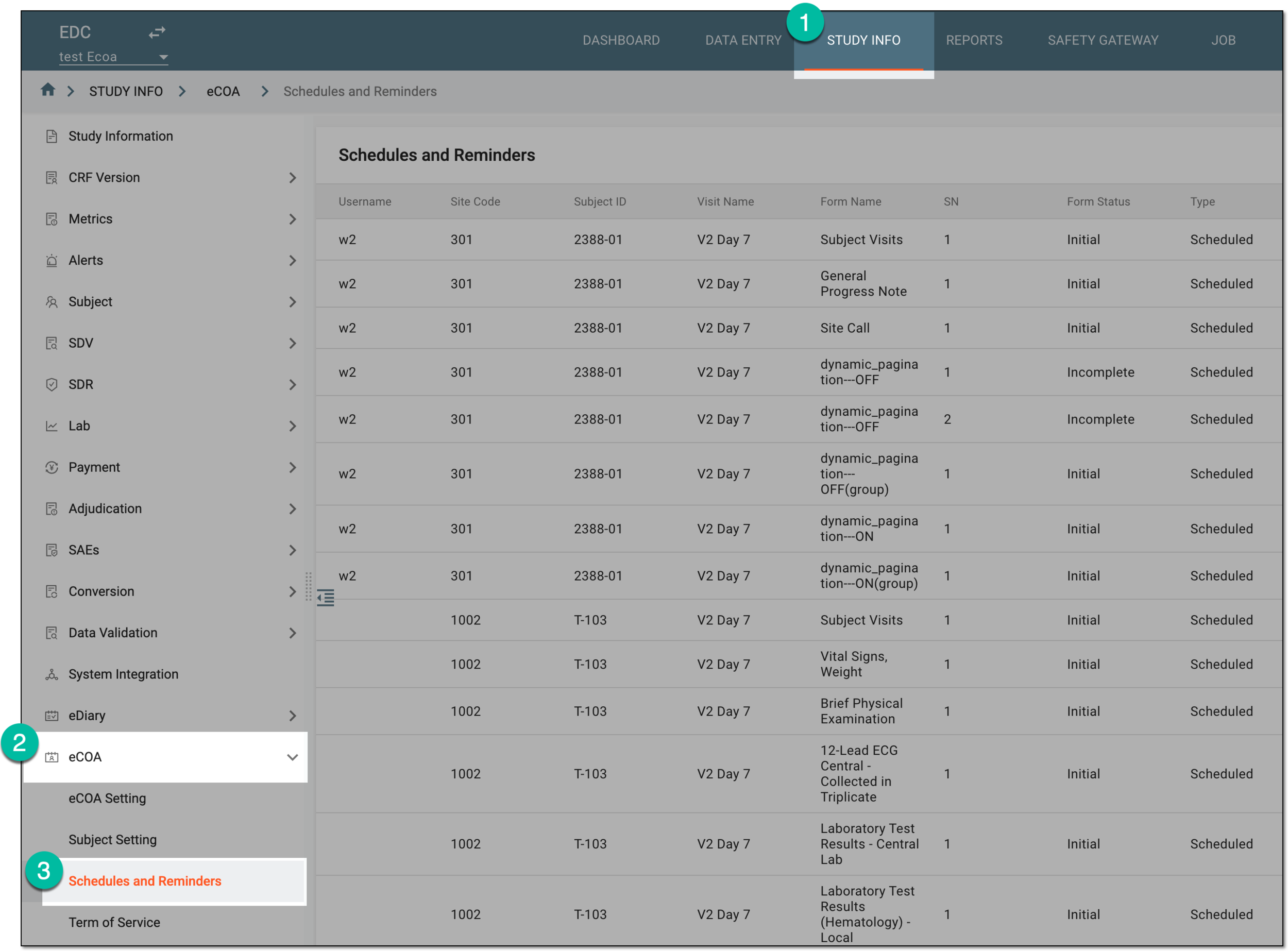 Figure 1. Accessing eCOA schedules and reminders
-
On the Schedules and Reminders page that opens, from the workspace toolbar, select History
 .
. Figure 2. Selecting to open export history
-
In the Export History dialog that appears, next to the file version that you want to download, select Export
 .
.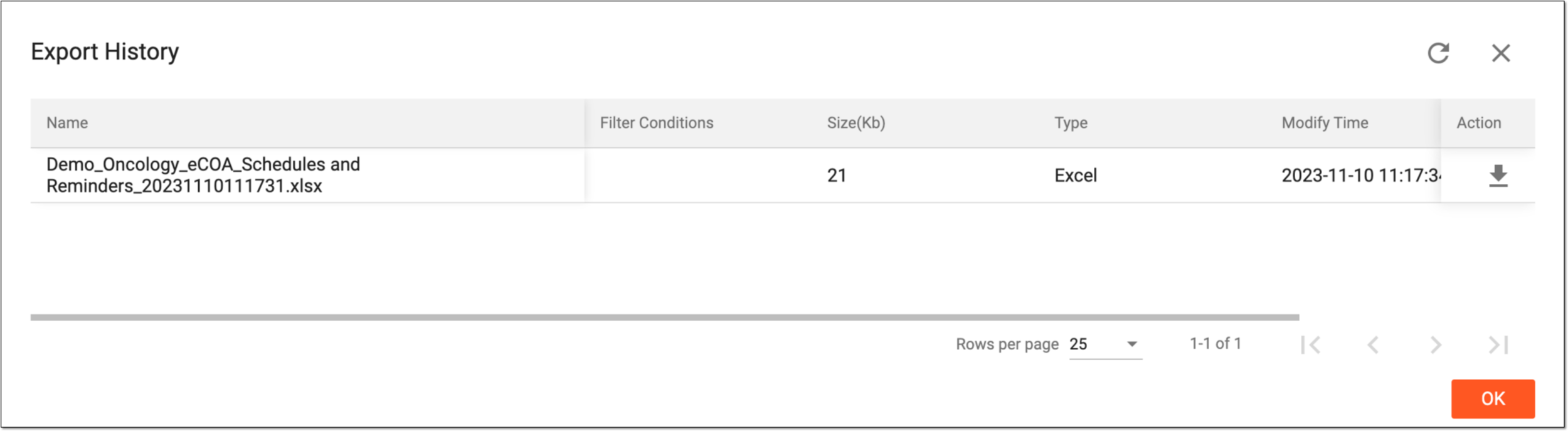 Figure 3. Viewing files in export history
Once downloaded and saved, the file version of the eCOA schedules and reminders report is available on your computer.