View eCOA schedules and reminders
eCOA is a software application designed to run on mobile devices such as smartphones or tablets, enabling subjects or nurses to complete electronic Clinical Outcome Assessments (eCOA) through mobile devices. The eClinical EDC system has customizable configurations that facilitate integration with the eCOA mobile application, enabling real-time data collection.
In eClinical EDC, you can access a dynamic view of visit forms along with their statuses and other details, allowing you to efficiently track which forms have been updated with entered data and which ones are yet to receive data input in the eCOA mobile application. This real-time visibility empowers the meticulous monitoring of the data collection progress, ensuring the timely completion of forms and facilitating a streamlined trial process.
-
In the EDC application header, select the STUDY INFO tab.
-
In the left pane of the page that opens, expand eCOA and select Schedules and Reminders.
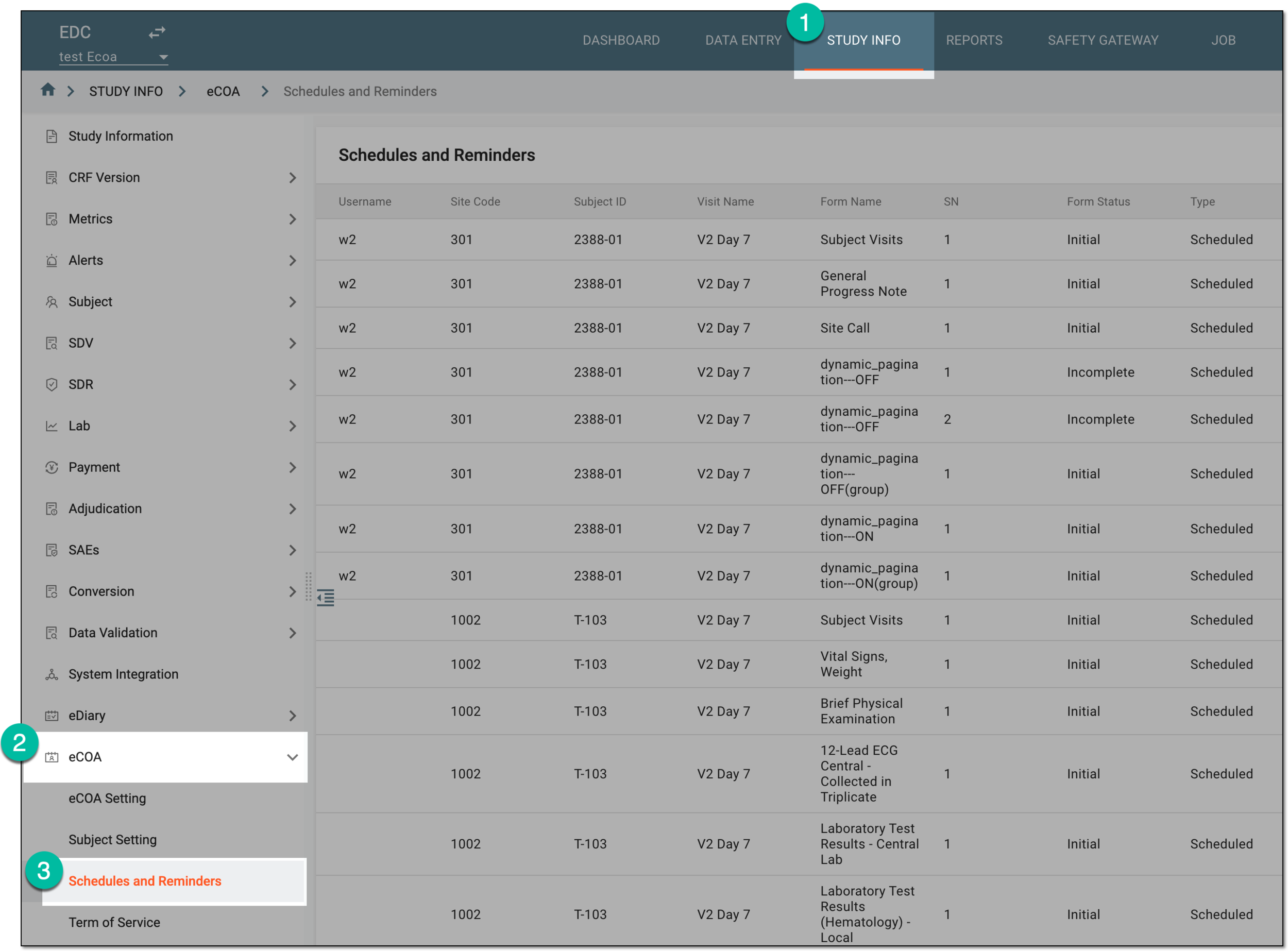 Figure 1. Accessing eCOA schedules and reminders
-
In the Schedules and Reminders table that appears, view the list of forms that have been completed in the eCOA application or still need to be filled in.
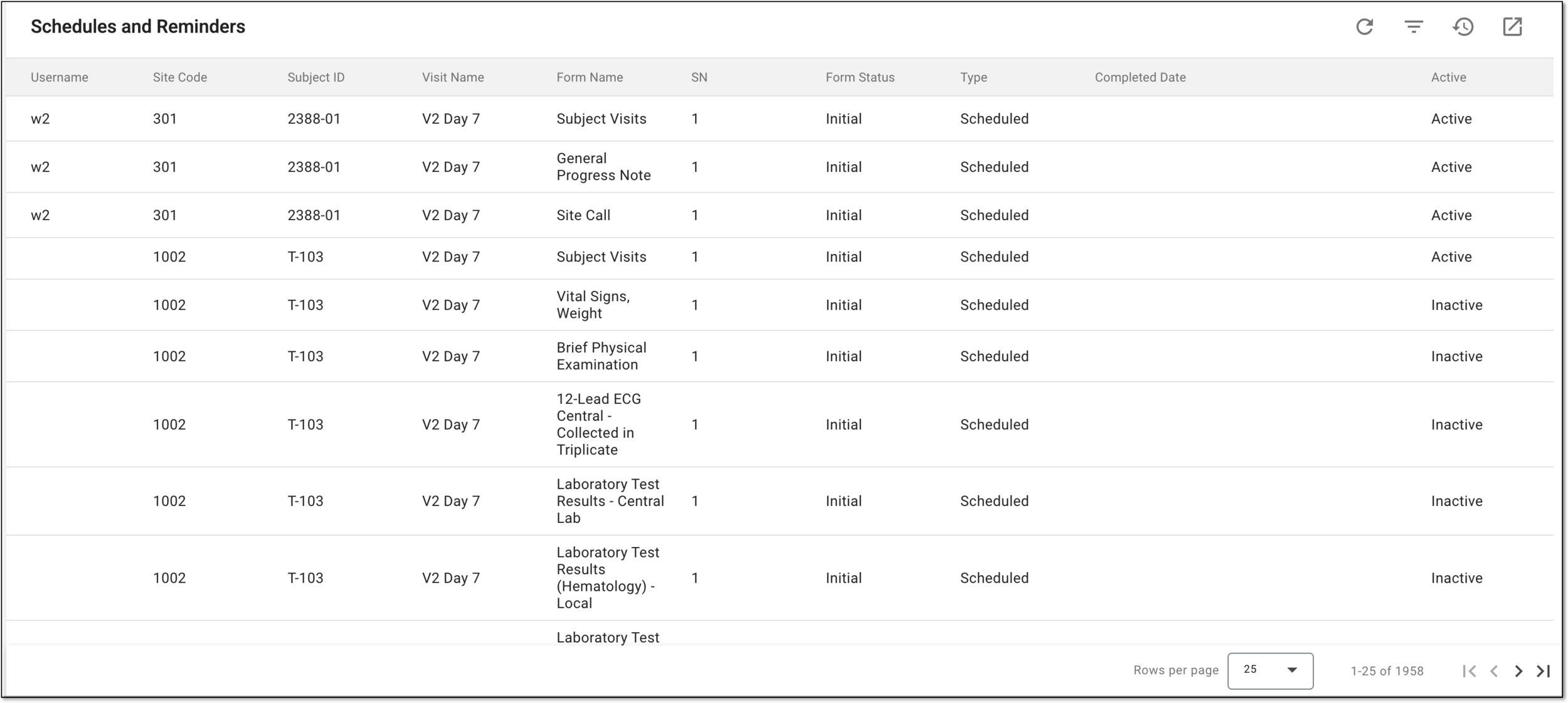 Figure 2. Analyzing schedules and reminders details
Once viewed, you can inform the corresponding users what forms still need to be completed or export the list and share it with them.