Export ICSR line listing record
In PV, the Line Listing Export function is based on the product event matrix. You can use this functionality to export only relevant suspect products and events within the matrix. Multiple records are merged in an Excel file when exported.
Important
The Line Listing Export functionality allows the export of a maximum of 2000 ICSR records.
-
In the PV application header, select the ICSR tab.
 Figure 1. Accessing ICSR list
-
On the ICSR LIST page that opens, on the workspace toolbar, select More
 > Line Listing Export
  .
.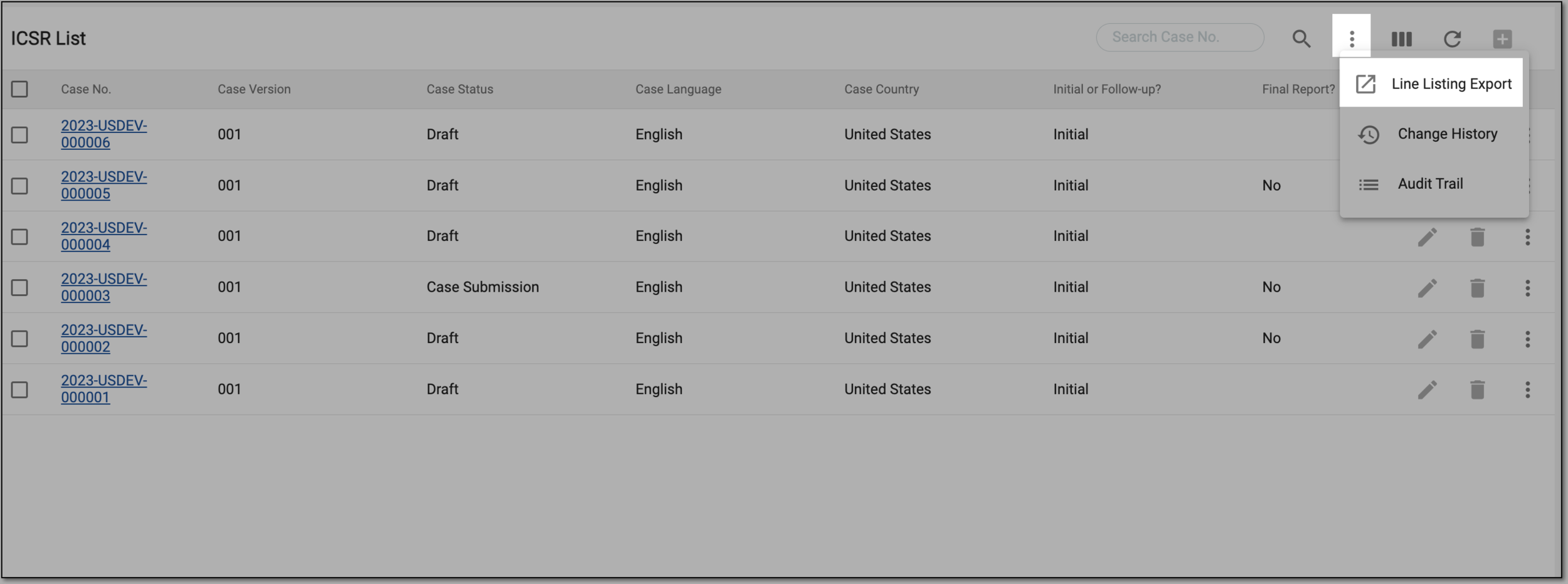 Figure 2. Selecting line listing export
-
On the Line Listing Export page that opens, in the Public Template or My Template block, select the template for line listing export.
-
On the Line Listing Export page that opens, in the Public Template or My Template block, select the template and then select
 .
.Tip
If there is the no template suitable to your needs, you can create a new line listing export template.
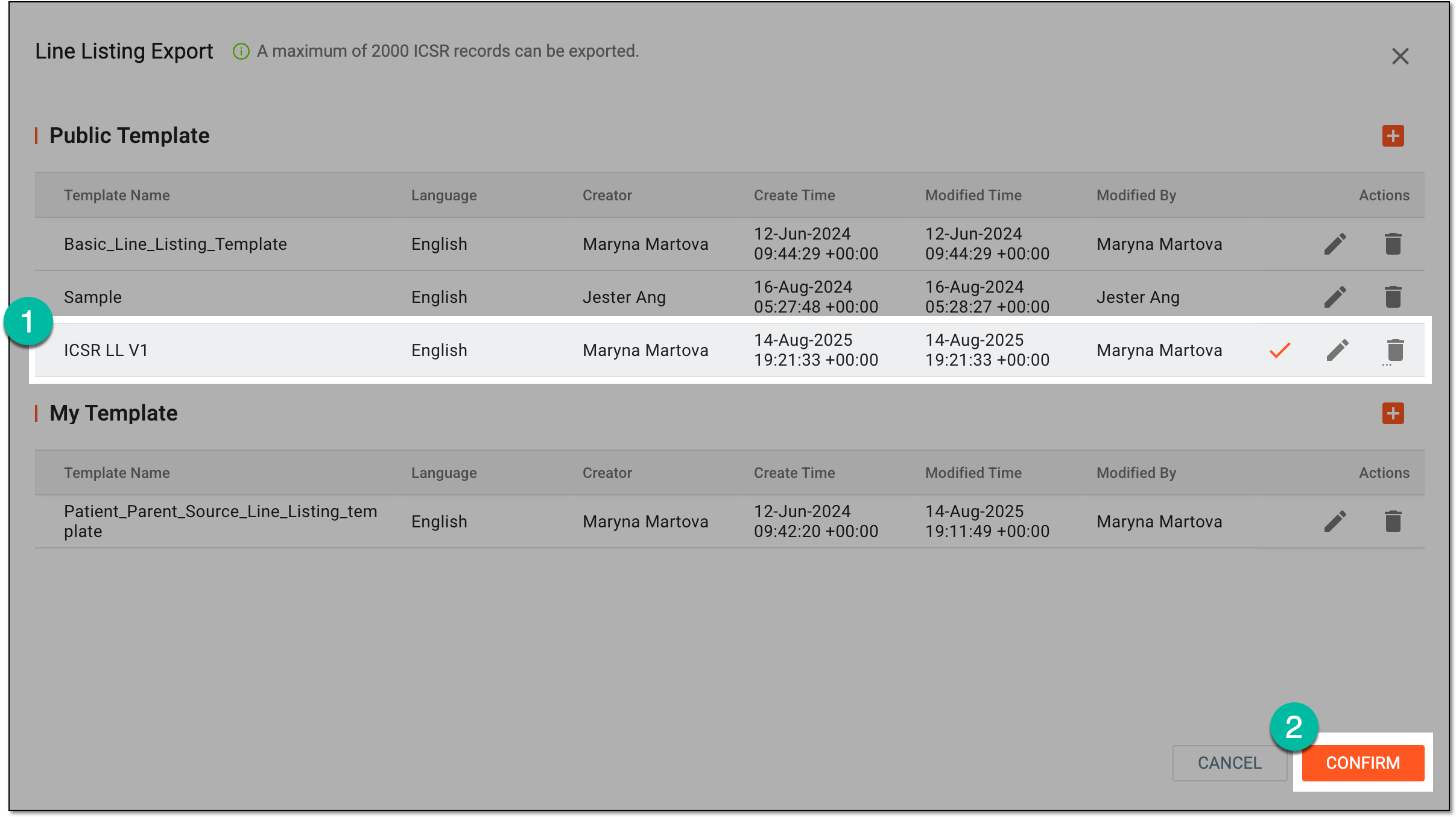 Figure 3. Selecting template to export ISCR line listing
-
In the downloads widget that appears, view your download progress. Select the widget to open the My Downloads dialog.
 Figure 4. Downloads widget for line listing export
-
In the My Downloads dialog that opens, you can find the following tabs:
-
Preparing: lists all the files whose export is in progress, and they are not yet ready for download. Wait until the needed file moves to the Download is Ready tab.
-
Download is Ready: lists the files whose export is complete, and they can be downloaded to your computer by selecting
 .
.
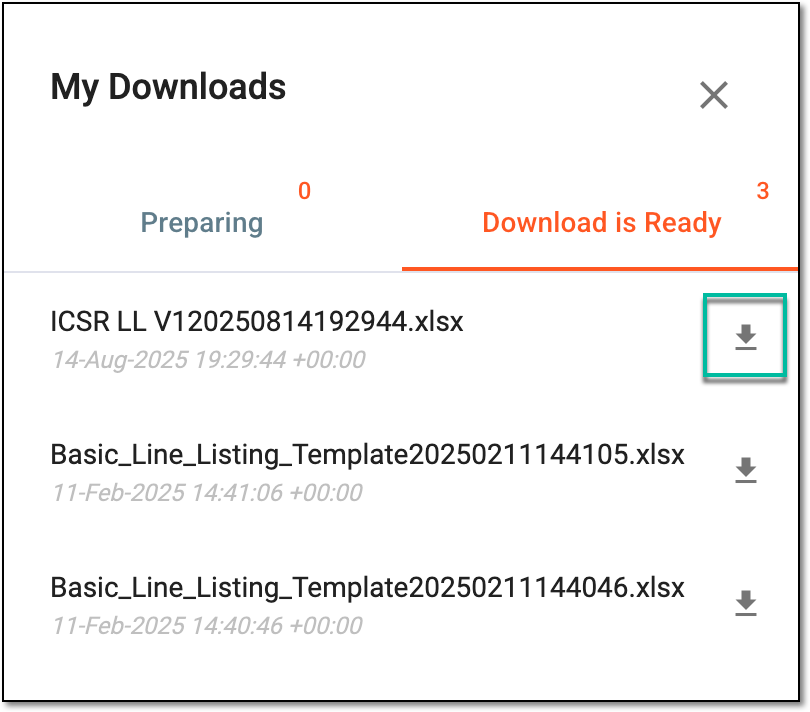 Figure 5. Downloading extracted ICSR line listing file
-
Once downloaded and saved, the ICSR line listing data becomes available on your computer.