Set expiry buffer
In the IWRS application, the Expiry Buffer tab is used when the site dispenses drugs to the subject. With this functionality, you can set the expiry buffer in days which results in excluding the expired drugs from dispensing.
Suppose a treatment cycle is 30 days when the site dispenses drugs to the subject. The day limit of drug expiry can be changed so that the expired drugs are not included in the subject dispensing.
-
In the IWRS application header, select the TREATMENT DESIGN tab.
-
From the left pane, select the Supply Setting subtab.
-
On the page that opens, from the contents panel, select Expiry Control > Expiry Buffer.
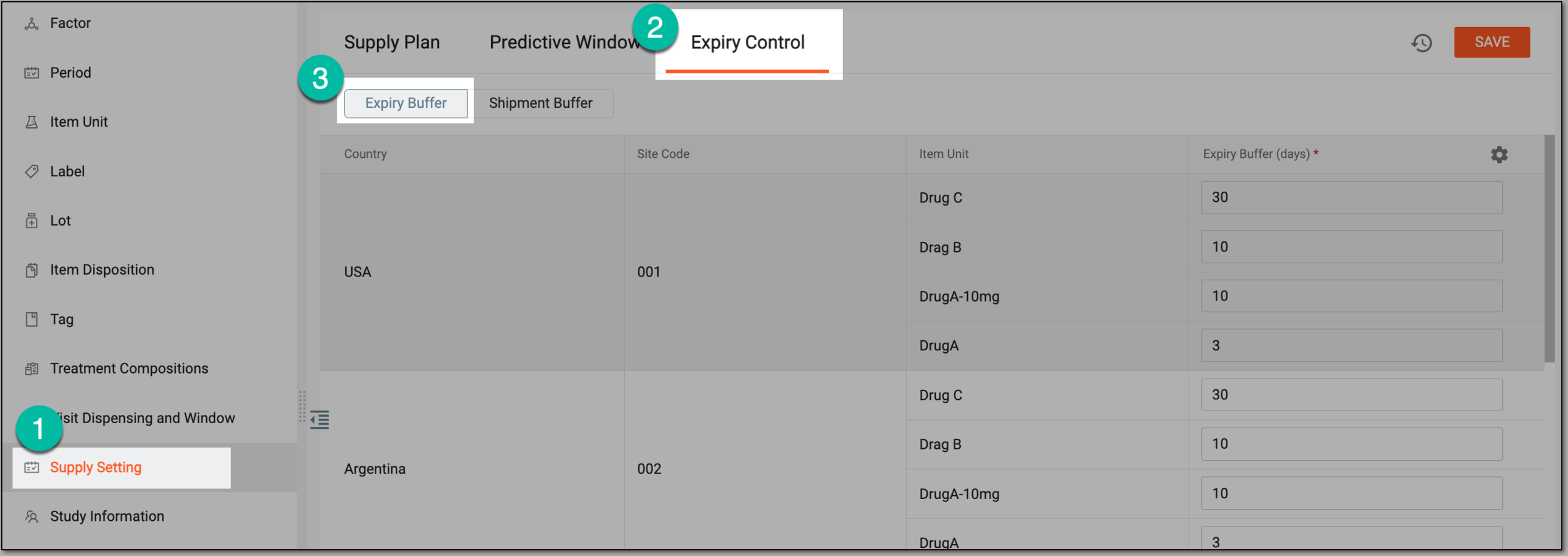 Figure 1. Selecting expiry buffer
-
In the form that appears, edit the fields as explained in the following table.
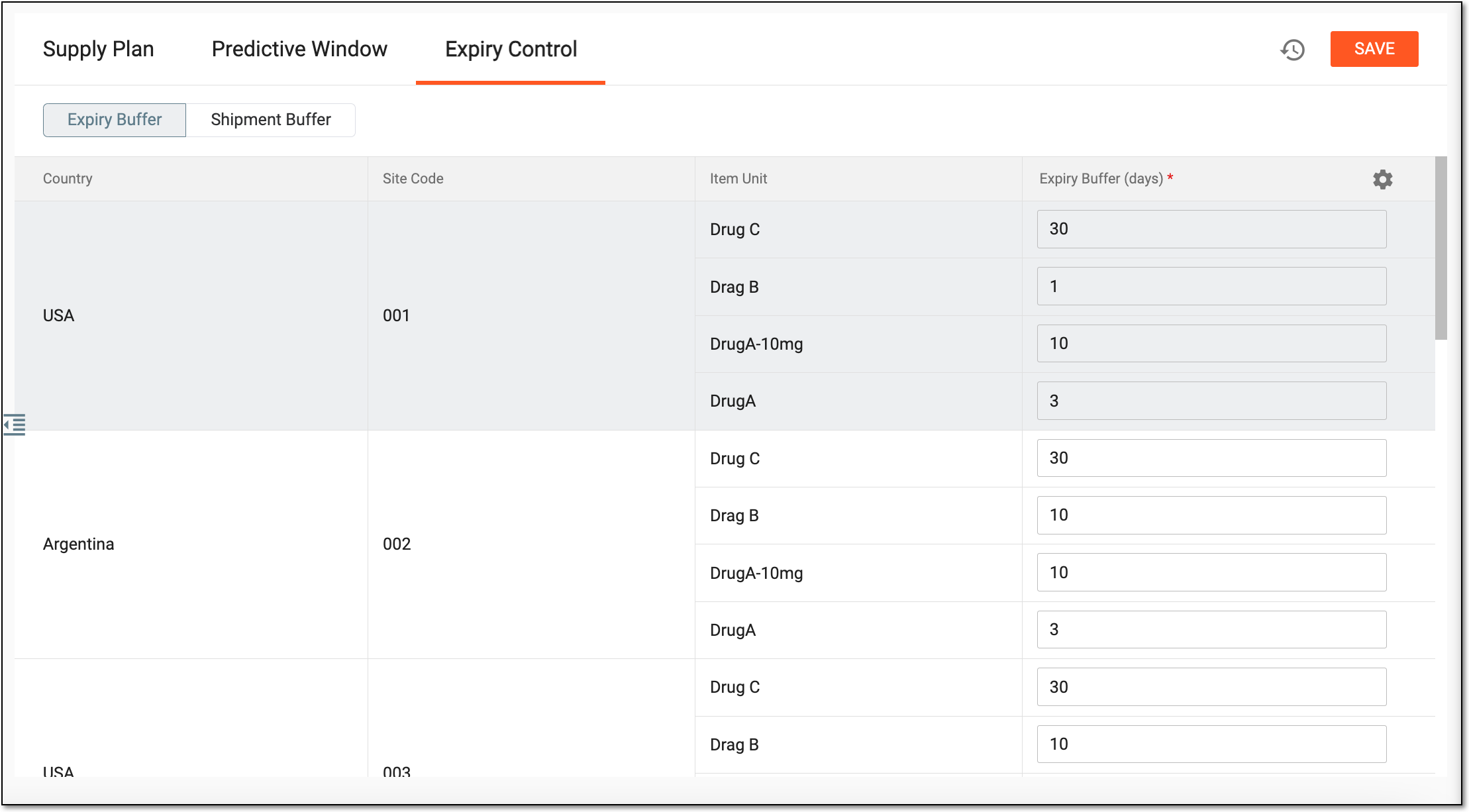 Figure 2. Editing expiry buffer
Tip
In the following table, mandatory elements are marked with an asterisk (*).
Element
Details
Country
Represents the country of the site to which the drug belongs.
Site Code
A read-only field that represents the site code.
Item Unit
Represents the unique item unit name, for example, Drug B.
Expiry Buffer (days)*
Enter the number of buffer days before the item expires.
For example, if a drug expires in N days which is less than the expiry buffer days, the system will not use the item for dispensing.
SAVE
Select
 to save the performed actions.
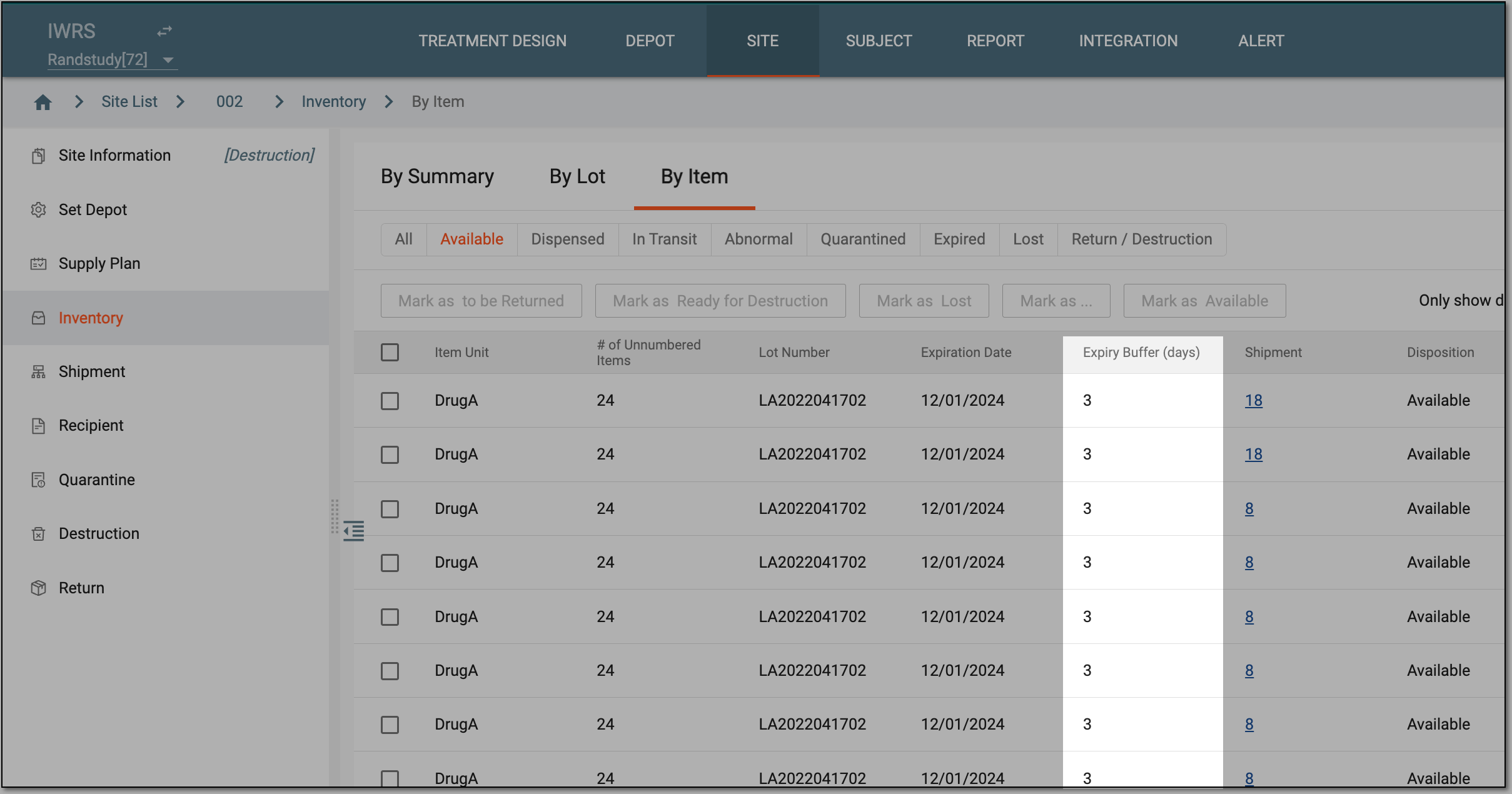
Upon saving, the updated expiry buffer (days) is also updated in the SITE > Inventory tab.