View artifacts associated with milestone
Milestones are significant events or phases within the lifecycle of a clinical trial that require documentation and tracking. Milestones are configured according to the study plan and protocol, representing key stages of the clinical trial process, such as study initiation, site training, patient enrollment completion, and many others. They are critical for planning, monitoring, and managing the trial progress effectively.
In eTMF, under the Study Tracking page, you can view the list of your study milestones and take a look at all the artifacts that are associated with these milestones. Overall, you associate all your artifacts with milestones or placeholders for better tracking and maintenance.
-
In the eTMF application header, select the TMF tab.
-
On the page that opens, in the left pane, select the Study List subtab.
-
In the Study List table, select the needed study name.
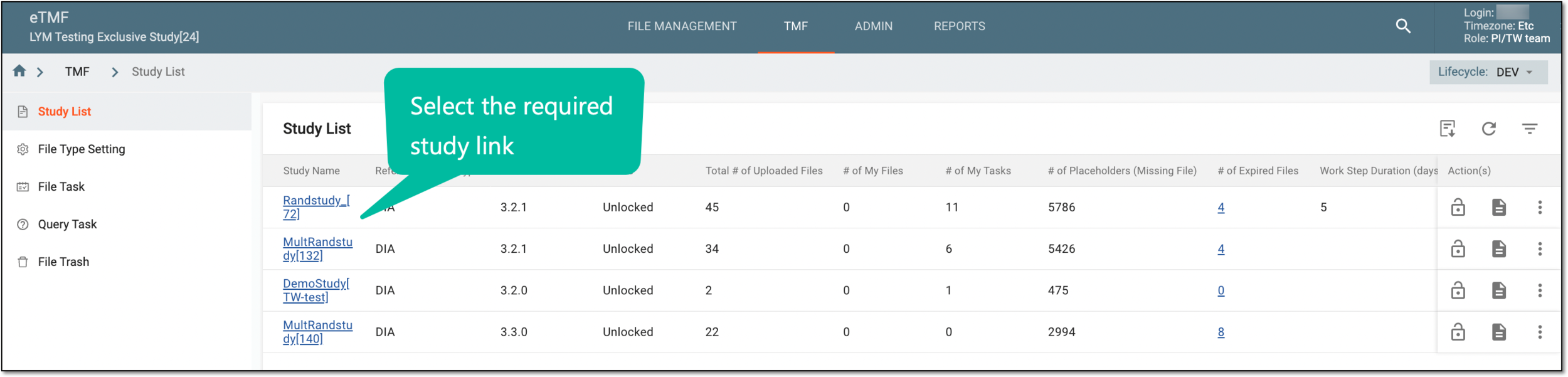 Figure 1. Selecting study
-
On the page that opens, select the Study Tracking pane option.
 Figure 2. Accessing study tracking page
-
In the Milestone table, go to the needed milestone. Then in the Actions column, select Associated
 .
.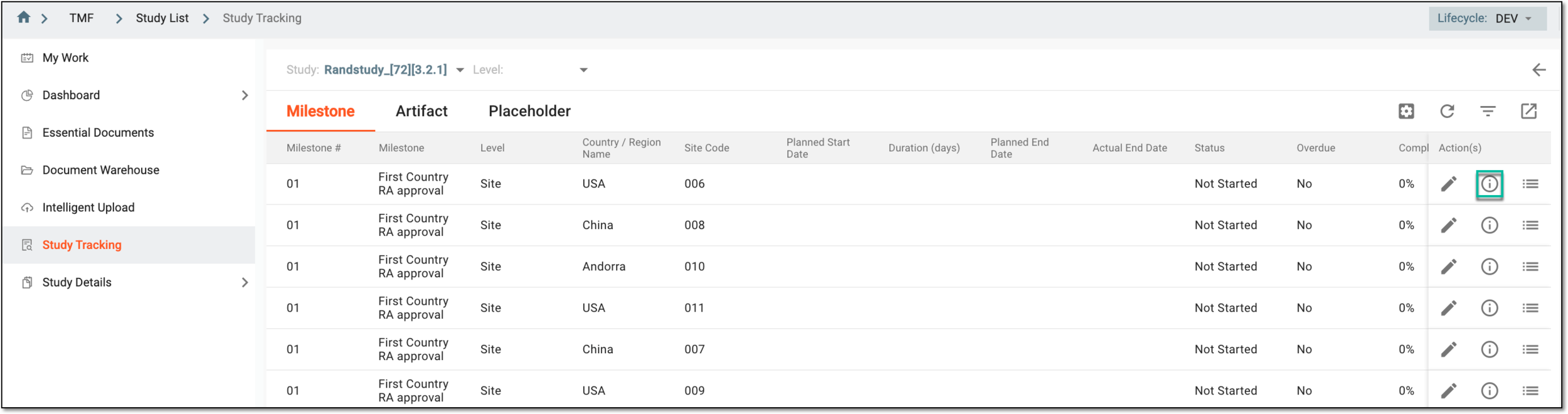 Figure 3. Accessing option to view associated artifacts
-
In the Associated dialog that opens, view the list of all the artifacts associated with this milestone. This dialog also displays zones, sections, and the status related to the artifact.
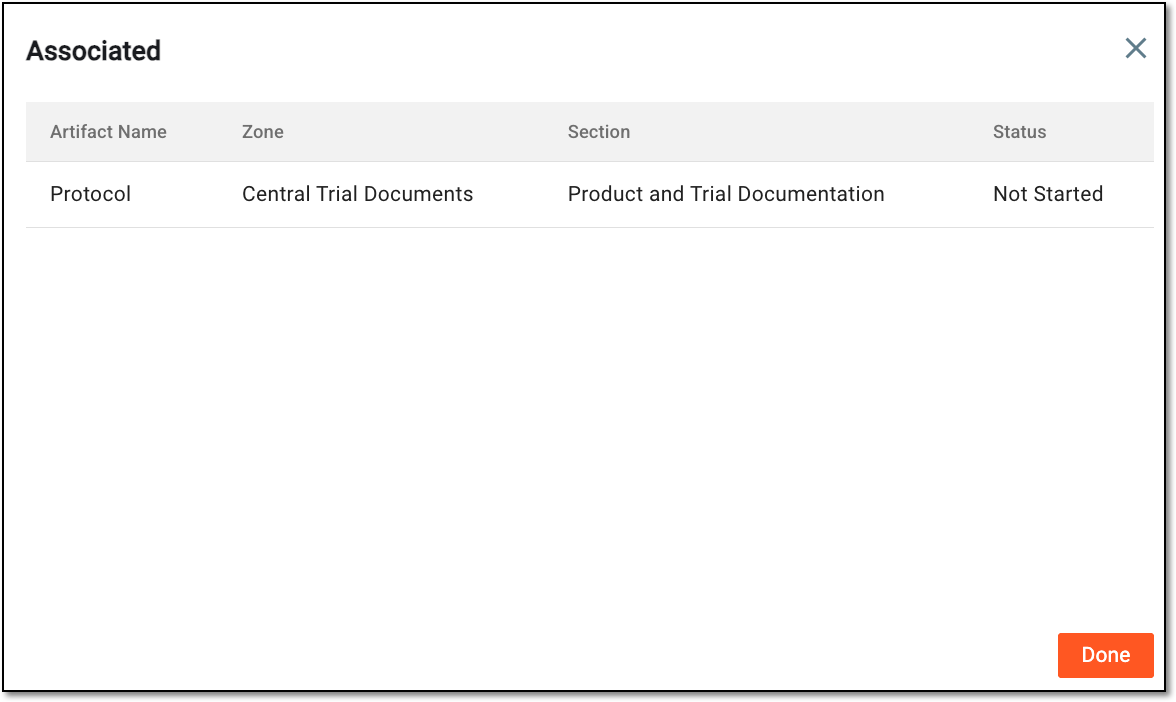 Figure 4. Analyzinh associated artifacts
-
Select
 to close the dialog.
Once selected, you are back on the Milestone page.