Edit milestone
Milestones are significant events or phases within the lifecycle of a clinical trial that require documentation and tracking. Milestones are configured according to the study plan and protocol, representing key stages of the clinical trial process, such as study initiation, site training, patient enrollment completion, and many others. They are critical for planning, monitoring, and managing the trial progress effectively.
Editing milestones is vital for maintaining accurate and effective trial management. Whether due to changes in study design, regulatory updates, or tracking progress, the ability to modify milestones ensures that the TMF remains a reliable and relevant tool throughout the clinical trial lifecycle.
-
In the eTMF application header, select the TMF tab.
-
On the page that opens, in the left pane, select the Study List subtab.
-
In the Study List table, select the needed study name.
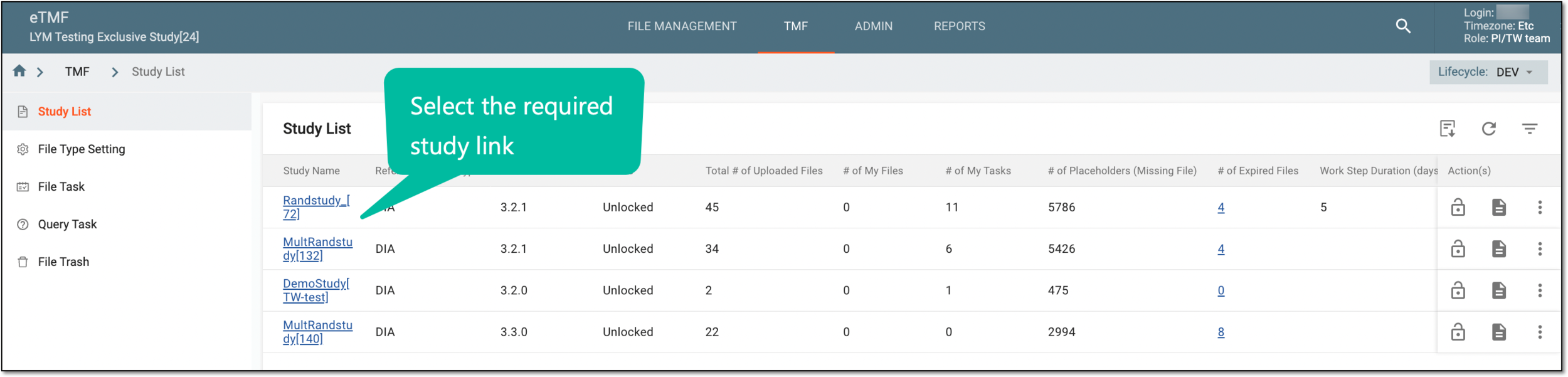 Figure 1. Selecting study
-
On the page that opens, select the Study Tracking pane option.
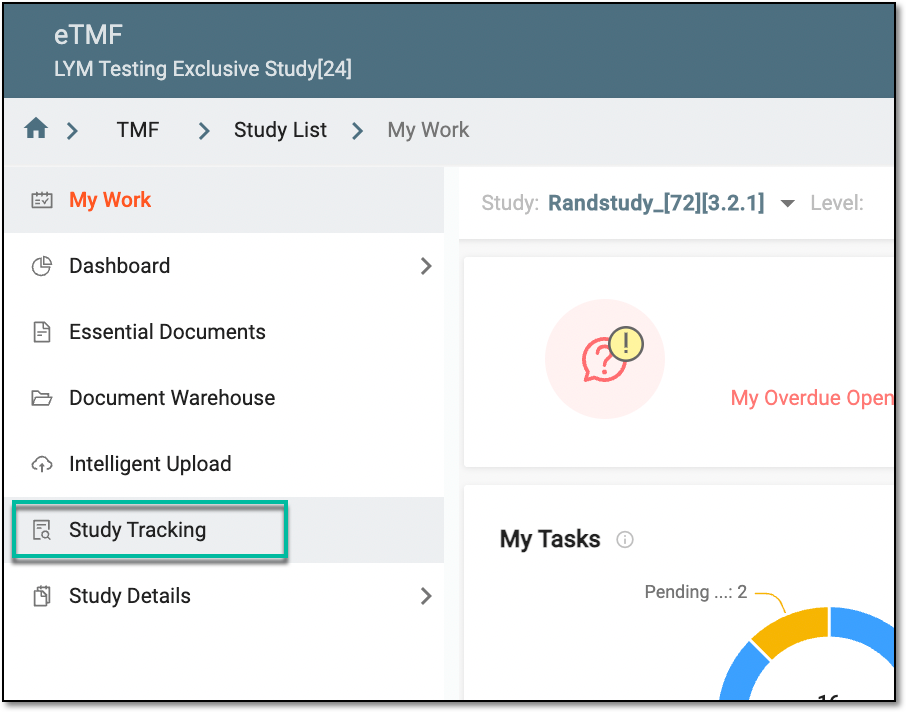 Figure 2. Accessing study tracking page
-
In the Milestone table, from the Actions column, select Edit
 .
.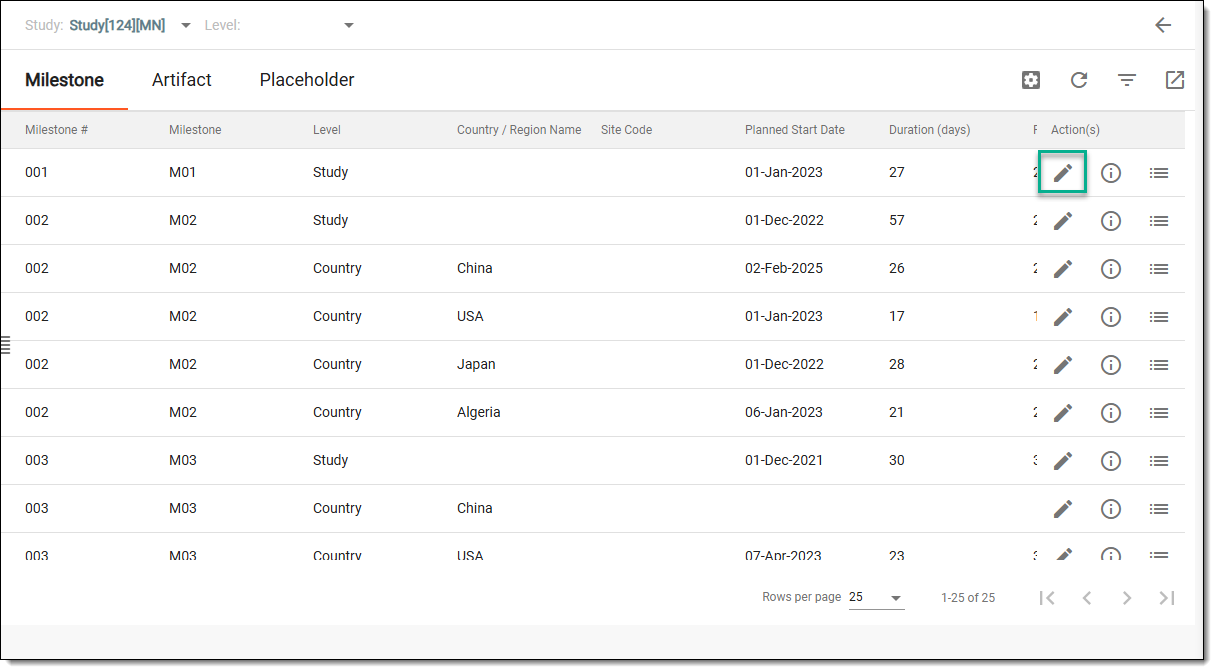 Figure 3. Accessing option to edit milestone
-
In the Edit dialog that opens, edit the fields as explained in the following table.
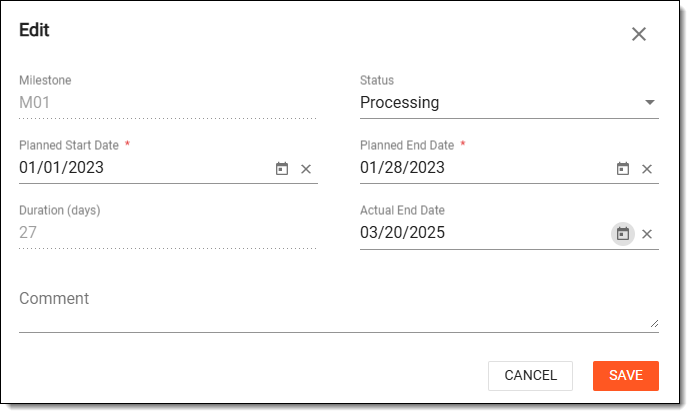 Figure 4. Editing milestone
Element
Details
Milestone
Represents the name of the milestone in the read-only mode.
Status
From the dropdown menu, switch the status to either of the following:
-
Processing: the milestone is still in process.
-
Completed: the milestone has been achieved and is now complete.
Planned Start Date*
Select the date picker and choose the date when the milestone is expected to start.
Planned End Date*
Select the date picker and choose the date when the milestone is expected to end.
Duration
Represents the number of days between the planned start and end dates. This field is read-only.
Actual End Date
Select the date picker and choose the actual end date of the milestone.
Comment
Enter any additional comments to support the chosen dates for your milestone.
SAVE
Select
 to implement the changes.
CANCEL
Select
 to dismiss the implemented changes without saving.
 -
Upon saving, the milestone is updated.