Delete task reminder
A task reminder is a type of CTMS alert that can be customized to generate an email intended for the notification of dedicated users about pending tasks in the application. These tasks are associated with the maintenance of monitoring visits, their approval, or completion of trip reports.
The purpose of a task reminder is to promptly notify dedicated users whenever a specific action occurs or expires to ensure uninterrupted monitoring visit management. Nonetheless, there may be situations where it becomes necessary to delete any of the configured task reminders to stop certain email notifications from continuing to synchronize with task updates in CTMS due to evolving study requirements.
Important
The task reminder you intend to delete must be inactivated before it can be removed from CTMS.
-
Access the study management page in one of the following ways:
-
In the CTMS application header, select the DASHBOARD tab and then select the study dashboard of your interest.
 Figure 1. Accessing study management from dashboard
-
In the CTMS application header, select the STUDY MANAGEMENT tab. Then from the Study Data List table, select the study name of your interest.
 Figure 2. Accessing study management from study data list
-
-
On the study page that opens, in the left pane, select Alerts > Task Reminder.
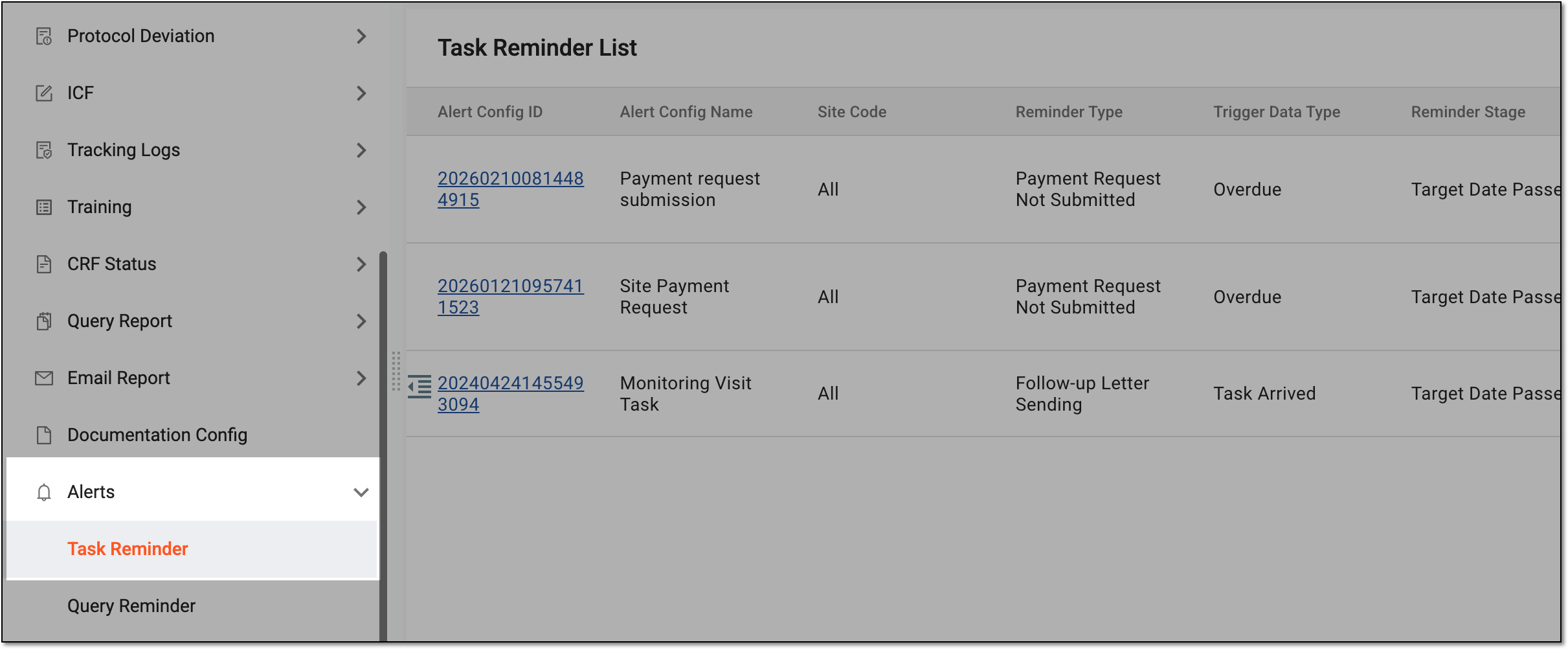 Figure 3. Accessing task reminders
-
In the Task Reminder List table that appears, next to the needed task reminder, select More
 > Delete
  .
.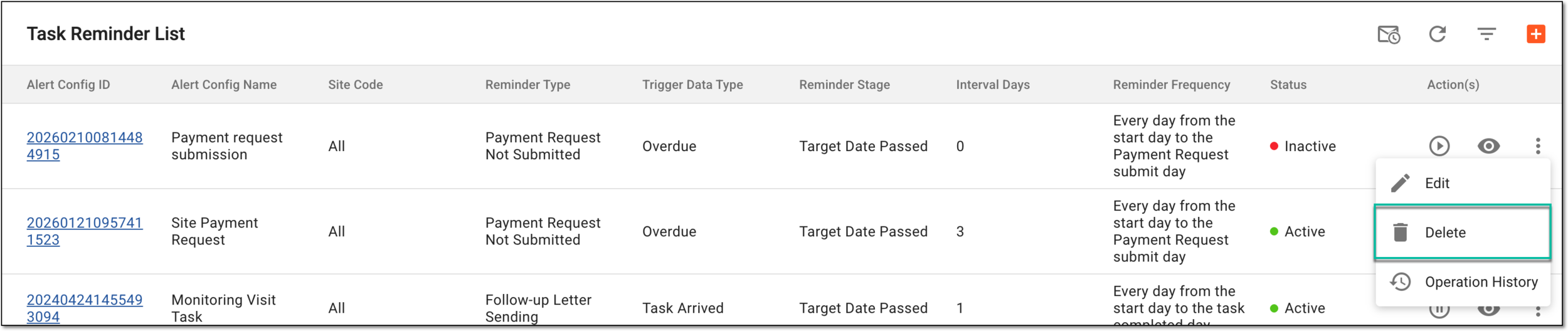 Figure 4. Selecting option to delete task reminder
-
In the Reason dialog that appears, enter a reason for deleting a task reminder and then select
 .
.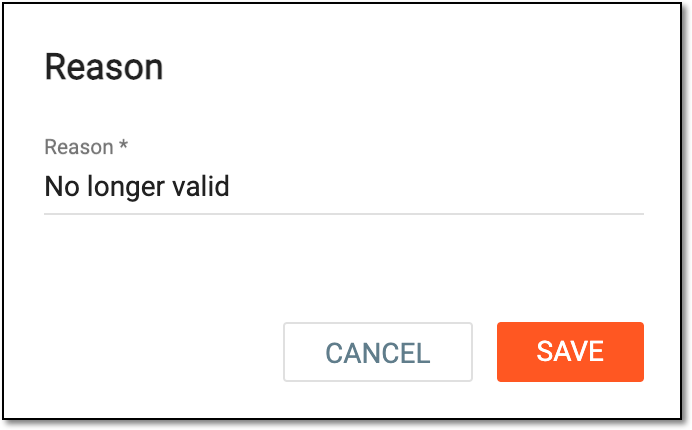 Figure 5. Deleting task reminder
Once confirmed, the task reminder is deleted. The deleted task reminder does not produce email notifications anymore.