Edit supply plan alert
A supply plan represents a set of parameters such as item units, stock values, and so on that is configured to automate the process of item supply to sites to always maintain a sufficient amount of medication or devices for all registered subjects. A supply plan alert is a customizable notification mechanism that generates an email to inform relevant parties when a different supply plan is assigned to some study site.
The purpose of the supply plan alert is to keep the site personnel informed about any modifications to the planned item supply so they can manage inventory and distribution effectively during the study. You can update the details of the created supply plan alert when you need to change the alert name, recipient preferences, or email settings.
-
In the IWRS application header, select the ALERT tab.
-
On the page that opens, from the left pane, select the subtab corresponding to the alert category of your interest.
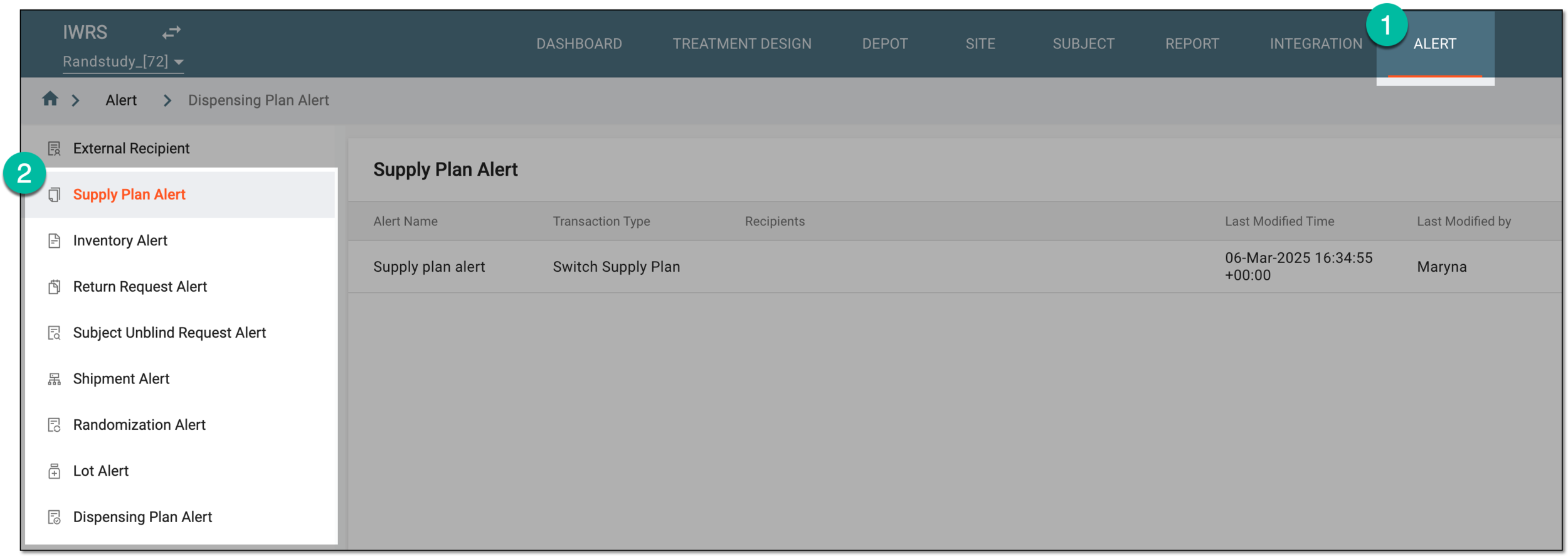 Figure 1. Accessing alert settings
-
In the Supply Plan Alert table that appears, next to the configured supply plan alert, select More
 > Edit
  .
. Figure 2. Selecting option to edit supply plan alert
-
On the page that opens, update the necessary supply plan alert settings. These settings are identical to the ones explained in the table of the Create supply plan alert section.
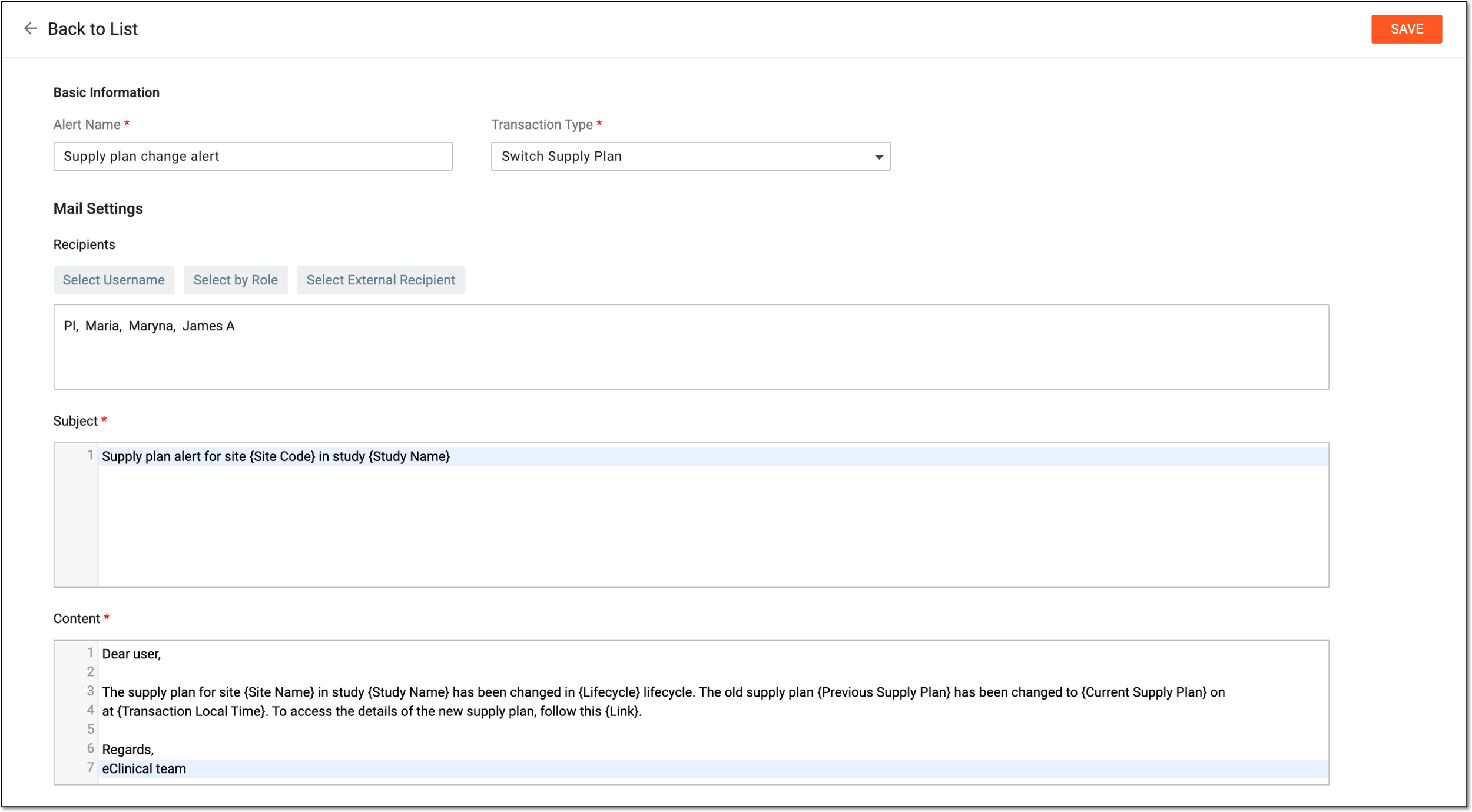 Figure 3. Editing supply plan alert
-
Select
 to apply new settings of the supply plan alert.
Once saved, the supply plan alert is updated. Now the system generates emails based on the new settings of the supply plan alert.