Edit product ingredient
In PV, once a new product is configured, the Ingredient block is populated with the ingredients configured for a product family to which the product belongs. Although, you might need to edit some details for the product ingredient.
-
In the PV application header, select the PRODUCT tab.
-
On the page that opens, in the left pane, expand the product family within which your product resides.
-
From the expanded list, select the product for which you want to edit an ingredient.
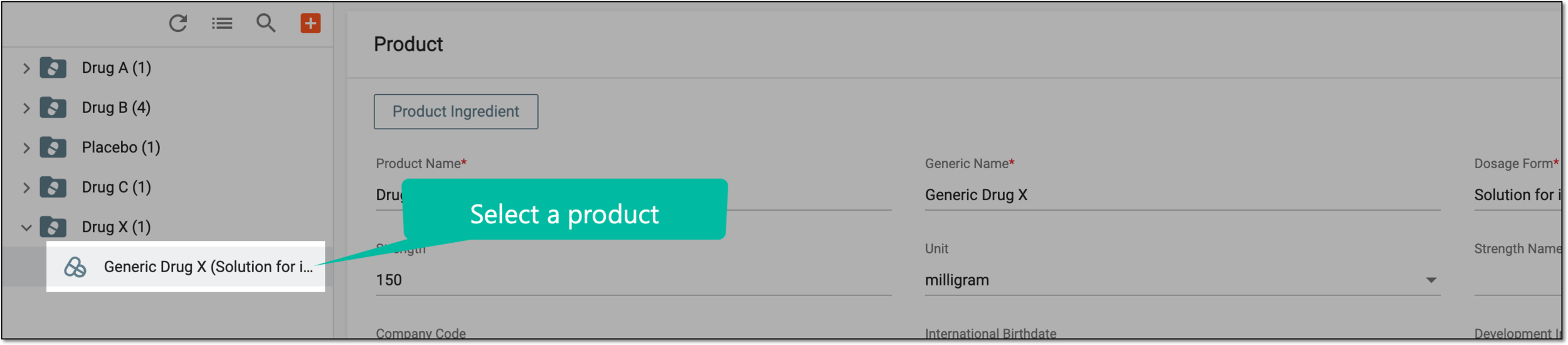 Figure 1. Selecting product
-
On the Product form page that opens, go to the Product Ingredient block, and in the table, next to the ingredient that you want to update, select Edit
 .
. Figure 2. Editing product ingredient
-
In the Edit Product Ingredient dialog that appears, edit the fields as explained in the following table.
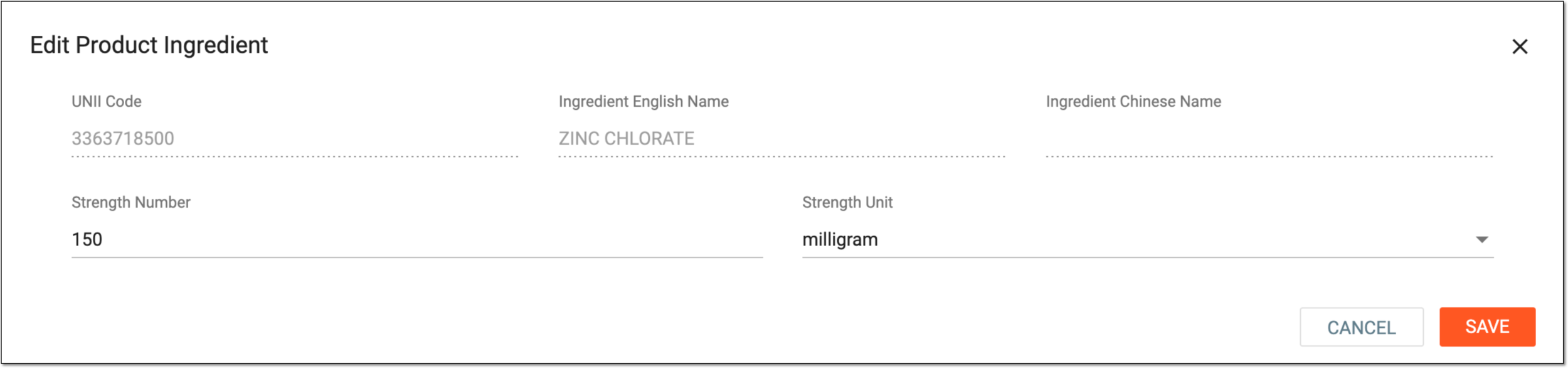 Figure 3. Editing product ingredient
Element
Details
Ingredient Code
Represents the active ingredient code according to the FDA Unique Ingredient Identifier (UNII) terminology to implement the ISO Identification of Medicinal Products (IDMP) standards.
The field is read-only, and the value populates from the product family ingredient configuration.
Ingredient English Name
Represents the name of the active ingredient in English.
The field is read-only, and the value populates from the product family ingredient configuration.
Ingredient Chinese Name
Represents the name of the active ingredient in Chinese.
If the multilingual submission is involved and the relevant Chinese name is unavailable, contact the EDETEK administrator to add it. Currently, only part of the ingredient contains the Chinese name obtained from the Chinese version of the WHODrug dictionary.The field is read-only, and the value populates from the product family ingredient configuration.
Strength Number
Enter the value (number) of how much of an active ingredient the medication contains.
Strength Unit
Select the unit of the active ingredient strength measurement.
SAVE
Select
 to apply the changes.
CANCEL
Select
 to discard the changes without saving.
Once saved, the product ingredient is updated.