Edit MedDRA synonym
The MedDRA Synonym is an important feature of the PV application that helps you standardize the coding of adverse events, medical conditions, indications, medical and surgical procedures, pharmacogenetic terms, toxicological issues, and more. With this feature, you can capture and report data using the terms that are most commonly used in your local healthcare organization. However, sometimes the MedDRA synonym, associated with a preferred MedDRA term and code, may need to be edited. This can happen when, for example, the verbatim term changes or when the mapping of the synonym needs to be updated to correspond to a different MedDRA term and code.
-
In the PV application header, select the CONFIGURATION tab.
-
In the left pane, select MedDRA Synonym.
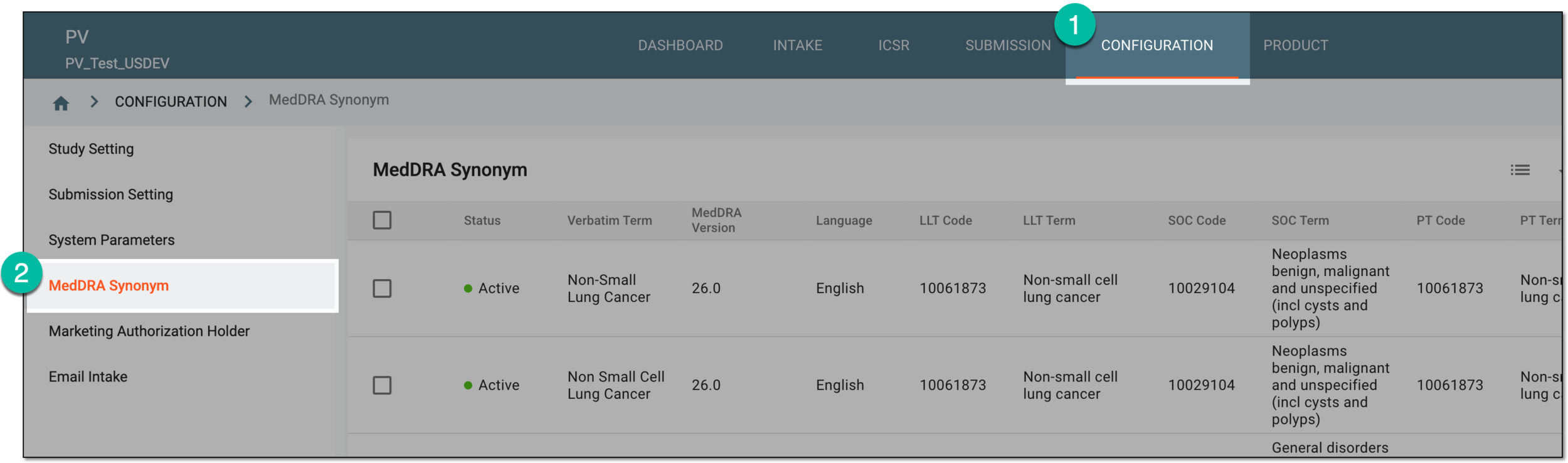 Figure 1. Accessing MedDRA synonym configuration
-
On the MedDRA Synonym table that opens, go to the synonym you need to update. Then in the Actions column next to it, select Edit
 .
. Figure 2. Selecting to edit synonym
-
In the form that opens, do one of the following:
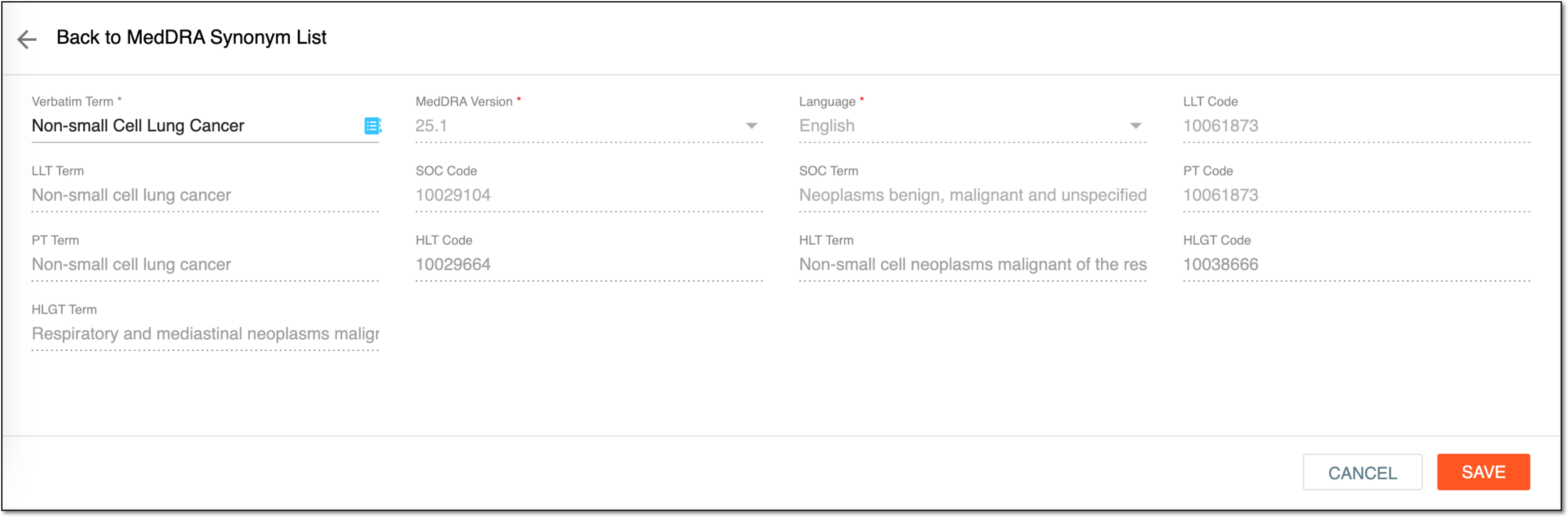 Figure 3. Updating synonym
-
To update the wording of your MedDRA synonym: in the Verbatim Term field, enter a new term or phrase that you want to use as a synonym.
-
To update the mapping of your MedDRA synonym to correspond with a different MedDRA term and code: in the Verbatim Term field, select MedDRA Search
 (alternatively, press Tab on your keyboard). Then, in the MedDRA dialog that opens, proceed to make the
necessary modifications (for more information on how to work in this form, refer to the Add new MedDRA synonyms
individually section).
(alternatively, press Tab on your keyboard). Then, in the MedDRA dialog that opens, proceed to make the
necessary modifications (for more information on how to work in this form, refer to the Add new MedDRA synonyms
individually section).
-
-
Select
 to apply the changes you have just made.
The MedDRA synonym has been updated. You can now use it to describe various data in the PV system, such as adverse effects (AEs), medical conditions, indications, medical and surgical procedures, and more.