Tasks
The Tasks option of the Quick panel contains three types of tasks: Form Tasks, Query Tasks, and Paused Query Tasks.
-
Form Task. These tasks require your attention regarding the list of forms to be completed. Select
 to open the panel.
Select
to open the panel.
Select  next to the different kinds of tasks to locate the needed form, and start filling out form fields.
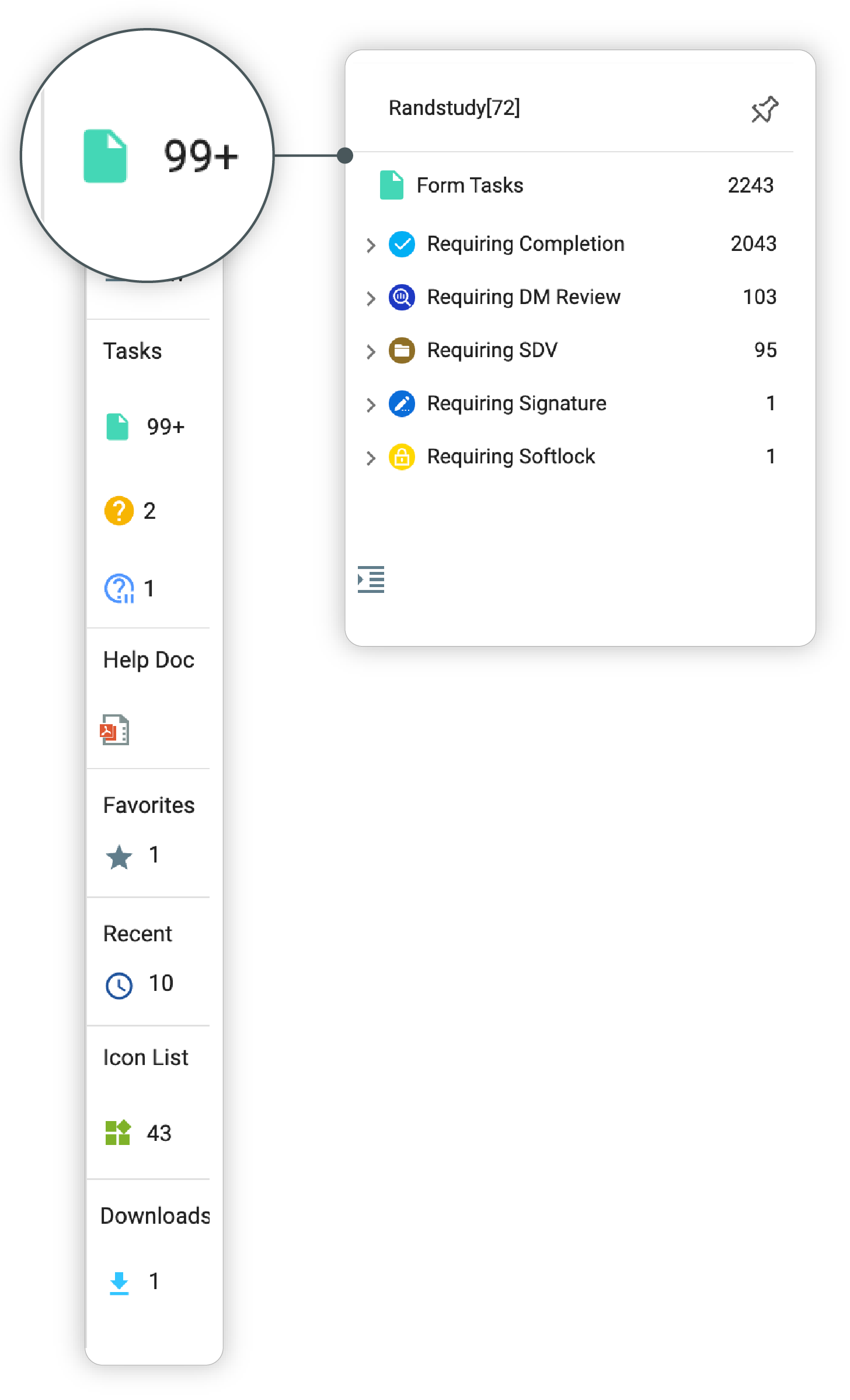 Figure 1. Expanding Tasks panel
-
Query Tasks. These tasks are created or opened by another system user who requires your attention, information, or a suggestion on a particular form of a subject. Select
 to open the panel. Select next to the different kinds of
tasks to locate the queries and start responding.
to open the panel. Select next to the different kinds of
tasks to locate the queries and start responding.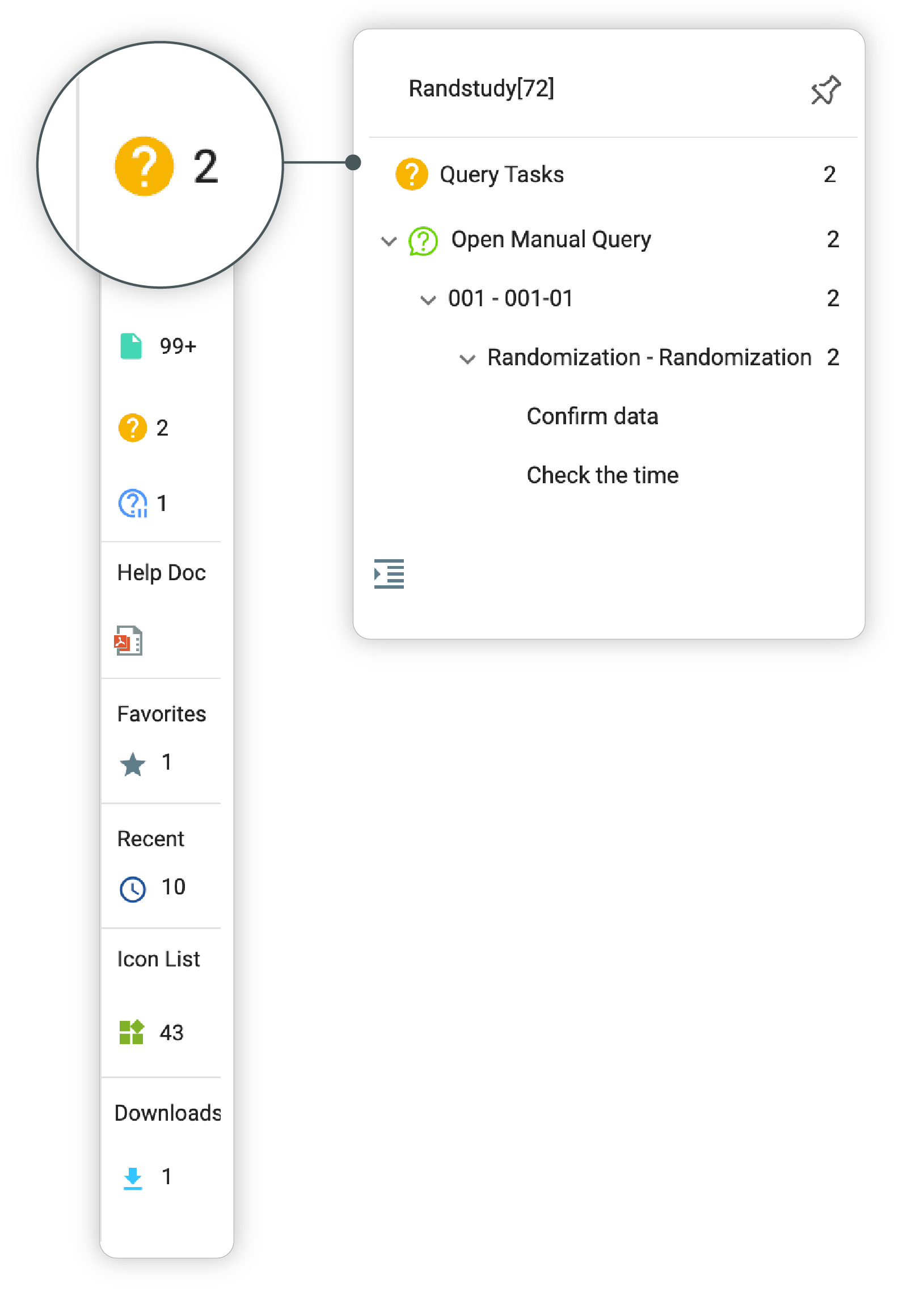 Figure 2. Expanding Tasks panel
-
Paused Query Tasks. These tasks appear in your panel if you have paused any queries in the system. Select
 to open the panel. Select next to the different kinds of tasks to locate the queries and unpause or address them.
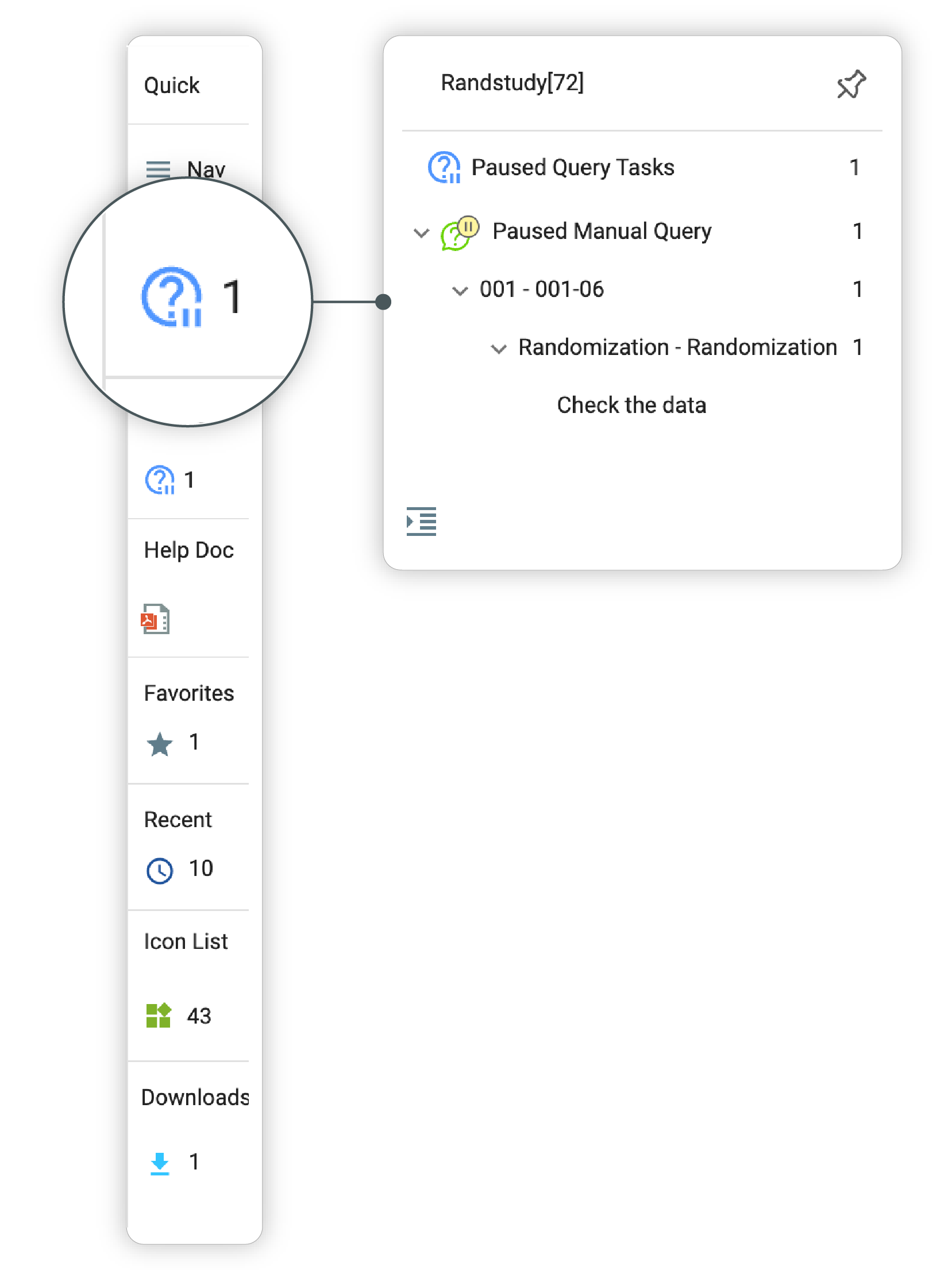 Figure 3. Expanding Tasks panel
To collapse any of the task panels, select  .
.
Tip
You can pin the opened panel to the screen by selecting  . To unpin, select
  .
.