Navigation object
The Navigation Object option of the Quick panel helps you to quickly navigate to a specific CRF form of the subject, such as Demographics, Date of Visit, and so on.
-
In the Quick panel, select Nav
 to expand the Navigation Object panel as shown in the following figure.
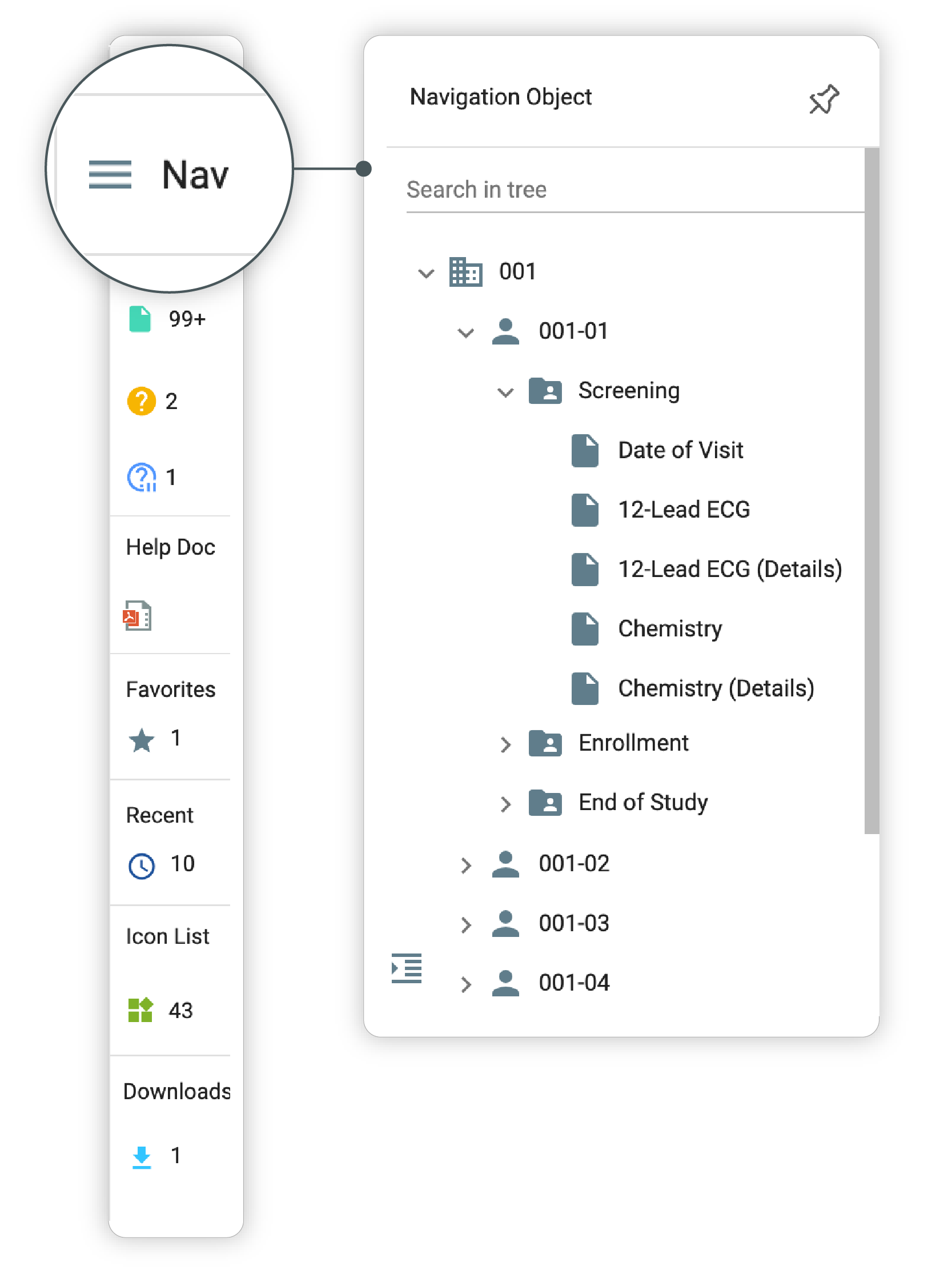 Figure 1. Expanding Navigation Object panel
Tip
You can pin the opened panel to the screen by selecting
 . To unpin, select
  .
. -
In the panel that opens, select
 next to the required site code to open the list of the items located under a site.
Select the same icon against your required hierarchy item until you reach the required CRF form.
next to the required site code to open the list of the items located under a site.
Select the same icon against your required hierarchy item until you reach the required CRF form.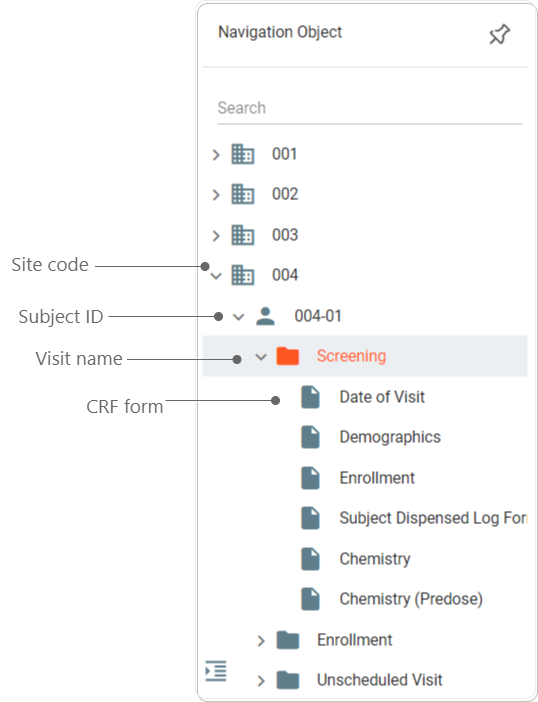 Figure 2. Locating subject characteristic
-
Select the required CRF form of the subject to view its details.
You are redirected to the screen displaying complete details of the selected CRF form. To collapse the Navigation Object panel, select  .
.