Analyze payable item tracker report
During a clinical trial, a party providing services to the sponsor (site, laboratory, or another research facility) may receive payments for their services based on agreed study milestones or performed activities.
All such milestones and activities that have already occurred and must be paid become so-called payable items. In CTMS, you can analyze the list of payable items to help the study teams track the upcoming and pending payments, plan financial activities, calculate direct and overhead costs, and control the overall budget spending for different study operations.
Important
The tracker report only displays payable items for which a payment request already exists in CTMS—either created in CTMS or received from EDC.
-
Access the study management page in one of the following ways:
-
In the CTMS application header, select the DASHBOARD tab and then select the study dashboard of your interest.
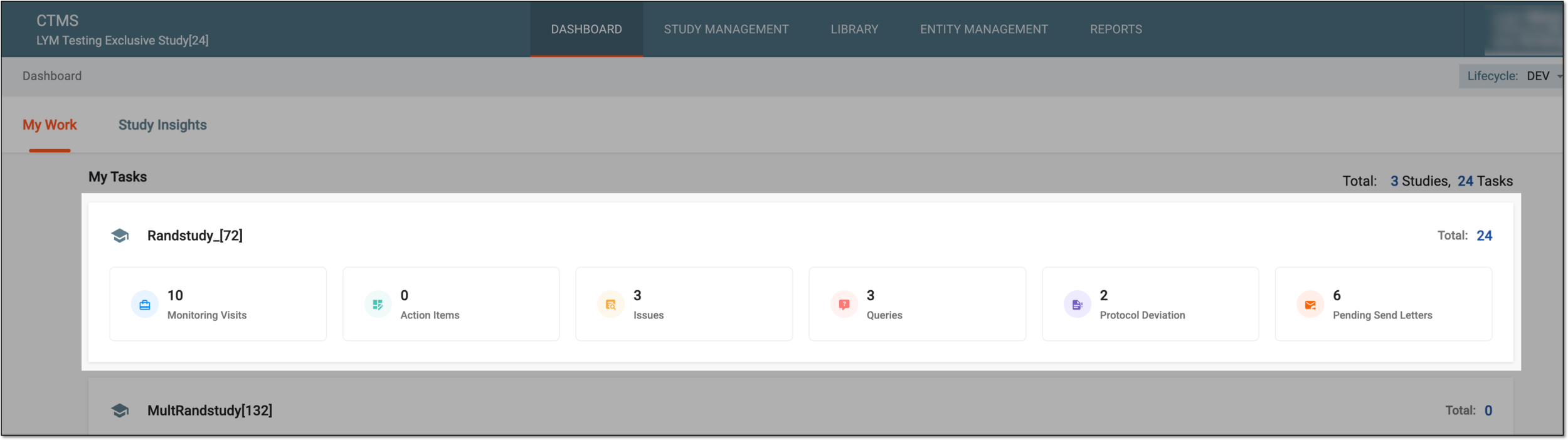 Figure 1. Accessing study management from dashboard
-
In the CTMS application header, select the STUDY MANAGEMENT tab. Then from the Study Data List table, select the study name of your interest.
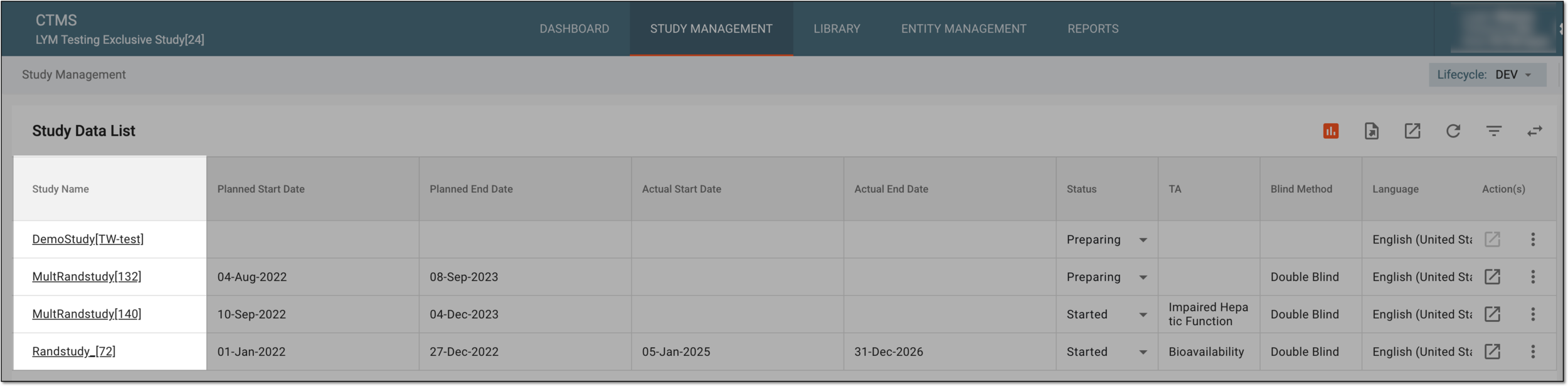 Figure 2. Accessing study management from study data list
-
-
On the page that opens, from the left pane, select Financial Management > Payable Items Tracker.
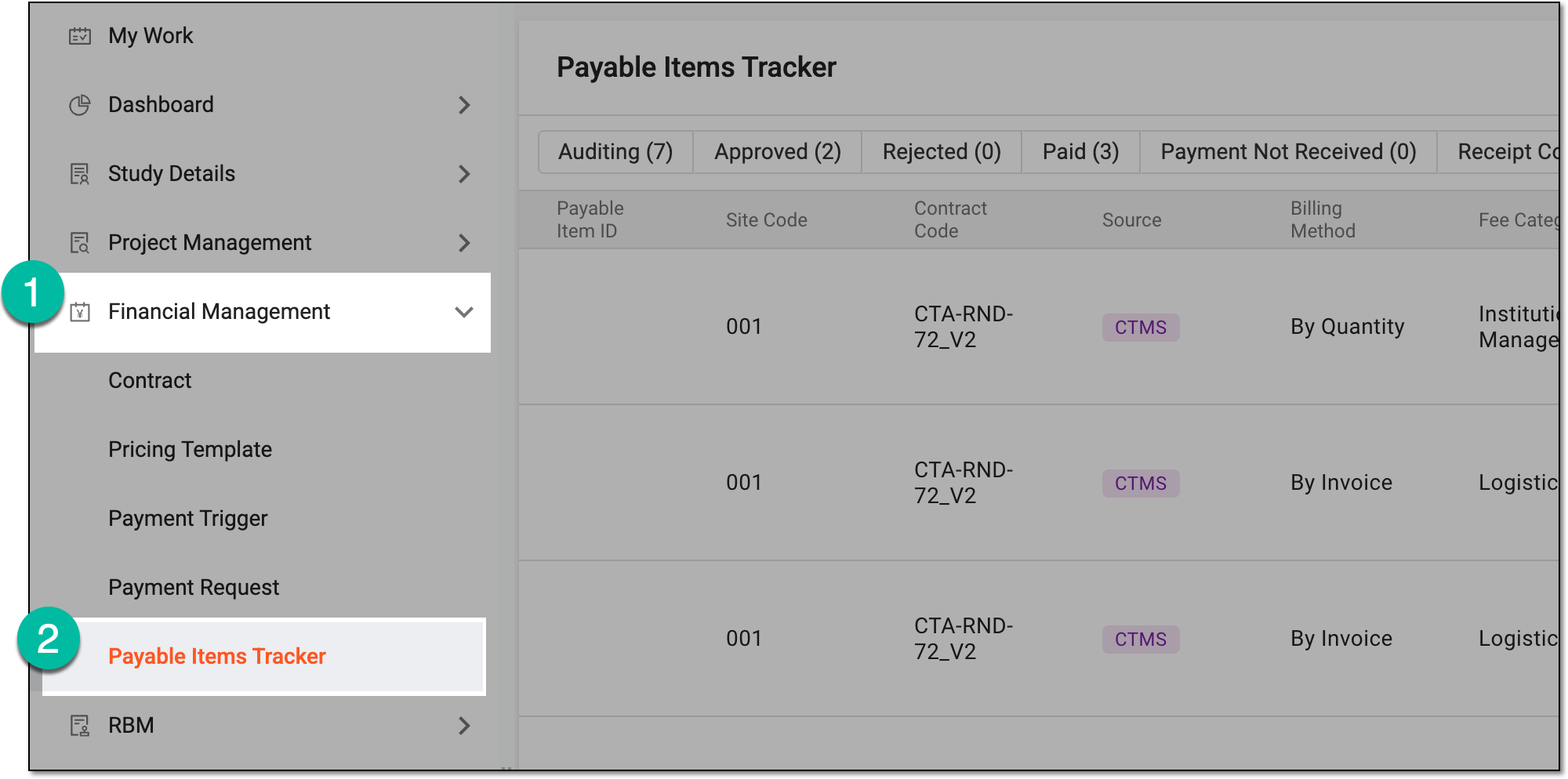 Figure 3. Accessing payable item tracker
-
In the Payable Items Tracker report that appears, examine the details of all the payable items derived from EDC and CTMS. The report columns include all the necessary information, such as related payment request ID and status, amounts and rates to be paid, and so on. However, the details available for each item depend on the fee category to which it belongs.
Tip
Use the available filter button to show only payable items in certain status—Auditing, Approved, Rejected, Paid, Payment Not Received, or Receipt Confirmed.
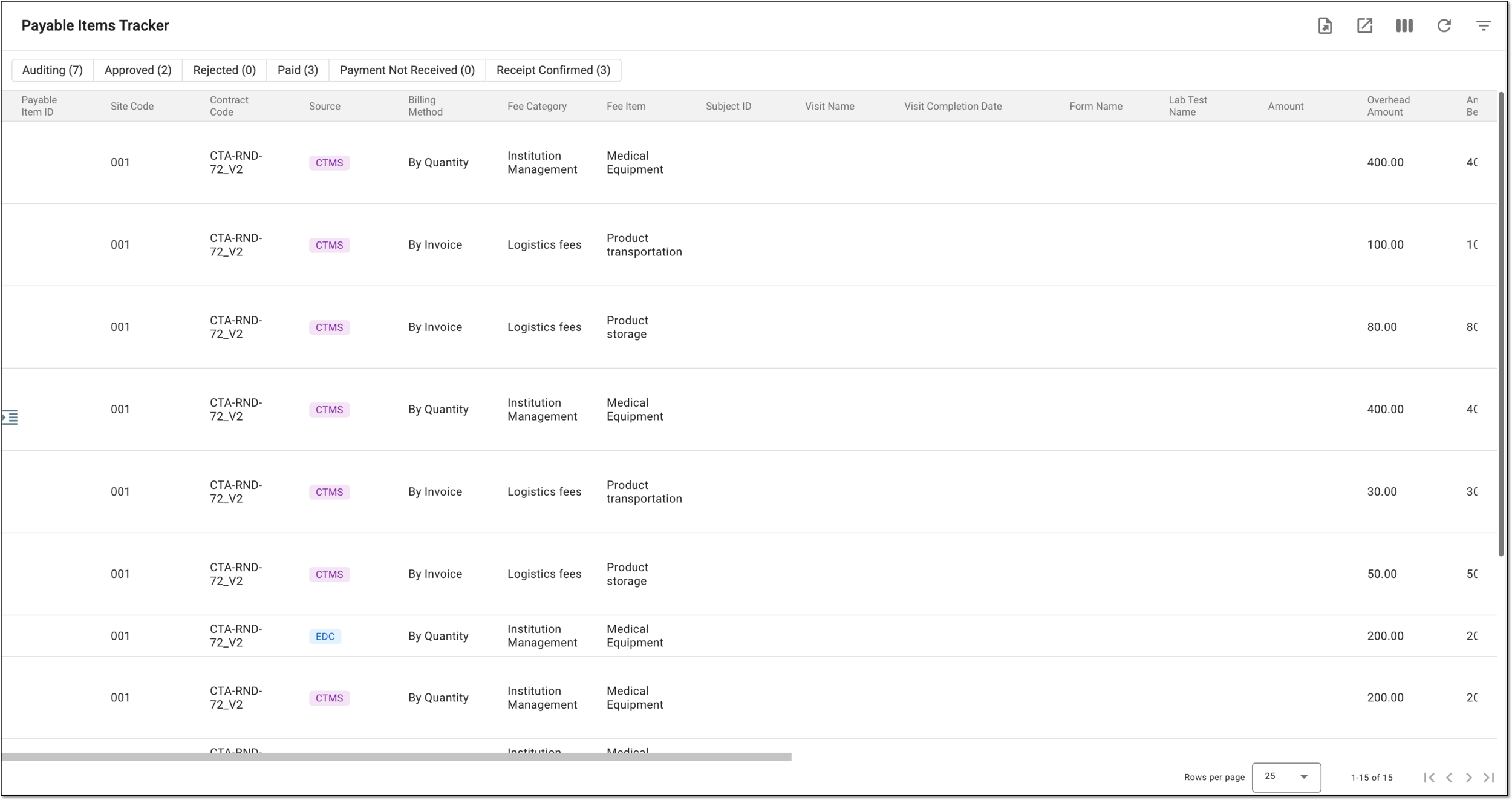 Figure 4. Analyzing payable item tracker details
You have analyzed all the payable item data for the study. You can also export the payable item tracker report.