Set up compliance report view
By setting up various report views, you can predefine different scenarios of data representation for compliance report analysis for eCOA and eDiary. You can quickly arrange the report by a certain visit or form statistics simply by selecting the needed preset view.
-
In the EDC application header, select the REPORTS tab.
-
From the left pane of the page that opens, select eCOA and eDiary Report > Compliance Report.
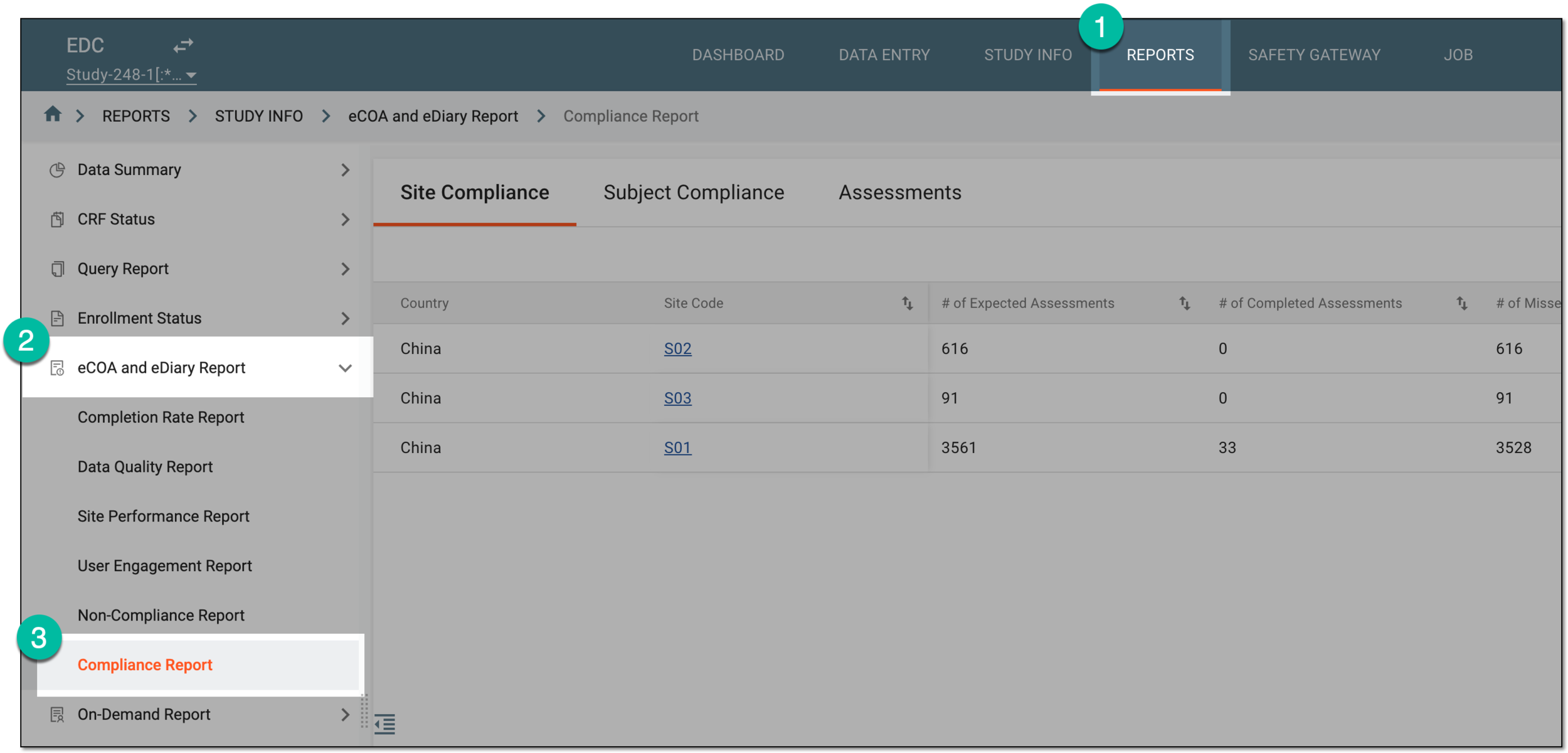 Figure 1. Accessing compliance report
-
From the workspace toolbar, select the settings symbol
 .
. Figure 2. Accessing compliance report view settings
-
In the Setting dialog that opens, set up new or existing views as follows.
-
From the workspace toolbar of the Report View List block, select New Item
 .
. -
In the fields that appear under the View Name and Description columns, enter the name and auxiliary information about the view you add, respectively. The name is mandatory, while the description is optional for completion. Select Save
 .
.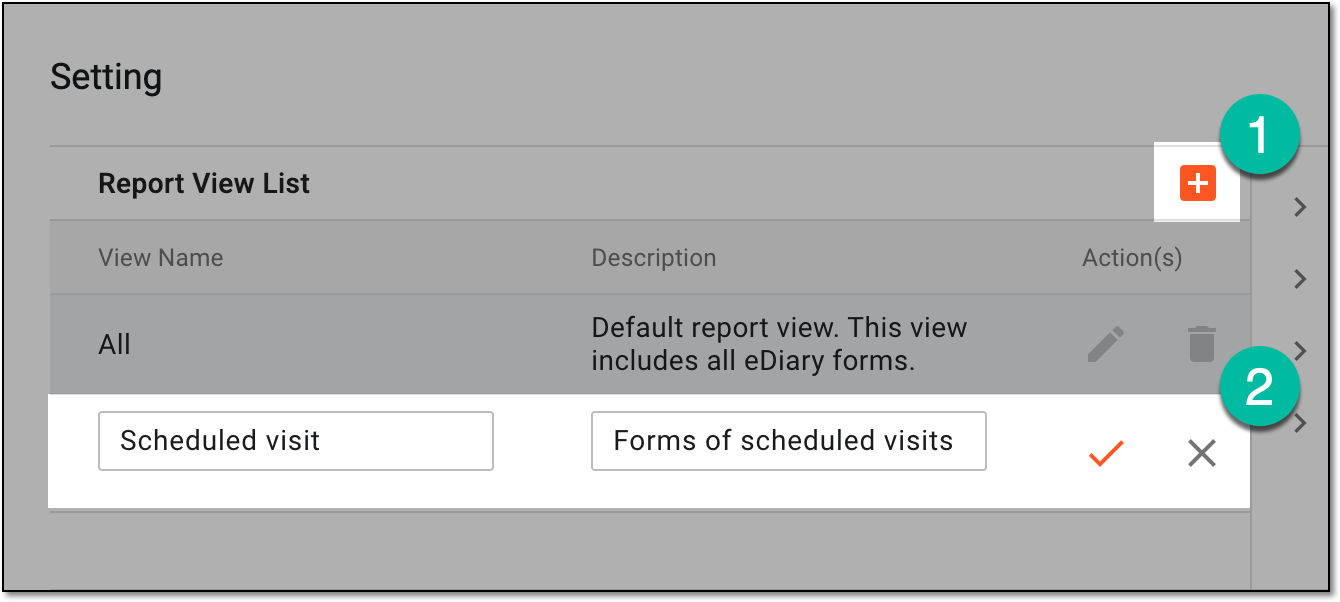 Figure 3. Adding new view for compliance report
-
When the view is saved and remains selected, in the list of visits and forms that becomes available, select the checkboxes next to the forms whose completion statistics you want to be displayed in the compliance report when this view is selected for the report analysis.
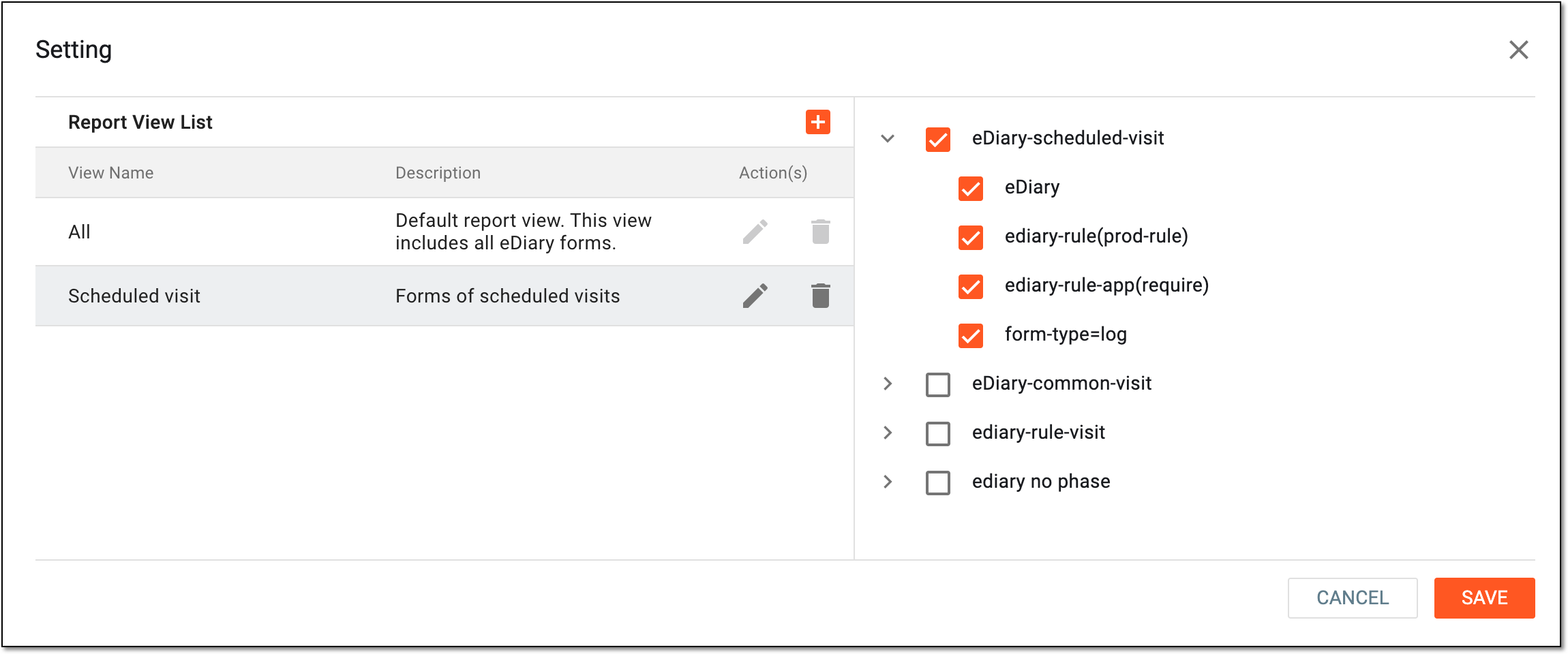 Figure 4. Selecting forms to include in configured view
-
Select
 to implement the changes.
In the Report View List block, locate the needed view setting and based on the intended edits, do one of the following:
-
To edit the name or description of the view, select Edit
 next to it. Then in the View
Name and Description fields that become editable, update the name and auxiliary information of the view as needed. The name is mandatory, while the description is optional for completion. Select Save
.
next to it. Then in the View
Name and Description fields that become editable, update the name and auxiliary information of the view as needed. The name is mandatory, while the description is optional for completion. Select Save
.Tip
This option is unavailable for the preconfigured All view; you can only edit custom views.
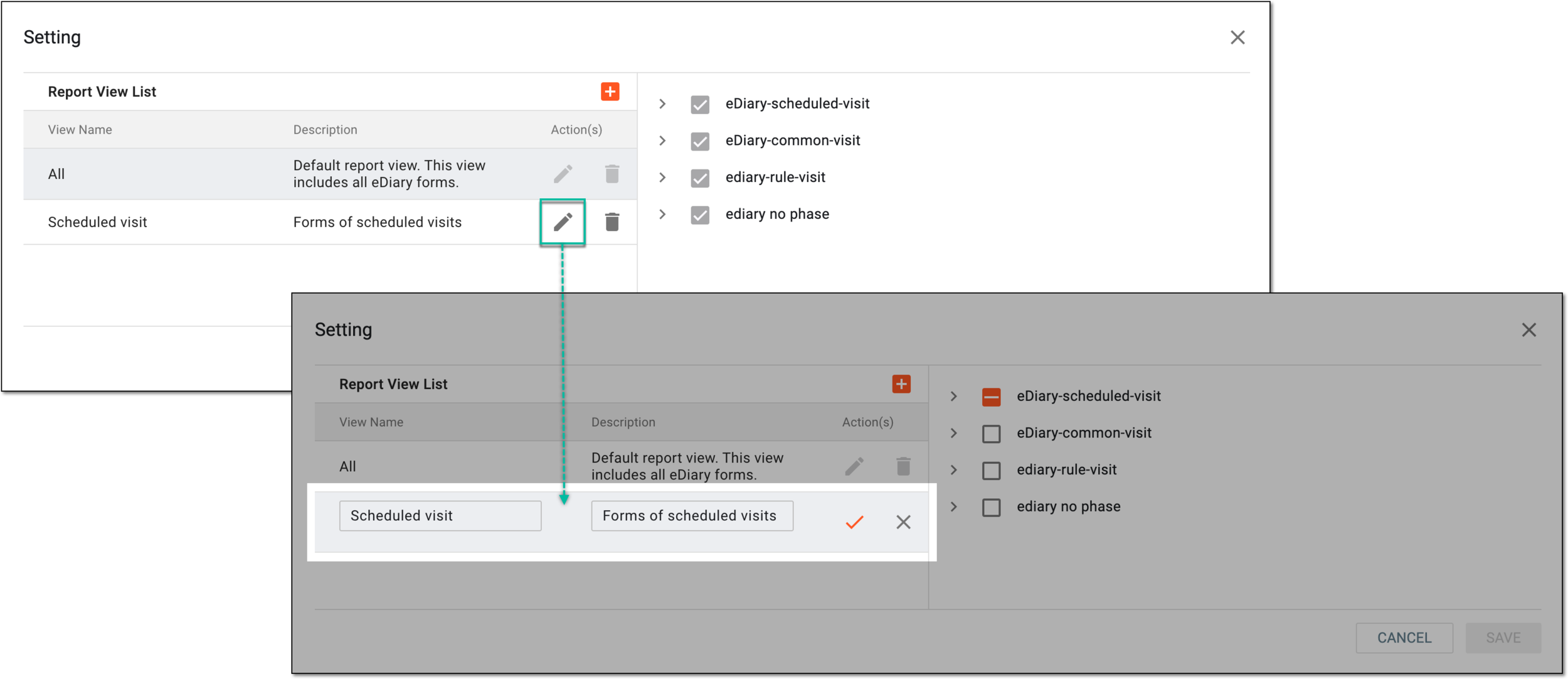 Figure 5. Selecting option to edit compliance report view setting
-
To edit the list of included forms, select the view and in the list of visits and forms on the right, select the checkboxes next to the ones you want to include or clear the checkboxes next to those you want to exclude from the view. Select
.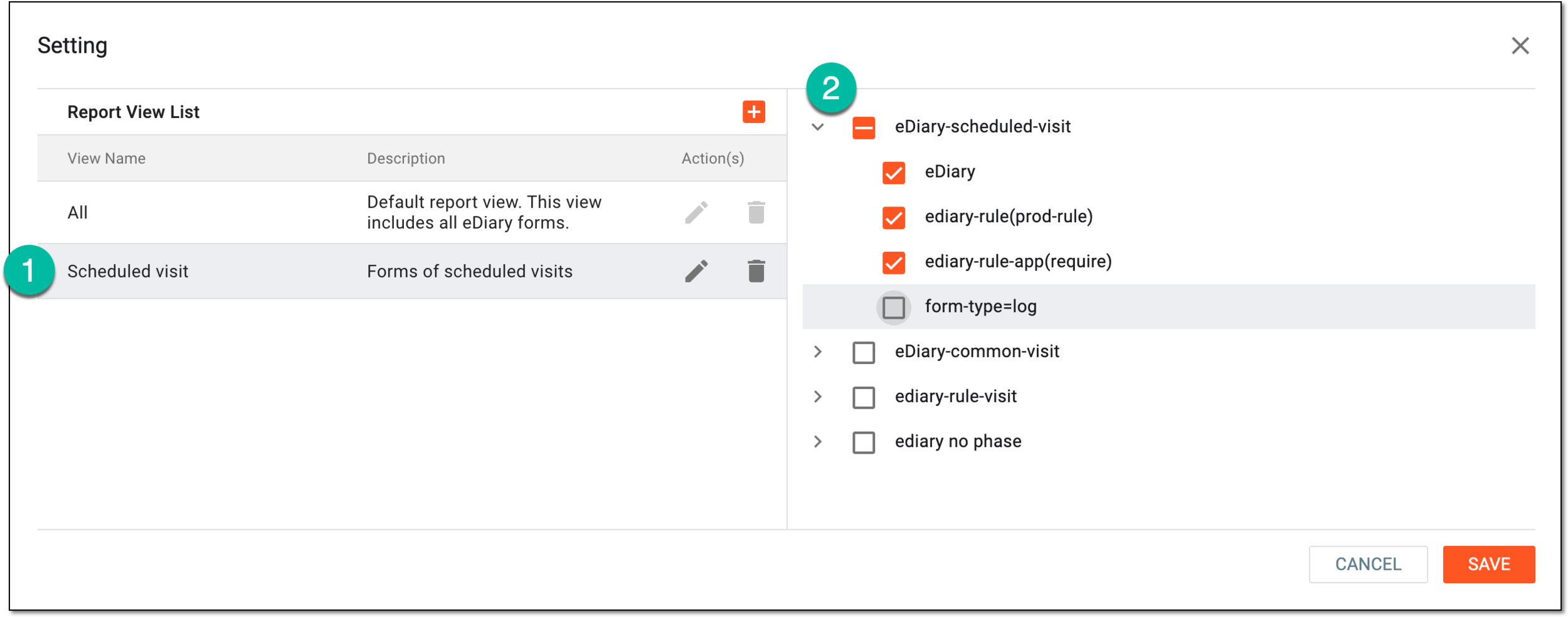 Figure 6. Editing list of included forms
-
In the Report View List block, locate the view setting that you want to remove and next to it, select Delete
 .
.Tip
This option is unavailable for the preconfigured All view; you can only delete custom views.
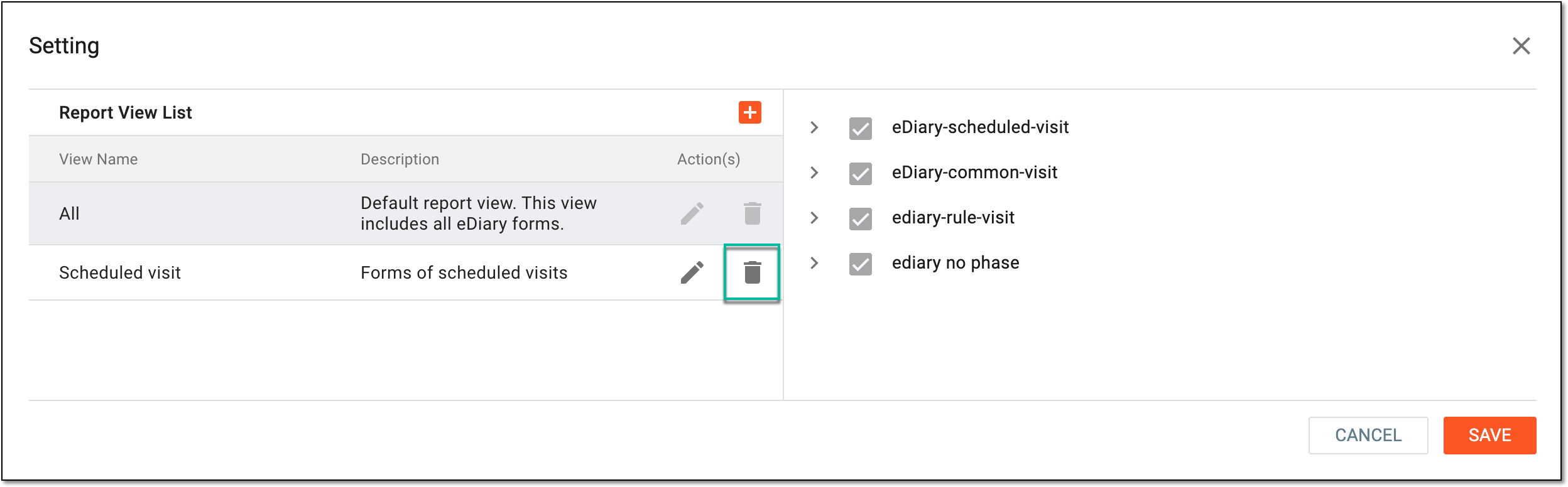 Figure 7. Selecting option to delete compliance report view setting
-
In the confirmation dialog that appears, select
 to proceed with deletion.
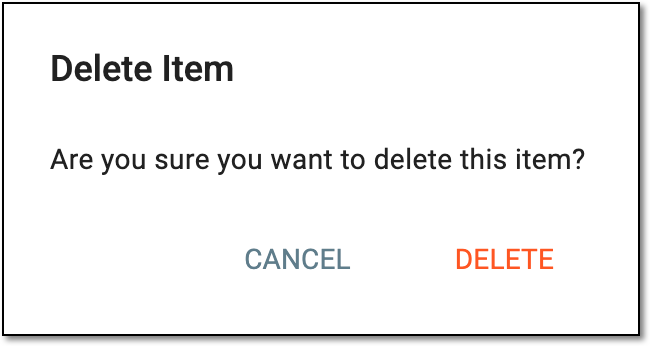 Figure 8. Confirming deletion of compliance report view setting
-
You have successfully set up the compliance report views; the configured views can be selected for the report analysis.