Analyze import history for pricing template
A pricing template is a reusable instance that outlines the services and occurrences entitled to financial compensation, billing methods, and other details. Preconfiguring pricing templates simplifies contract design since you do not have to set up pricing details from scratch for every vendor.
In CTMS, you can configure your pricing templates via file import to fill in or update the existing billing details offline, and then import the file back to CTMS when ready. This way, various modifications can be made to the pricing template, and it is vital to keep record of such changes for compliance and traceability reasons. The import history provides an exhaustive, structured log of events, helping you trace what they were, who performed them, and when.
-
Access the study management page in one of the following ways:
-
In the CTMS application header, select the DASHBOARD tab and then select the study dashboard of your interest.
 Figure 1. Accessing study management from dashboard
-
In the CTMS application header, select the STUDY MANAGEMENT tab. Then from the Study Data List table, select the study name of your interest.
 Figure 2. Accessing study management from study data list
-
-
On the page that opens, in the left pane, select Financial Management > Pricing Template.
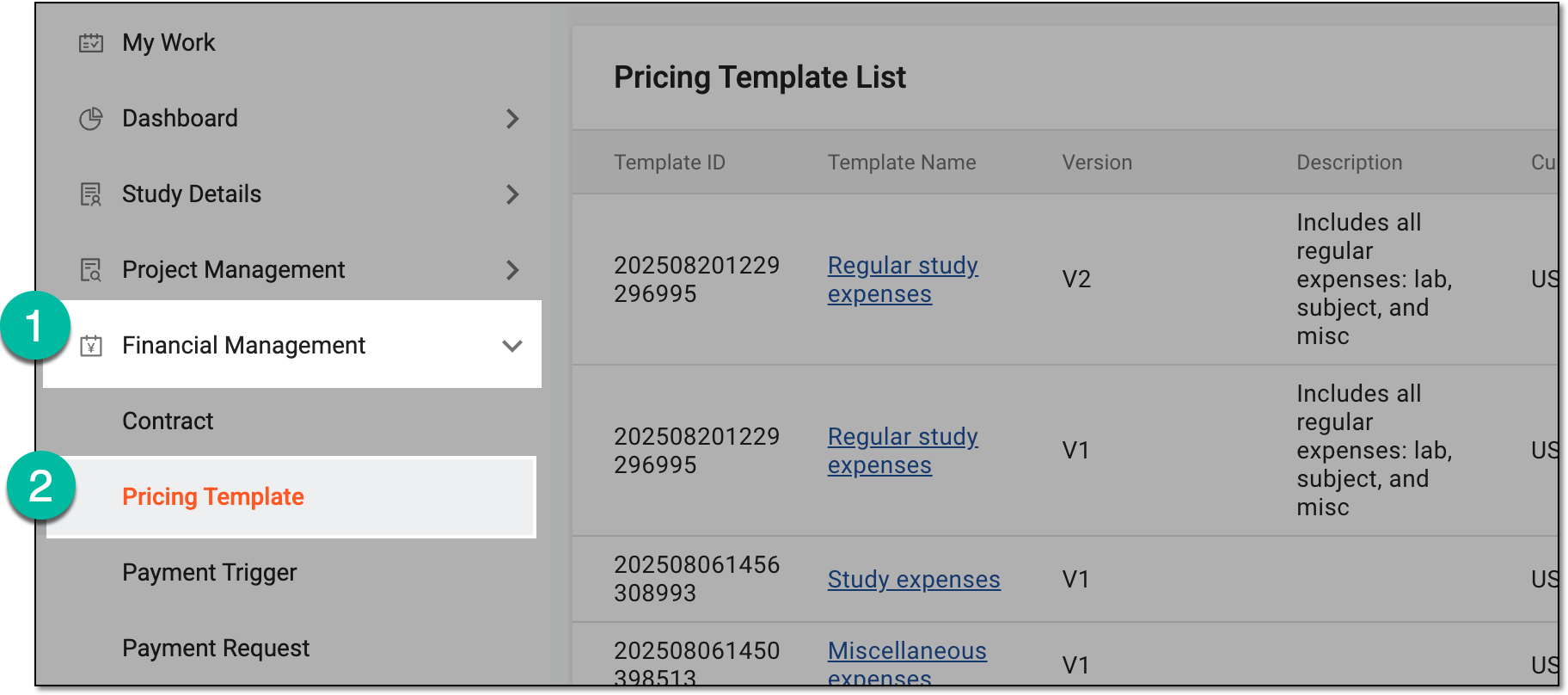 Figure 3. Accessing pricing templates
-
In Pricing Template List that appears, locate the template for which you need to analyze the import history. Then from the Action(s) column, select Import History
 .
.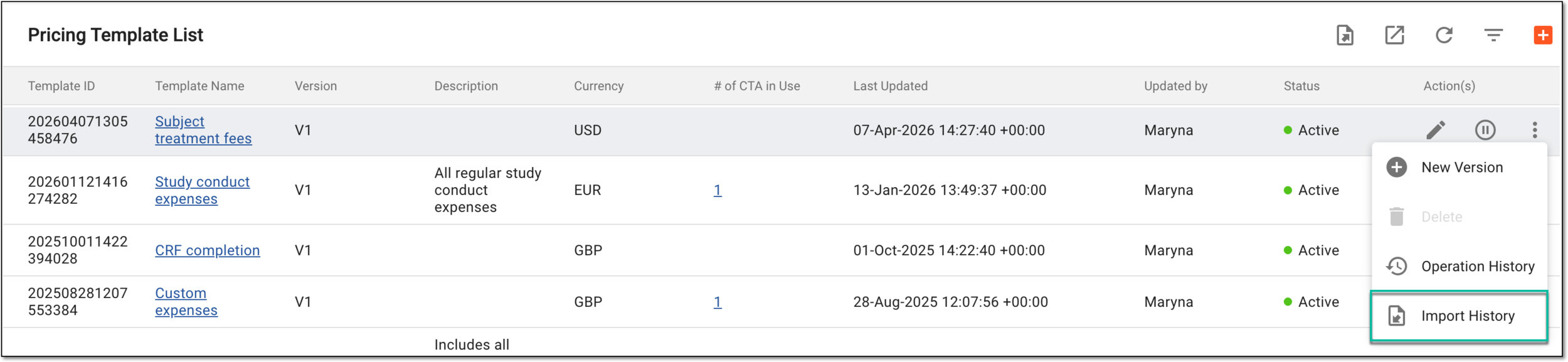 Figure 4. Accessing import history for pricing template
Tip
You can also access the import history from the pricing template configuration page.
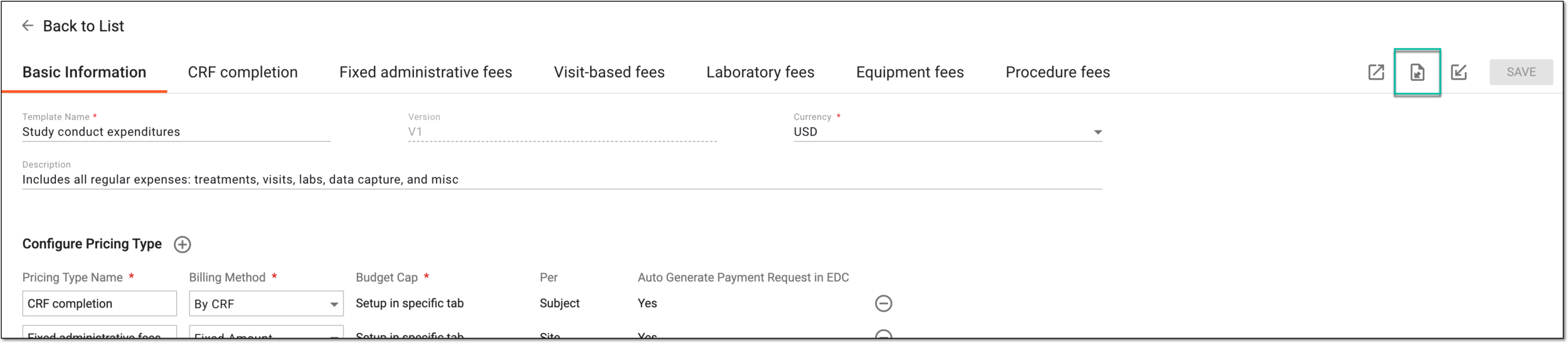 Figure 5. Accessing import history from pricing template configuration page
-
In the Import History dialog that opens, analyze the details of all the import operations—their status, who performed them, and when.
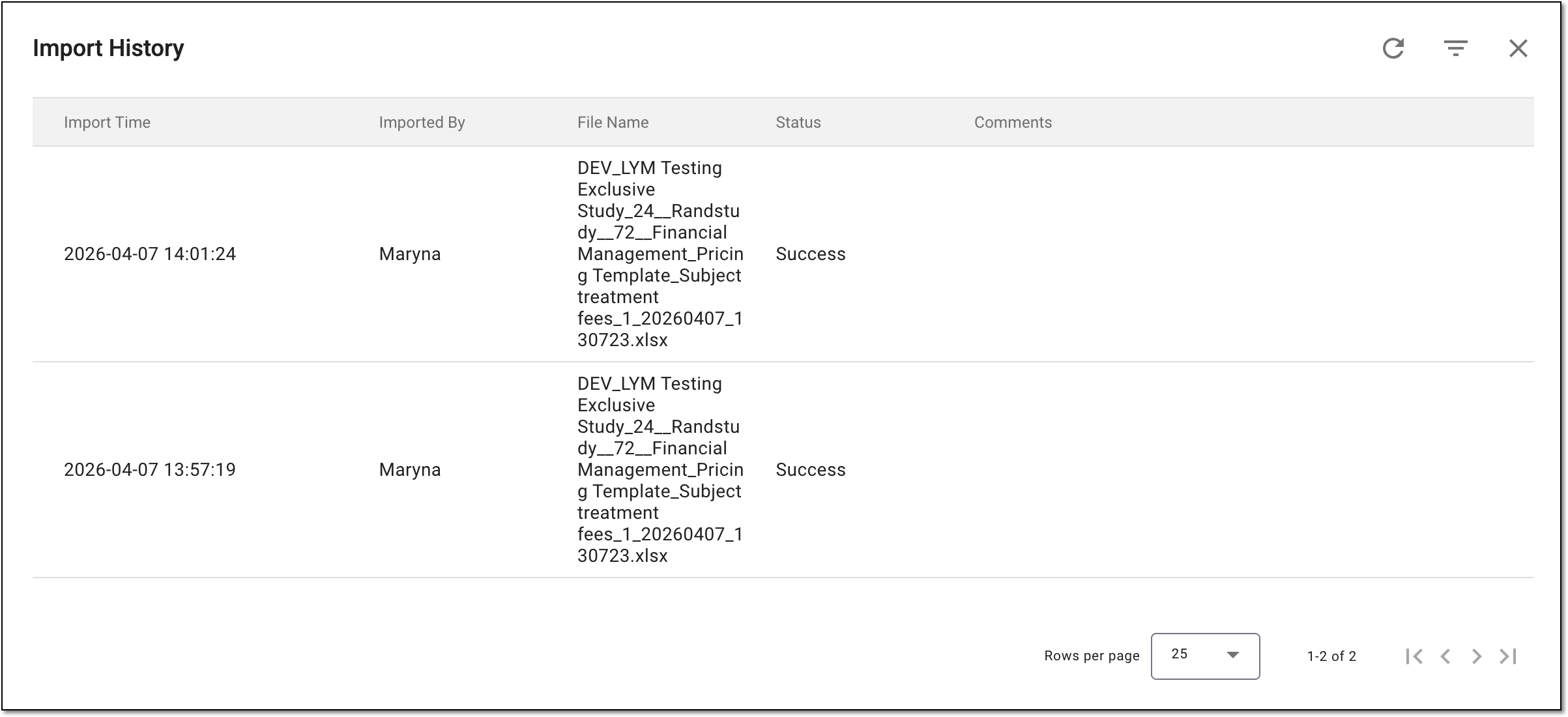 Figure 6. Analyzing import history for pricing template
You have analyzed the import history for the pricing template.