Activate/Inactivate delayed shipment alert
In IWRS, you can create alerts to notify the personnel in charge of the shipment delay. In case such alert becomes irrelevant or needs to be amended, you can temporarily inactivate it to cease sending emails. Once ready, the alert can be activated again and trigger according to the set conditions.
-
In the IWRS application header, select the ALERT tab.
-
In the left pane of the page that appears, select Delayed Shipment Alert.
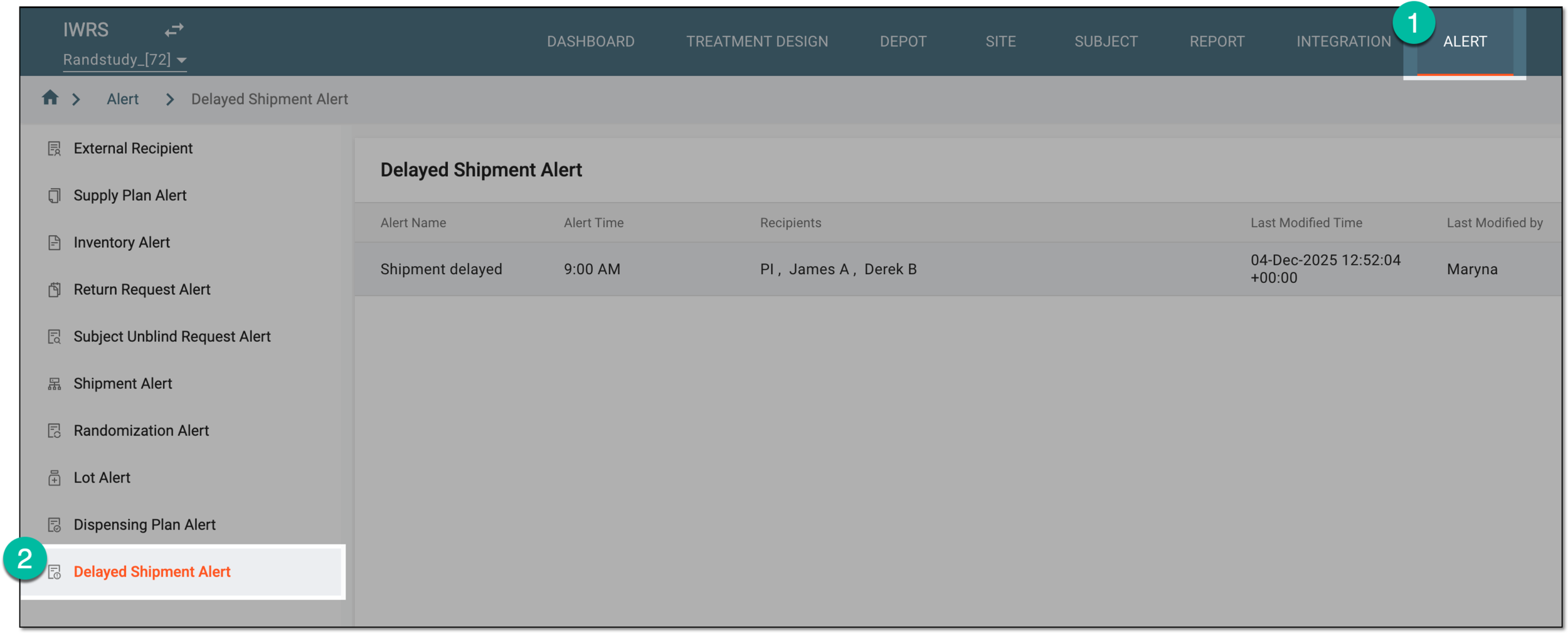 Figure 1. Accessing delayed shipment alert setting
-
In the Delayed Shipment Alert table that opens, locate the alert configuration that you need to activate or inactivate. Then from the Action(s) column, select Activate
 or Inactivate
  .
. Figure 2. Activating or inactivating delayed shipment alert
Once selected, the delayed shipment alert is activated or inactivated. If deactivated, the recipients stop getting the alert email when the set conditions are met until activated again.