Delete safety distribution task
By adding safety distribution tasks, you can automate the sending of safety data reports to the intended recipients at the study sites—investigators (PIs), clinical research coordinators (CRCs), clinical research associates (CRAs), and other responsible study personnel.
If any task is added by mistake or becomes irrelevant , it can be deleted. However, you can only delete the tasks in the Ready to Distribute status (for which the safety data was not distributed).
-
In the PV application header, select the ICSR tab.
-
On the page that opens, from the left pane, select Safety Distribution.
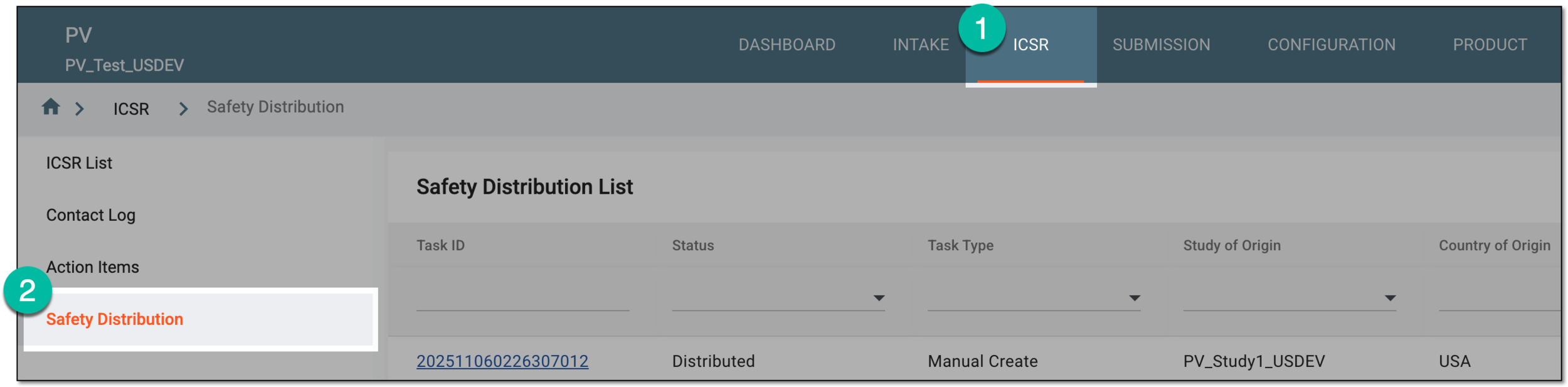 Figure 1. Accessing safety distribution
-
In Safety Distribution List, locate the task you want to remove. Then from the Actions column, select Delete
 .
. Figure 2. Deleting safety distribution task
Tip
For the tasks with the Distributed status, the deletion option is not available.
-
In the confirmation dialog that opens, select
 to proceed with your action.
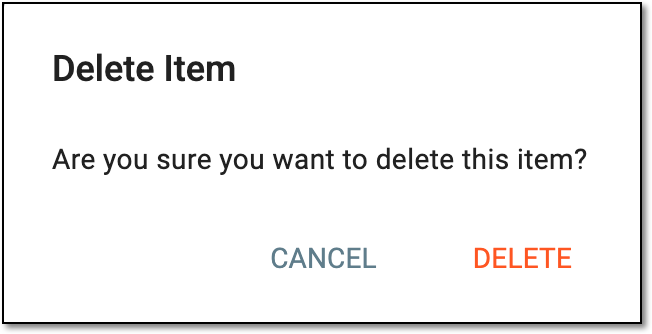 Figure 3. Analyzing change history for safety distribution task
Once confirmed, the safety distribution task is deleted from the list.