Analyze change history for safety distribution task
By distributing the previously added safety distribution tasks, you are sending out the safety data report emails to the intended recipients at the study sites—investigators (PIs), clinical research coordinators (CRCs), clinical research associates (CRAs), and other responsible study personnel.
In the course of a clinical trial, various modifications can be made to the safety distribution task, and it is vital to keep record of such changes for compliance and traceability reasons. Change history provides an exhaustive, structured log of events, helping you trace what they were, who performed them, and when.
-
In the PV application header, select the ICSR tab.
-
On the page that opens, from the left pane, select Safety Distribution.
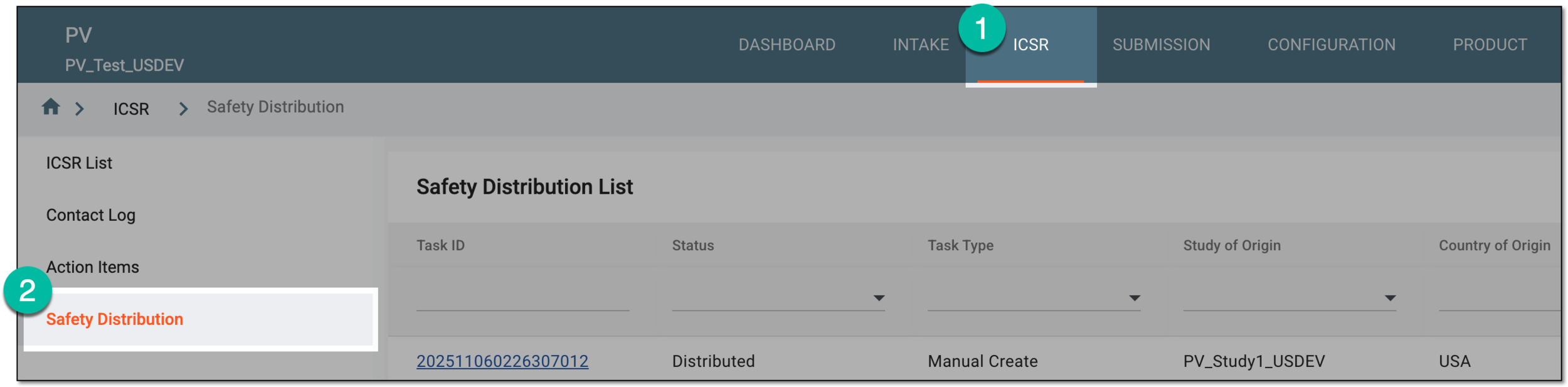 Figure 1. Accessing safety distribution
-
In Safety Distribution List, locate the task whose change history you want to analyze. Then from the Actions column, select More
 > Change History
  .
. Figure 2. Accessing change history for safety distribution task
Tip
To access the change history for all the tasks in one comprehensive log, from the workspace toolbar of Safety Distribution List, select Change History
. -
In the Change History dialog that opens, analyze the details of all the modifications made to the [entity name] from its creation and up to date.
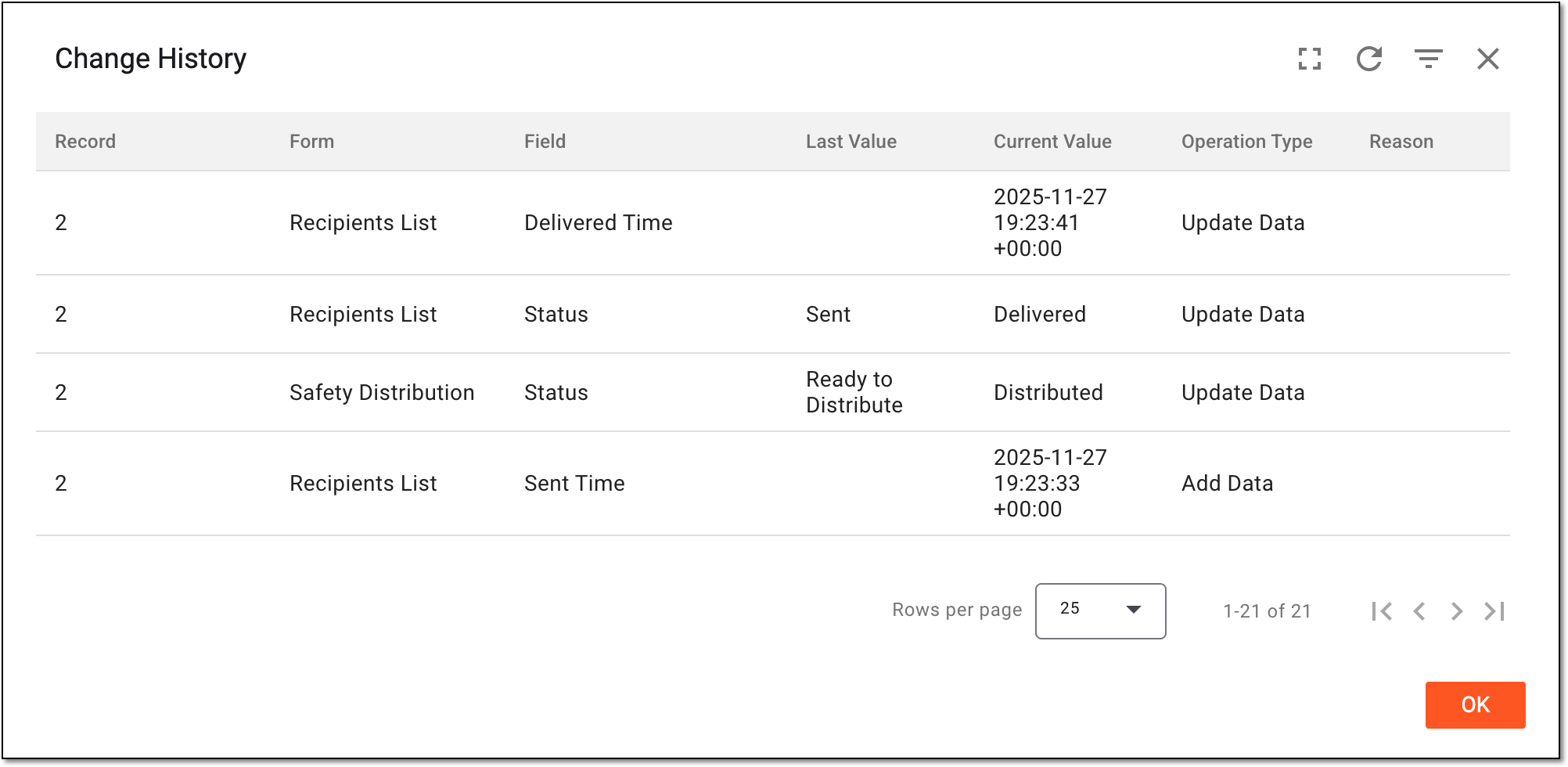 Figure 3. Analyzing change history for safety distribution task
You have analyzed the change history for the safety distribution task. You can now select OK to close the dialog and return to Safety Distribution List.