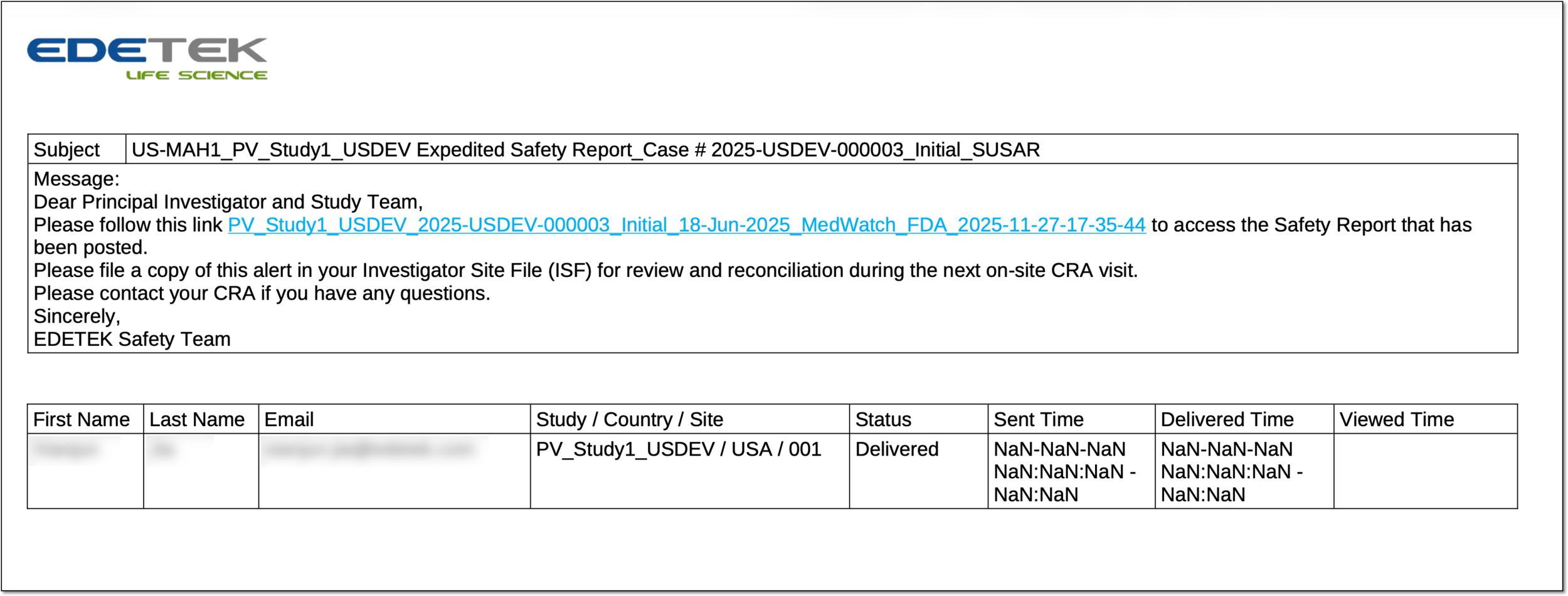
Export safety distribution task report
By adding the safety distribution tasks in PV, you automate the process of sending out the safety data reports to investigators (PIs), clinical research coordinators (CRCs), clinical research associates (CRAs), and other responsible study personnel.
The report on the sent safety data according to the task can be extracted as the [format name] file to your computer for sharing with stakeholders or other business purposes.
-
In the PV application header, select the ICSR tab.
-
On the page that opens, from the left pane, select Safety Distribution.
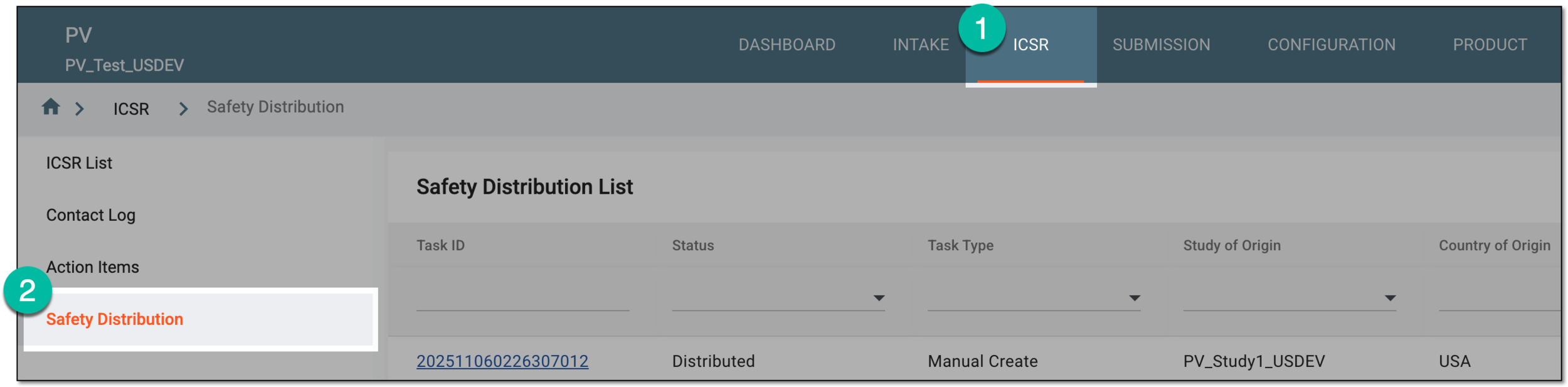 Figure 1. Accessing safety distribution
-
On the Safety Distribution page that opens, do one of the following.
-
From Safety Distribution List, locate the one for which you want to export the report. Then from the Actions column next to it, select Export
 .
. Figure 2. Exporting safety distribution task report from task list
-
In Safety Distribution List, locate the task for which you want to export the report. Then select the task ID or from the Actions column, select View
 . On the page that opens, from the workspace toolbar, select Export .
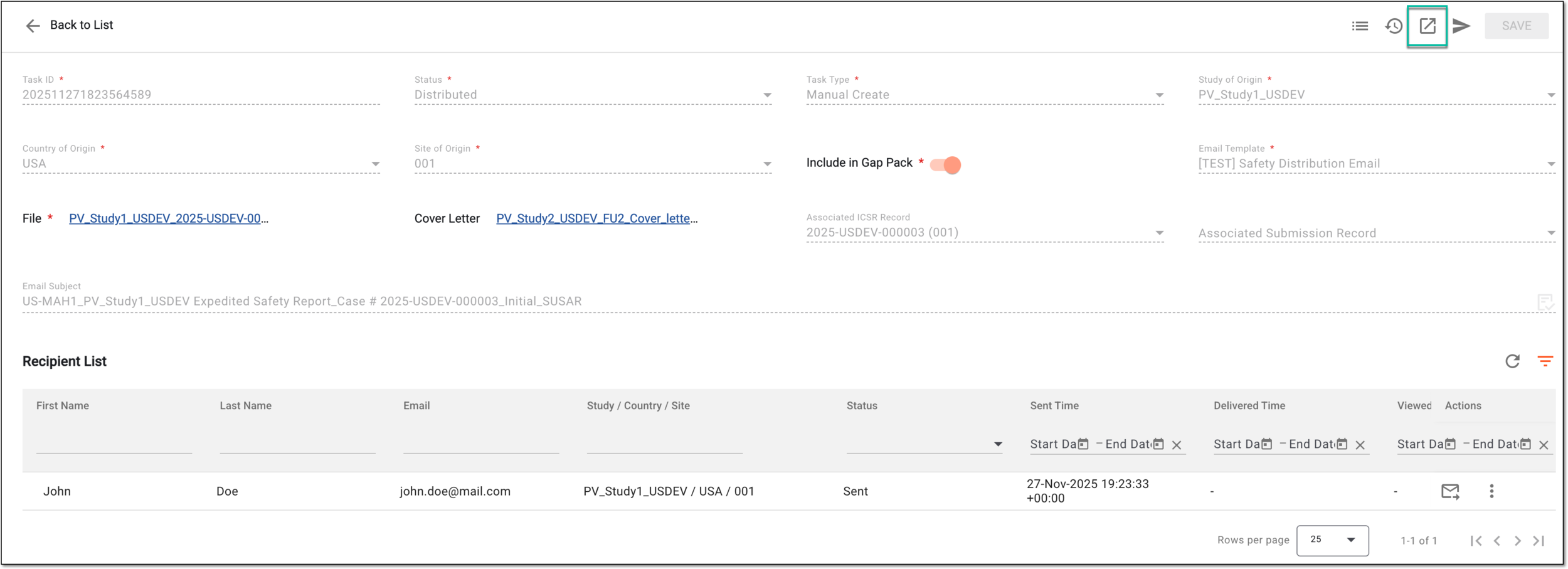 Figure 3. Exporting safety distribution task report from details page
-
-
In the Export dialog that appears, select the preferred template that outlines the contents of the exported report. Then select
 .
.Tip
The report templates are predefined according to the business requirements of the sponsor by EDETEK administrators upon request.
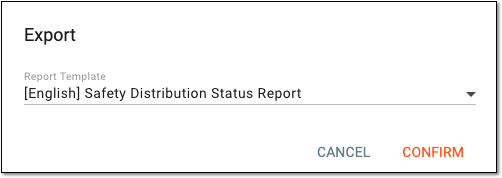 Figure 4. Selecting export template
Once confirmed, the report is downloaded in the PDF format and becomes available on your computer.