Analyze change history report
The Change History report serves as a comprehensive log of actions performed on instances within the business categories in CTMS, such as trip report. For compliance and traceability reasons, the change history is kept to provide an exhaustive, structured log of events, helping you trace what they were, who performed them, and when.
-
In the CTMS application header, select the REPORT tab.
-
From the left pane of the page that opens, select Change History.
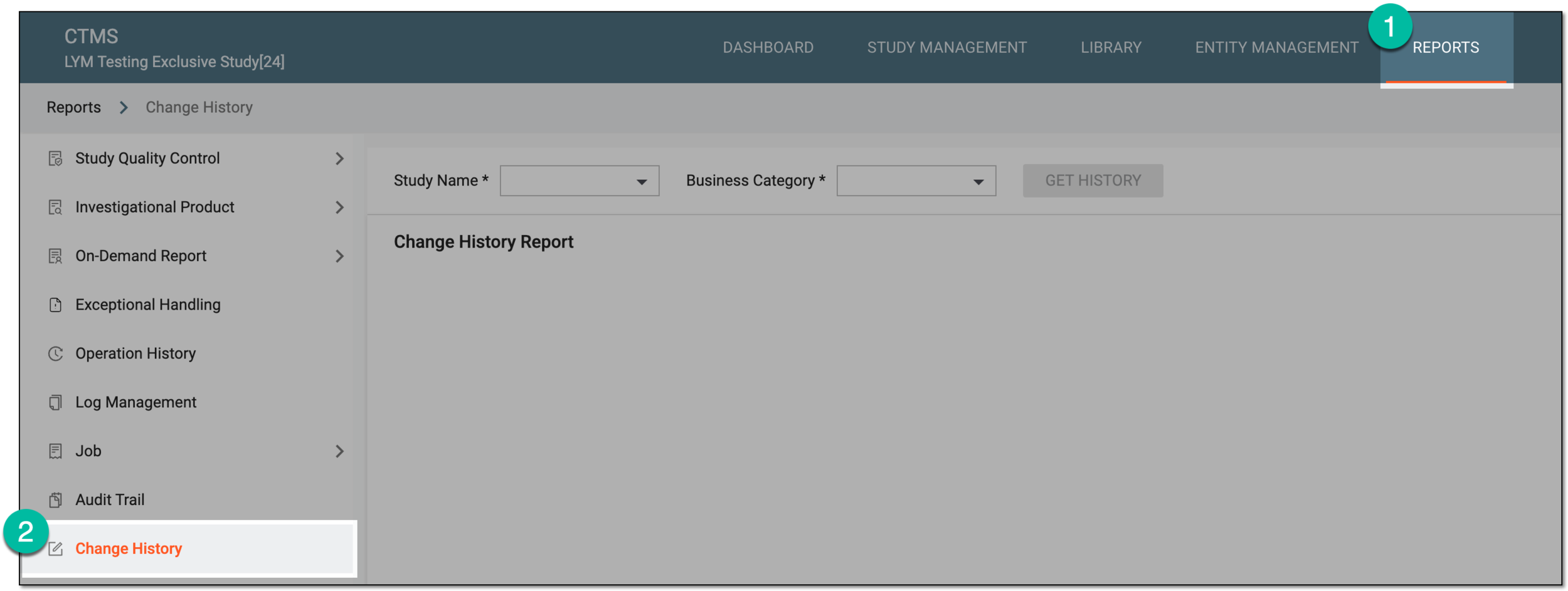 Figure 1. Accessing change history report
-
On the page that opens, select the study and business category for which you want to see the history of changes. Then select GET HISTORY.
 Figure 2. Selecting study and business category for change history
-
In the resulting table, analyze the details of the change history report per selected business category. You can find the data on the changes made, their operators, timestamps, and other pertinent details.
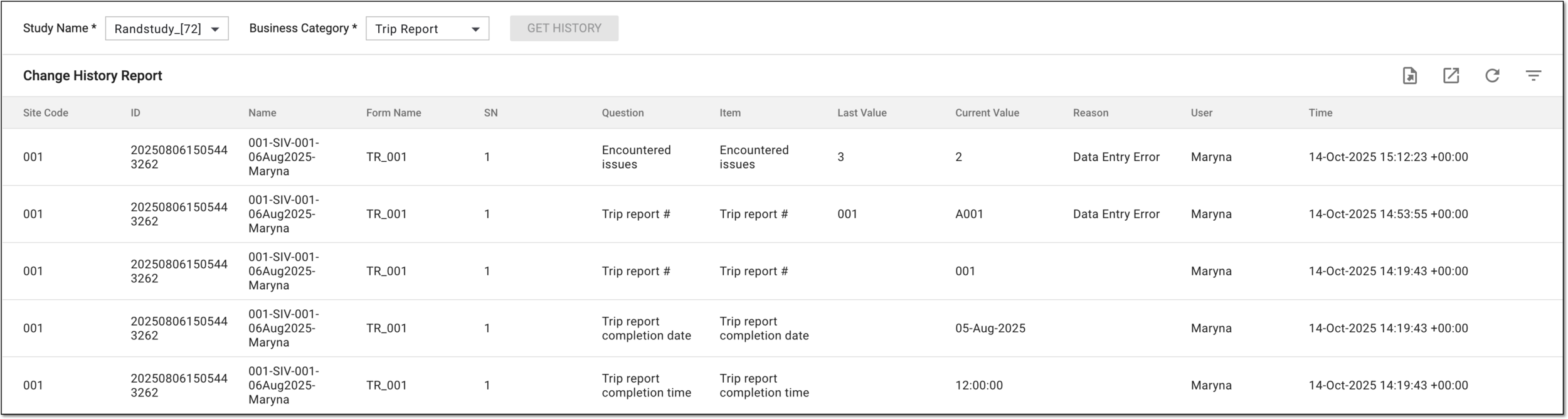 Figure 3. Analyzing change history report
You have analyzed the change history per selected study and business category. You can repeat the procedure to get data for another studies.