Move fee items between categories
A fee category is a group of fee items—services or occurrences—intended for financial compensation. Each category is intended to group the fee items by their type or intention.
If any fee item associated with the category has to be relocated to another category for some reason—added by mistake or due to changing conditions—you can move the fee item at any time.
-
In the CTMS application header, select the LIBRARY tab.
-
On the page that opens, from the left pane, select Fee Template.
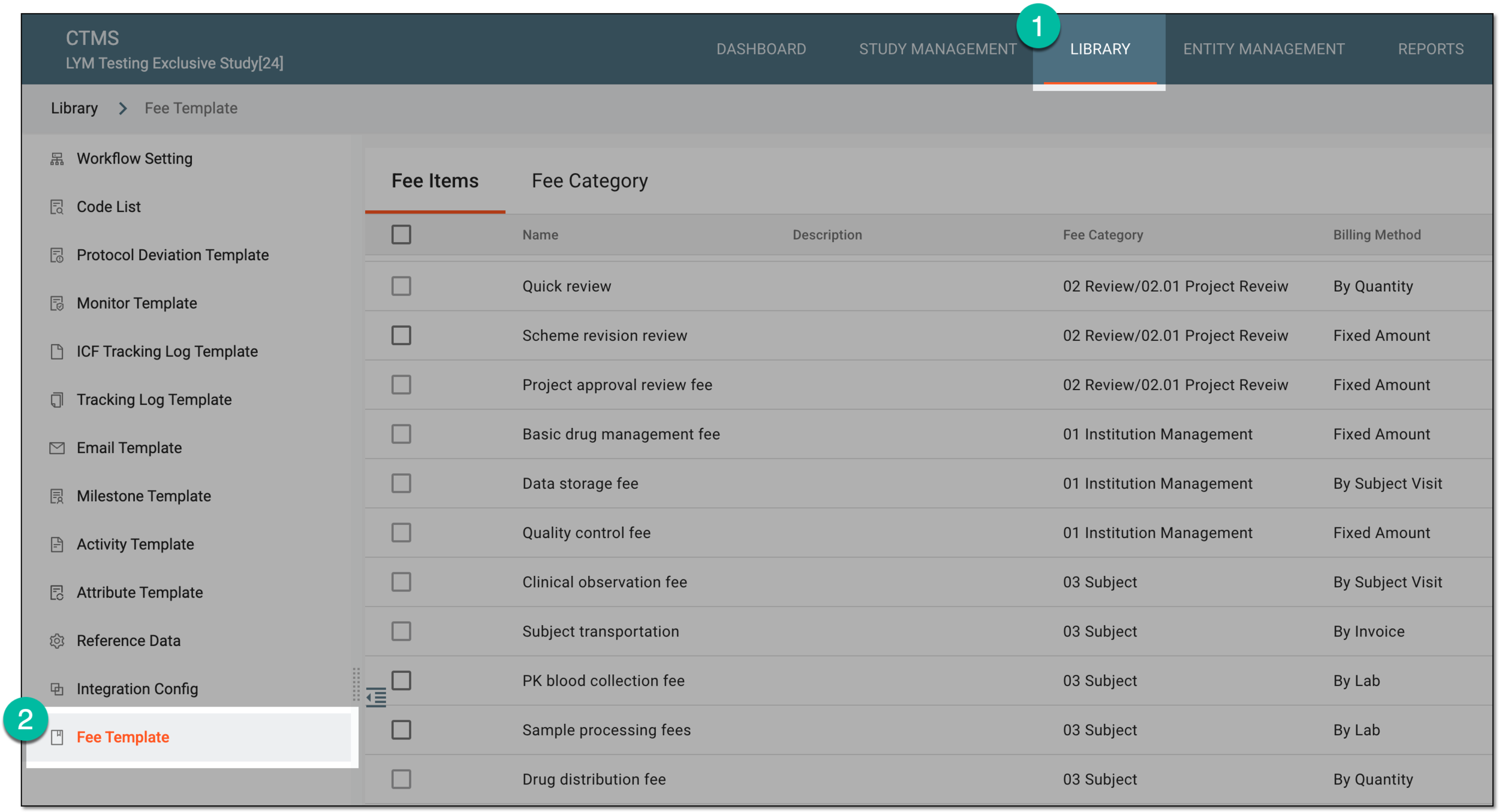 Figure 1. Accessing fee templates
-
From the contents panel, select the Fee Category tab.
-
In the tree that appears, select the category from where you need to move the fee items.
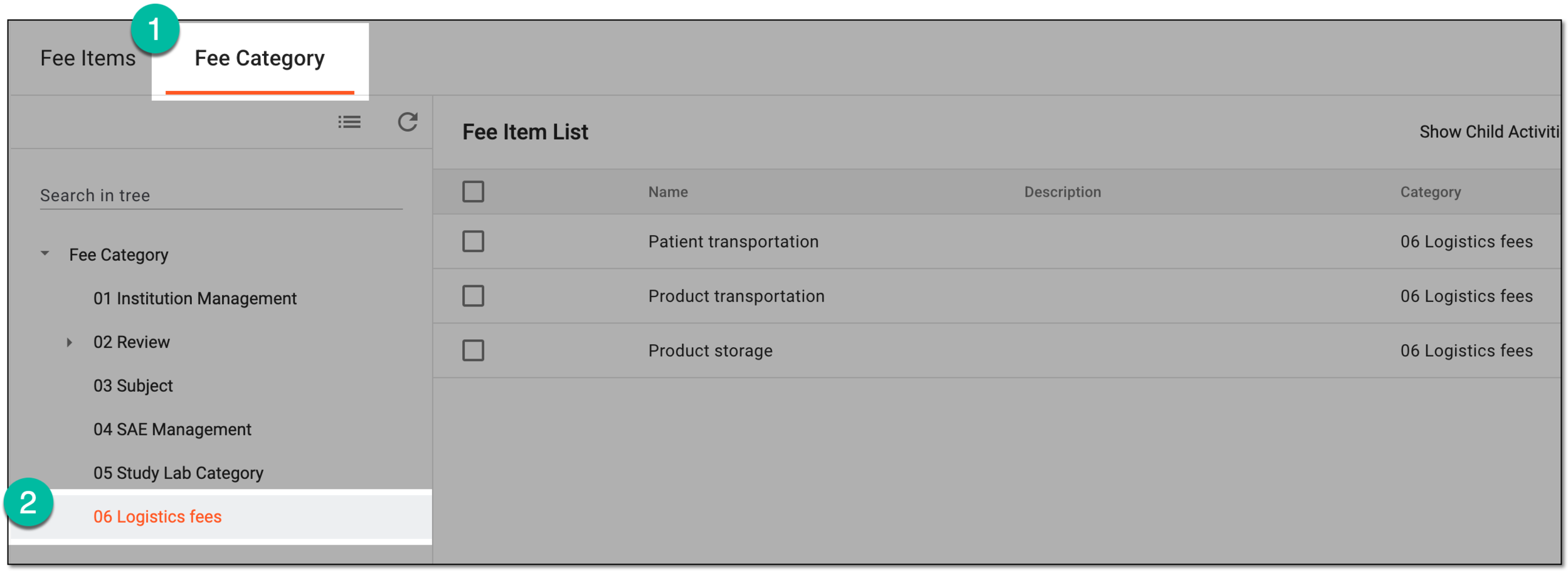 Figure 2. Accessing fee category
-
In Fee Item List on the right, select the checkboxes next to the fee items you need to move to another category. Then from the workspace toolbar, select Move
 .
.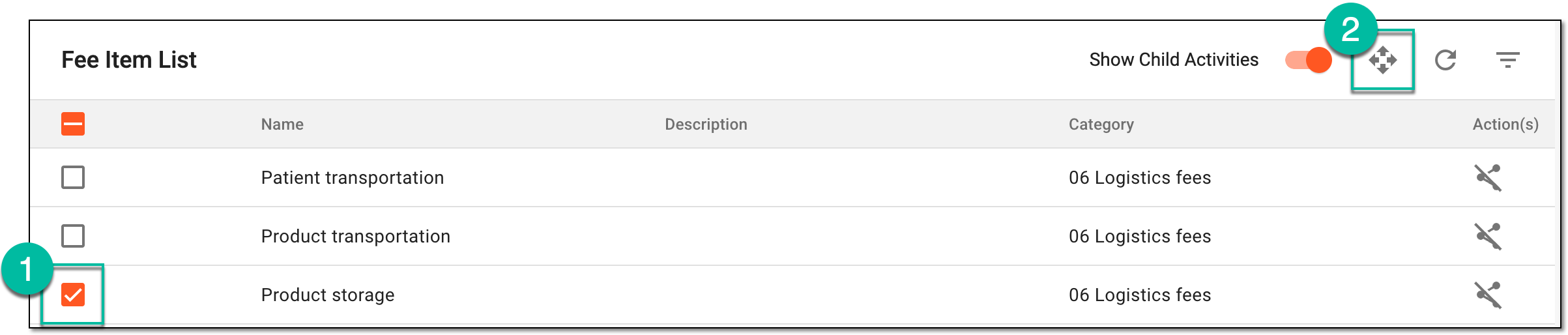 Figure 3. Selecting fee items to be moved
-
In the Move dialog that appears, in the Select Target Category block, drill down the fee category tree and select the one where you need to move the fee items. Then select
 .
.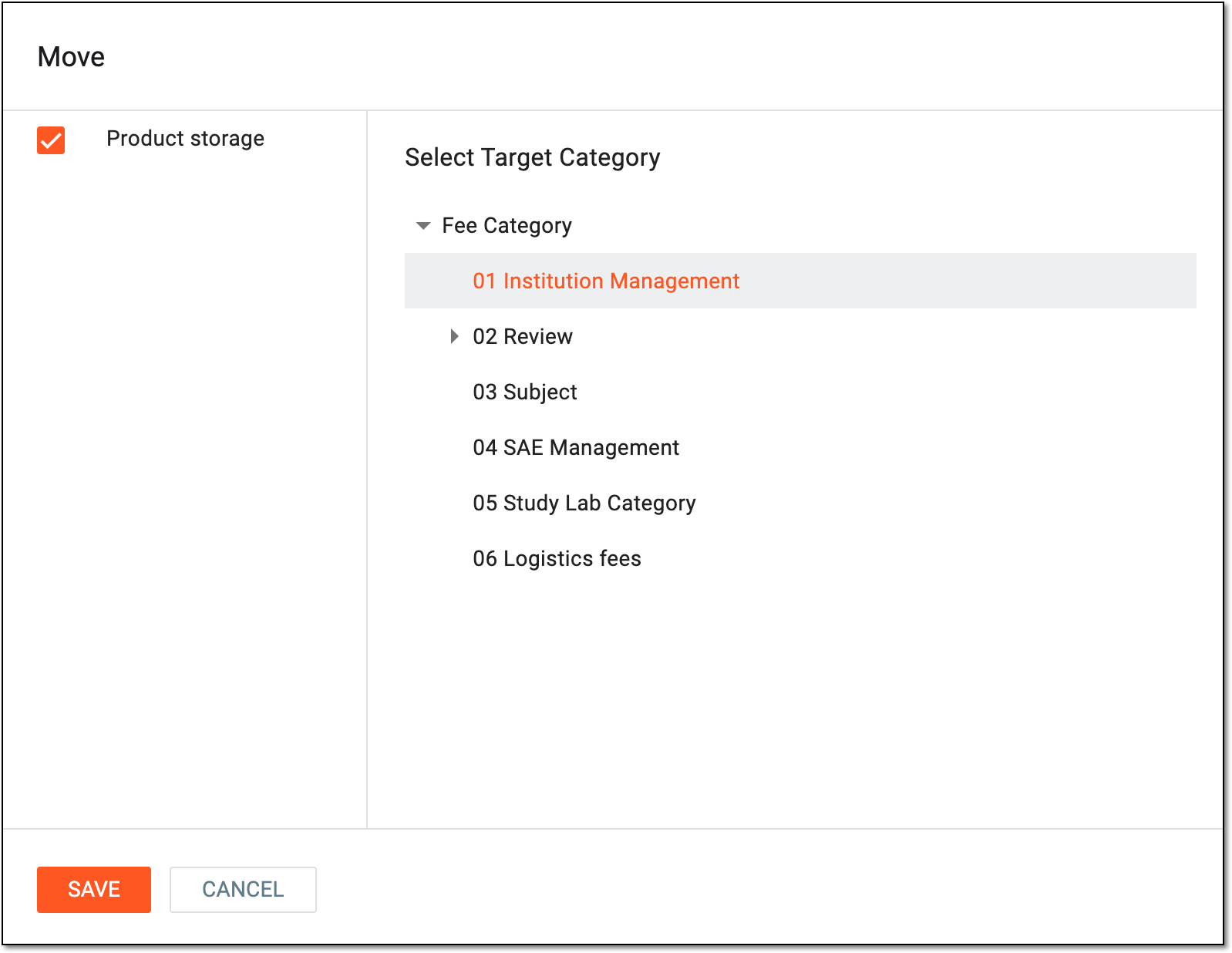 Figure 4. Selecting target category to move fee items
Once saved, the selected fee items are associated with the target category and disassociated from the previous one.