Download exported source document archive from history
Source documents are original records or certified copies of records that provide evidence of the existence, activities, and results of a clinical trial or study. Some of the source documents that can be related to data verification and documentation review are case report forms (CRFs), medical records, informed consent forms, pharmacy records, adverse event reports, regulatory documents, and so on.
In EDC, you can manually upload and store the source document files under the Source Document module. If required, you can also export all the available documents of a certain site and have them downloaded to your computer as a ZIP archive. All such exported archives are tracked by the system and can be downloaded at any time from Export History.
Important
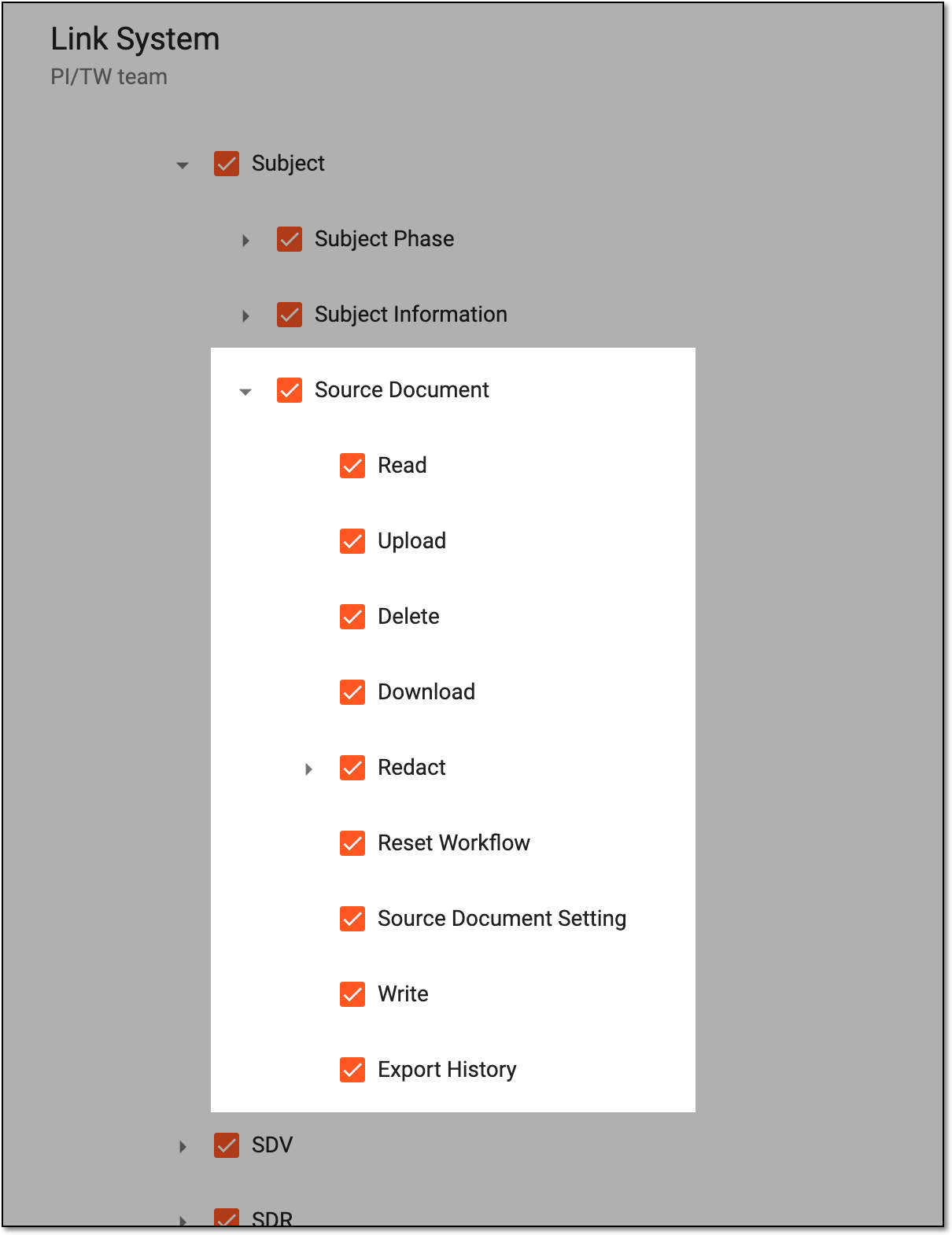
The ability to view and manage the Source Document page depends on the permission granted to your user role in ADMIN.
 |
-
In the EDC application header, select the STUDY INFO tab.
-
In the left pane of the page that opens, select Subject > Source Document.
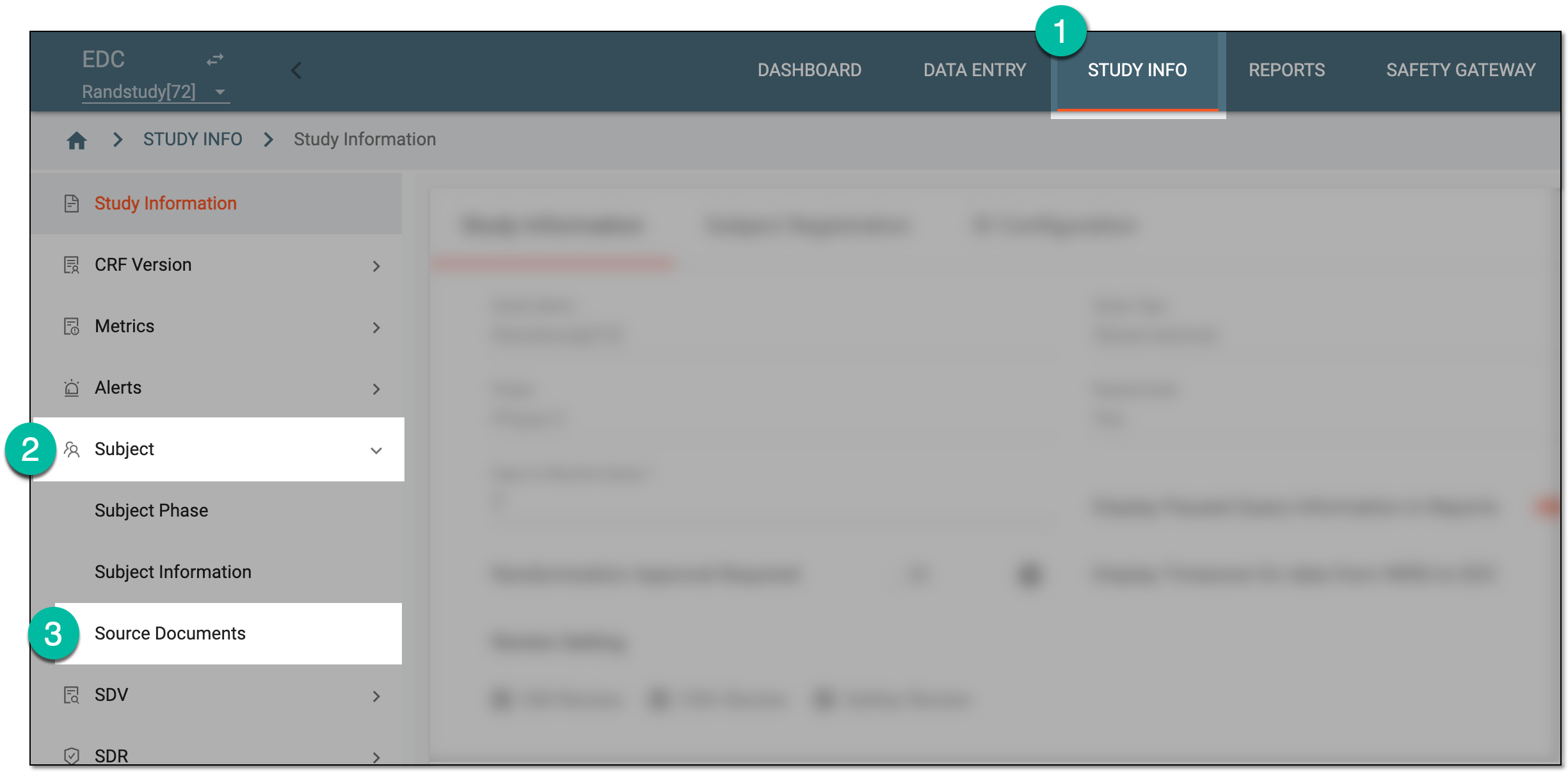 Figure 2. Accessing source documents
-
From the workspace toolbar of the Source Document contents panel, select Export History
 .
.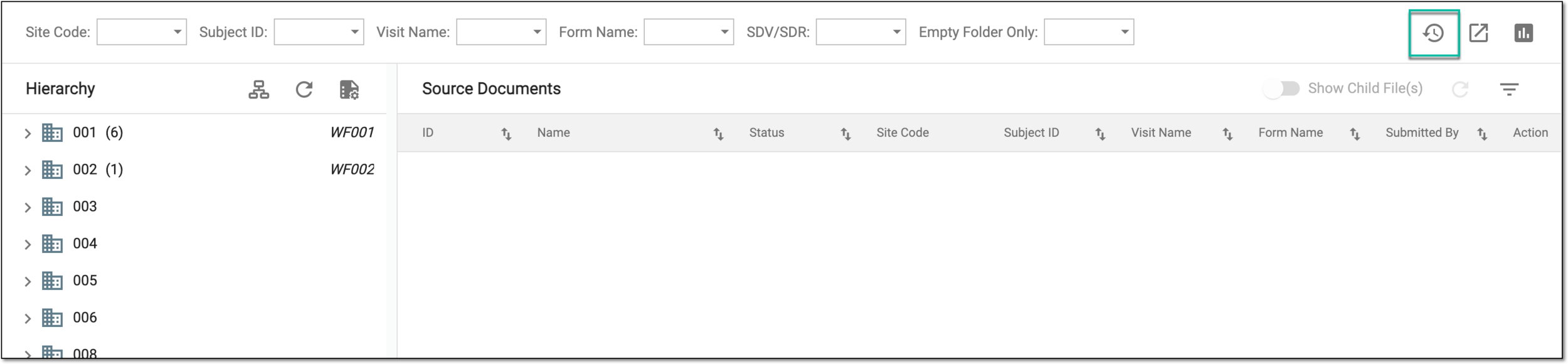 Figure 3. Accessing source document export history
-
In the Export History dialog that opens, next to the file you want to download, select
 .
.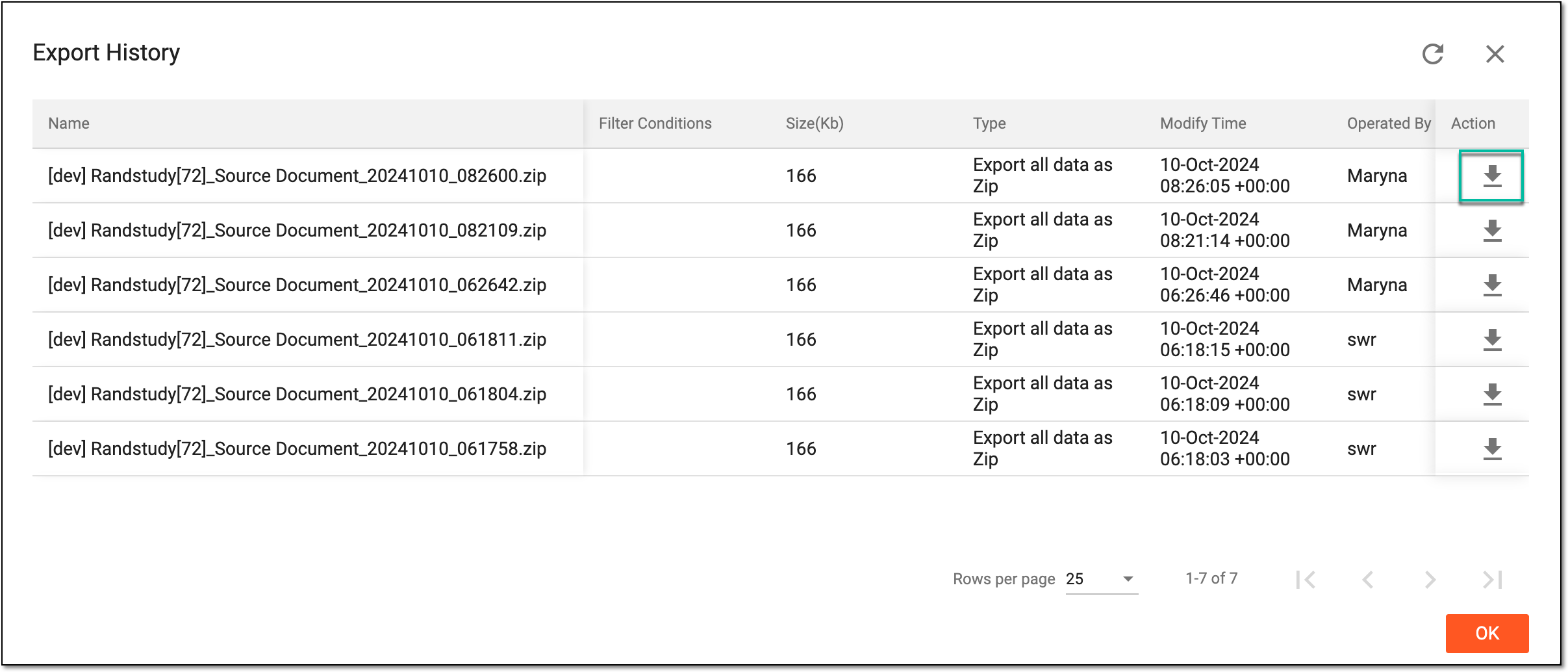 Figure 4. Downloading exported source document archive from history
Once downloaded, the source document archive becomes available on your computer. Select  to close the dialog.