Analyze one-way analyses chart data
The one-way analysis charts display data from a single categorical variable, providing insights into the distribution and characteristics of each patient cohort or treatment group independently. This type of analysis is often used to explore factors such as demographics or lab results without considering interactions with other variables.
In EDC, the Contains One-way Analyses chart is comprised of the boxes that represents statistical measurements of a dataset drawn vertically on the chart. The central box represents the interquartile range (IQR), with the lower and upper edges indicating the first and third quartiles, respectively. A line inside the box represents the median. Whiskers extend from the edges of the box to indicate the range of data excluding any outliers. Outliers are the values that lie outside the range of whiskers and are represented on the chart as green circles.
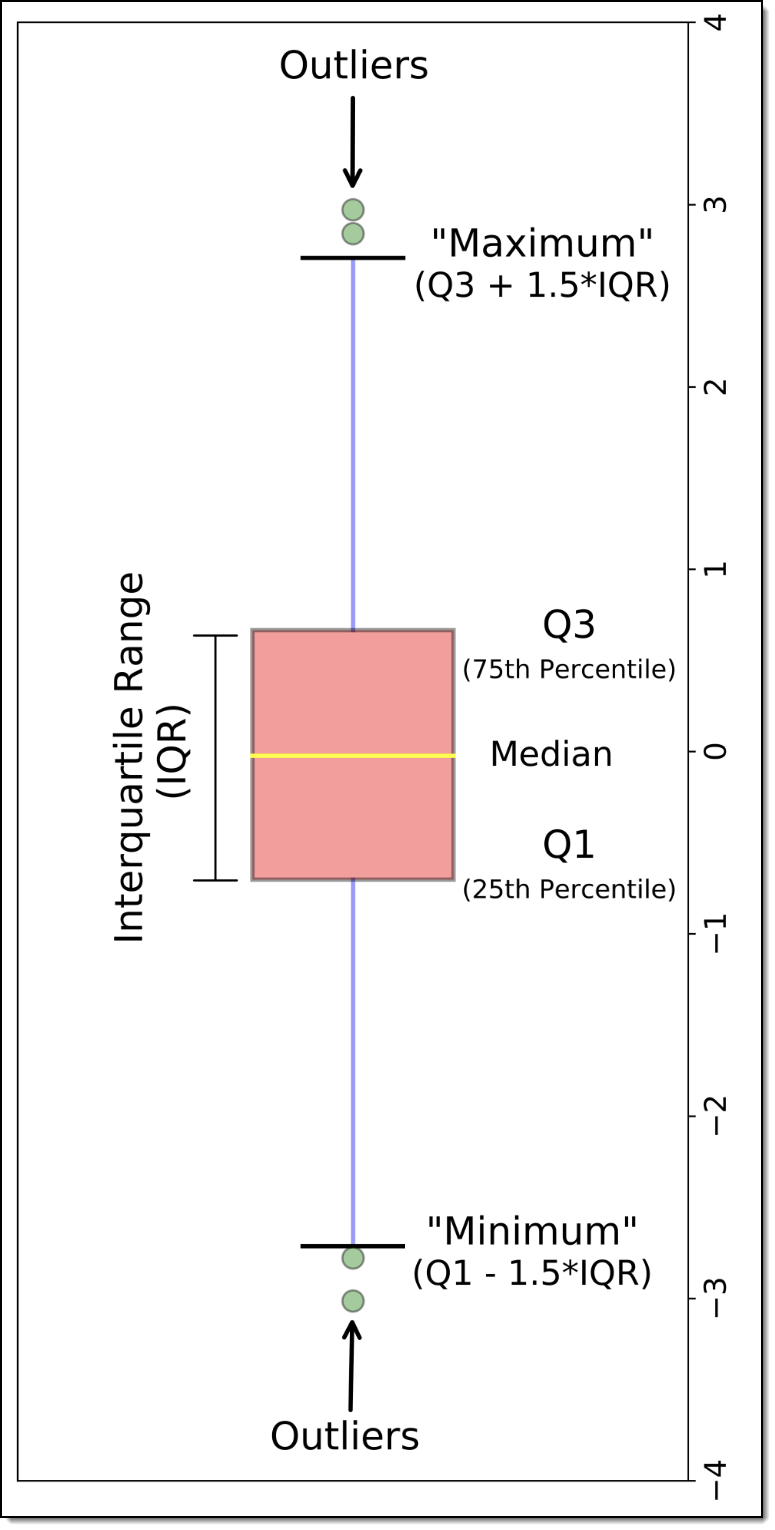 |
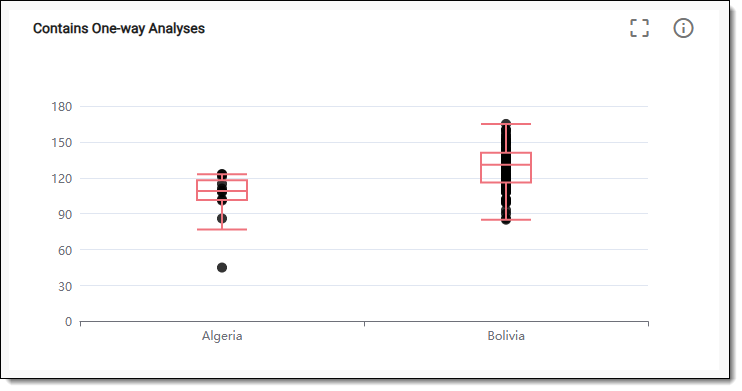
-
In the EDC application header, select the DASHBOARD tab.
-
On the page that opens, select the Lab Test Analytics tab.
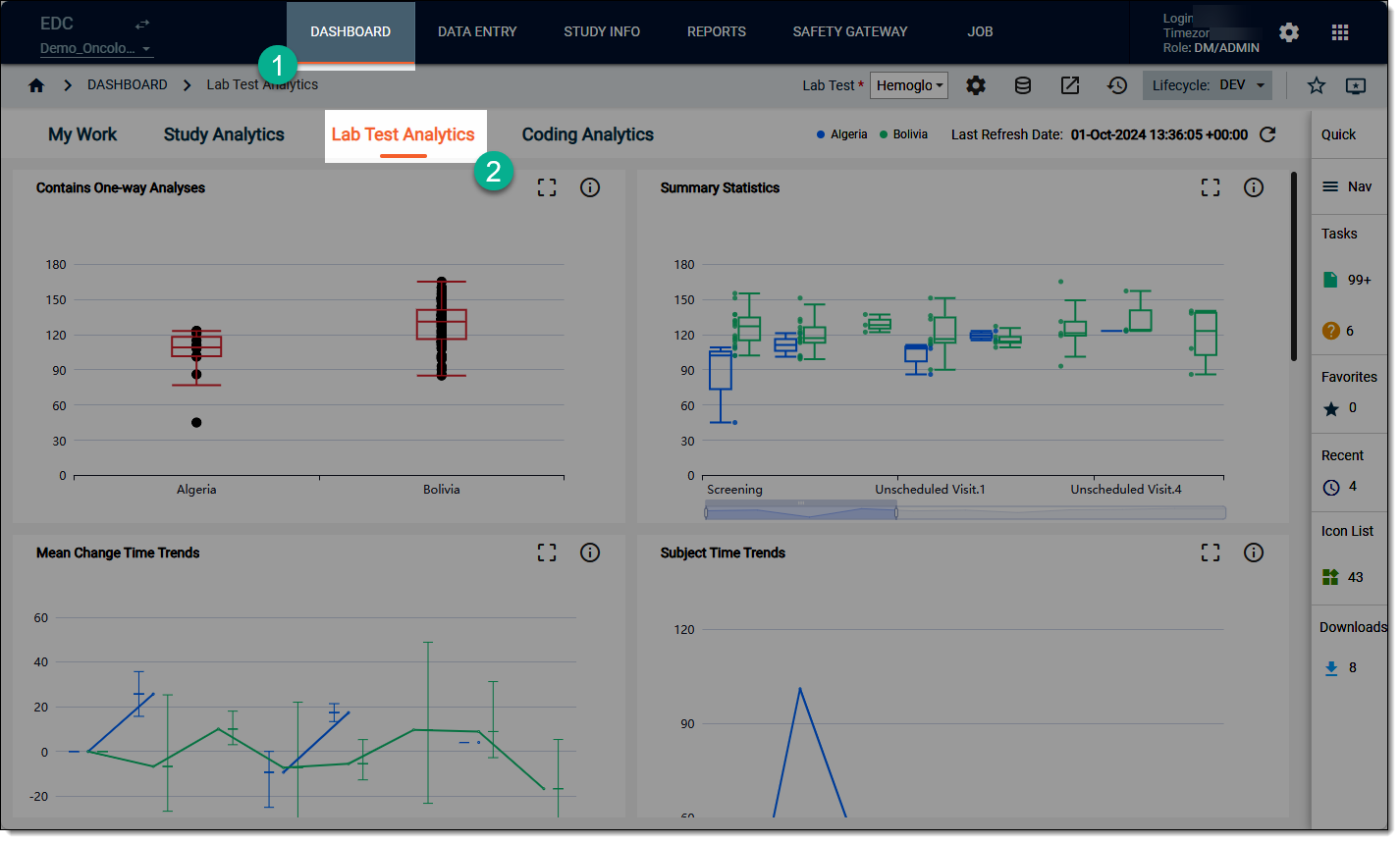 Figure 3. Accessing lab test analytics dashboard
-
On the workspace toolbar, from the Lab Test dropdown menu, select the lab test that you want to review.
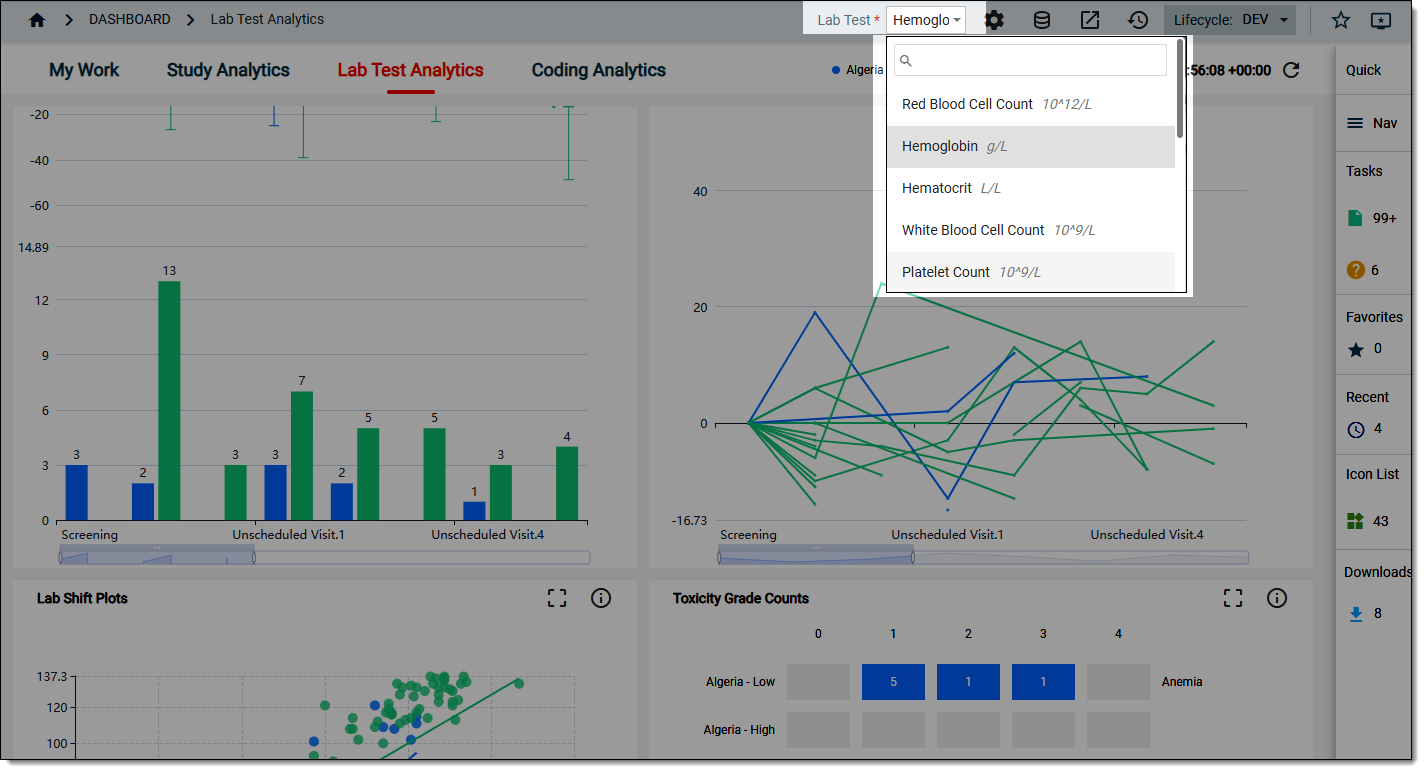 Figure 4. Selecting lab test to review
-
On the Lab Test Analytics dashboard that opens, start analyzing the Contains One-way Analyses chart data by hovering over the boxes and data points to view the tooltips and comparing different values for different categories of data where relevant.
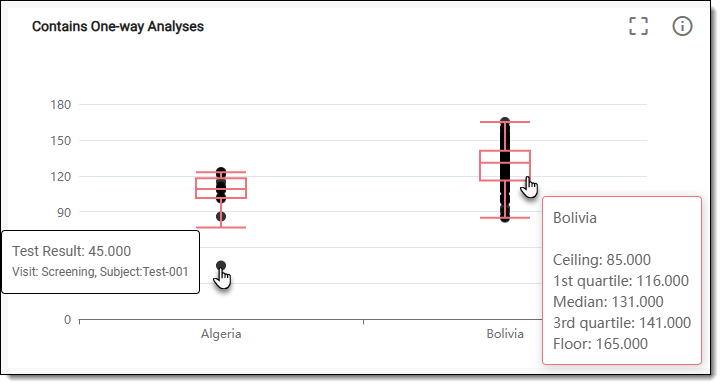 Figure 5. Reviewing one-way analyses chart data
-
Now from the chart, select Detail
 . In the table that opens, view the one-way analysis details as explained in the following table.
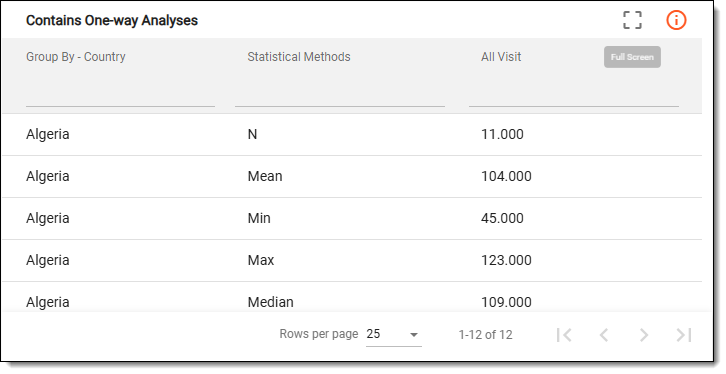 Figure 6. Reviewing one-way analyses details
Tip
To enlarge the table view, from the chart, switch to the Full Screen
 mode.
mode.Column
Details
Group By - Country
Represents the grouping variable for the analysis, which is the country in this case. This parameter categorizes the data based on different countries, allowing for comparative analysis of outcomes, behaviors, or characteristics across the geographic regions.
Statistical Methods
Represents the statistical techniques employed to analyze the data within each group. Common methods for the vertical box plot chart include the following:
-
Max: represents the highest observed data point in the dataset. In the box plot chart, this value is indicated by the upper whisker line and helps identify the range of the data.
-
Min: represents the lowest observed data point in the dataset. In the box plot chart, this value is indicated by the lower whisker line and helps identify the range of the data.
-
Median: represents the middle values of the dataset when it is ordered from lowest to highest. In a box plot chart, it is represented by a line within the box, dividing the box into two equal halves.
-
Mean: represents the average value of the dataset, calculated by summing all the values and dividing by the number of observations. This value provides a measure of central tendency, which can complement the median.
-
Std Dev (standard deviation): represents the amount of variation or dispersion in the dataset. This value is often referenced to understand the variability of the data.
-
N (sample size): represents the total number of observations or data points in the dataset. It is essential for understanding the statistical significance of the results presented in the box plot.
All Visit
Represents the total count of visits or observations included in the analysis for each group. This count is important for assessing the reliability and validity of the findings presented in the analysis.
-
Once you have analyzed the details of the One-Way Analyses chart, select  to close the table and return to the
chart view.
to close the table and return to the
chart view.