Site summary
In the Study Analytics dashboard, you are provided with multiple charts to get a quick insight into the EDC data and processes going on. On the Site Summary pie chart, you can view the total number of sites, along with the information about how many sites have subjects enrolled and the total number of sites without any enrolled subjects. The information in this chart is updated in real-time, that is as soon as a new site is added to EDC via CTMS or a subject is enrolled in a site or others, the pie chart is updated to display the latest data.
You may require viewing the pie chart if you want to know how many sites have no subjects enrolled in them and so you may then want to update the site accordingly.
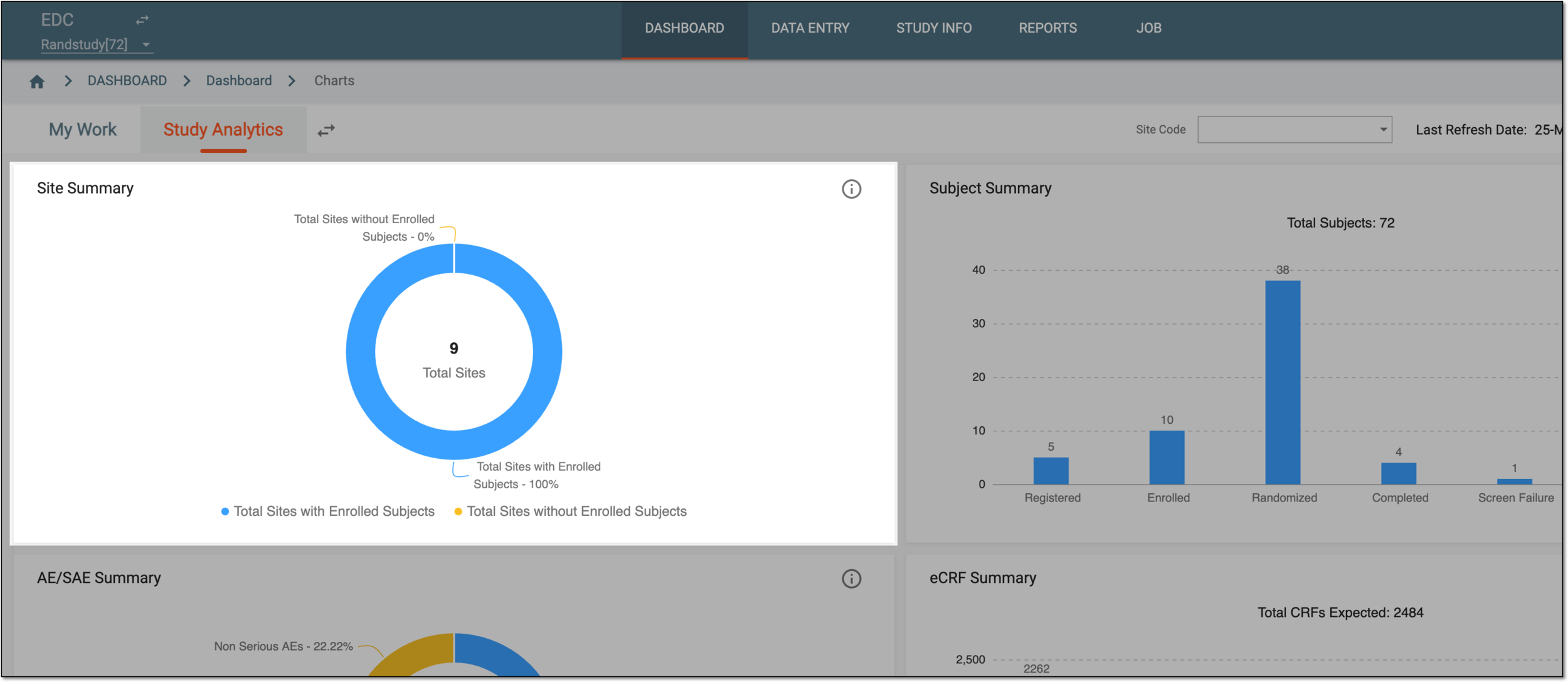
In the preceding figure, the blue color in the pie chart signifies Total Sites with Enrolled Subjects, and the yellow color signifies Total Sites without Enrolled Subjects.
Tip
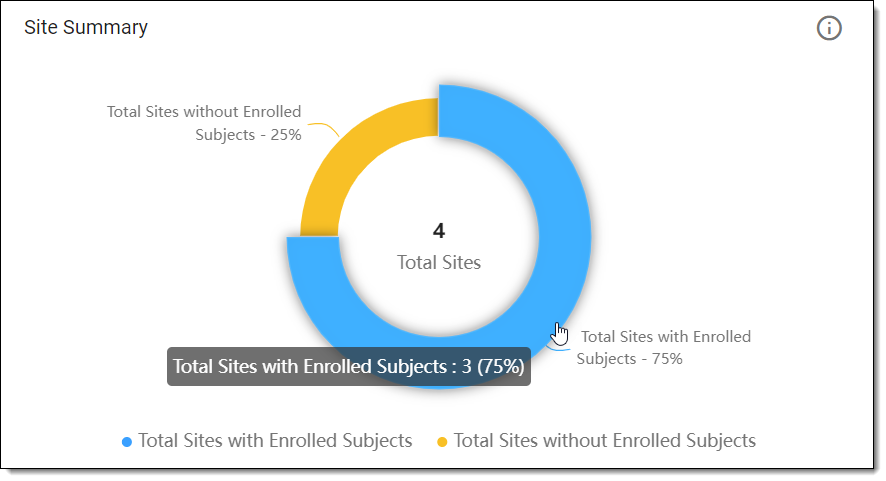
If you want to know the exact number of sites that have subjects enrolled/not enrolled, hover over the required color in the pie chart to view the required information. For example, as shown in the following figure, the total number of sites with subjects enrolled is three.
 |