Edit manufacturing lot
In a clinical trial, the investigational product is released in lots that have their specific numbers and expiry terms. A manufacturing lot is a batch of items produced together at one time and belonging to the same item unit. Manufacturing lot information is not used for logistics or system processes but exists in IWRS for the traceability of manufactured drugs.
In IWRS, you can create manufacturing lots manually as per your business needs. However, if any details are entered by mistake, you can fix the lot information by editing it.
-
In the IWRS application header, select the TREATMENT DESIGN tab.
-
In the left pane, select the Lot subtab.
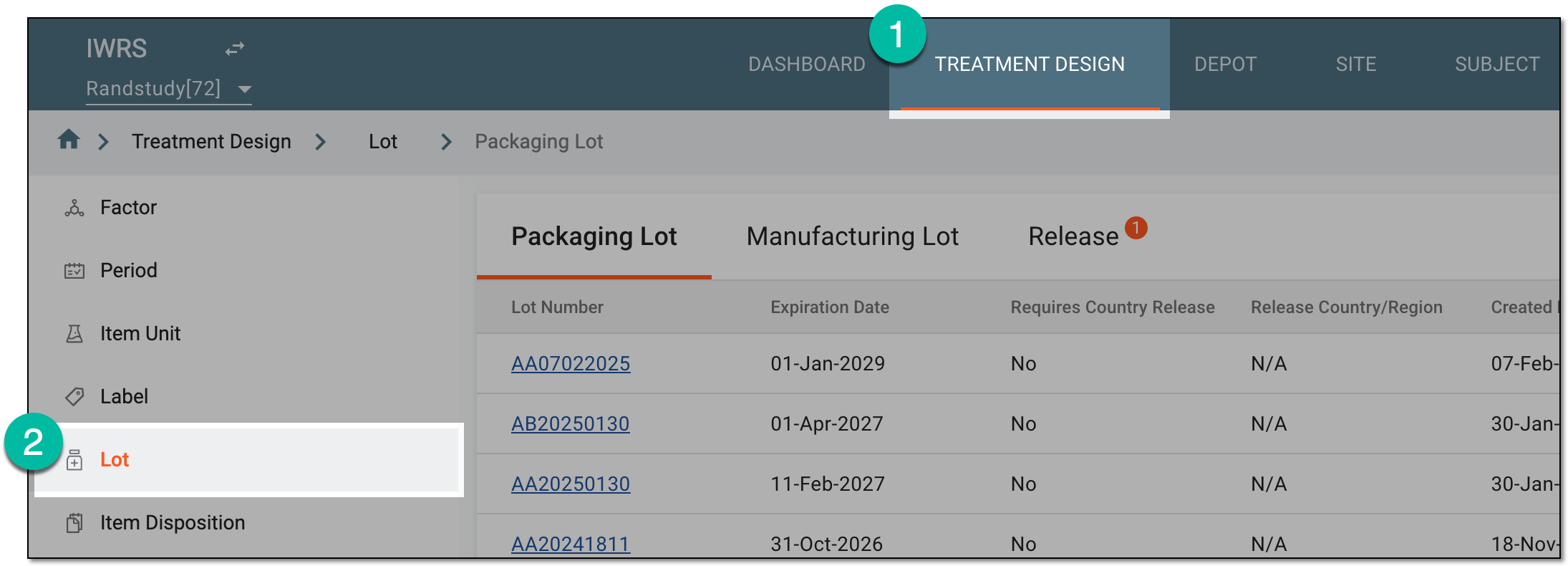 Figure 1. Accessing lot subtab
-
On the page that opens, from the contents panel, select the Manufacturing Lot tab.
-
In the Manufacturing Lot table, locate the manufacturing lot whose details you want to edit. Then from the Actions column, select Edit
 .
. Figure 2. Adding manufacturing lot
-
In the Edit dialog that appears, update your lot details as described in the following table.
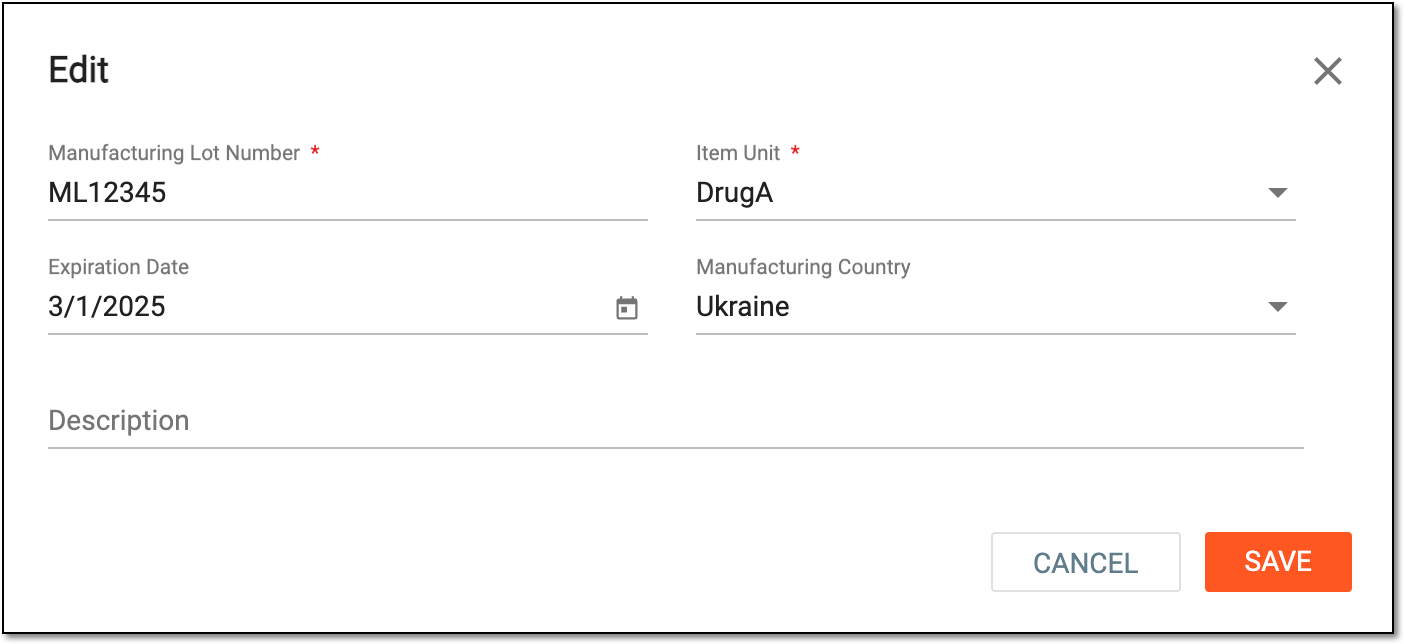 Figure 3. Updating manufacturing lot details
Tip
In the following table, mandatory elements are marked with an asterisk (*).
Element
Details
Manufacturing Lot Number*
Enter a unique manufacturing lot number.
Item Unit*
Select the item unit to which the manufactured items from the lot belong.
If there is no item unit that you need, you can add a new item unit to IWRS manually and then return to creating your manufacturing
                                  lot.
Expiration Date
Select the date picker
 and select the expiry date of the items in the manufacturing lot.
This date exists in the system for the supply manager to check the item expiration date, and for the system processes—for instance, the lot expiration alert setting—the packaging lot expiration date is accounted for.Manufacturing Country
Select the country where the drugs from this lot are manufactured.
Description
Enter a description to provide some additional details about the lot.
SAVE
Select
 to save the implemented changes.
CANCEL
Select
 to stop creating a new lot, close the form, and return to the manufacturing lot list. In such a case, no changes are saved.
Once saved, a new manufacturing lot is updated.