Downloads
The Downloads option of the Quick panel contains the files you have exported from the EDC system so that you can conveniently download them to your computer.
Select  to open the My Downloads dialog containing two tabs as follows.
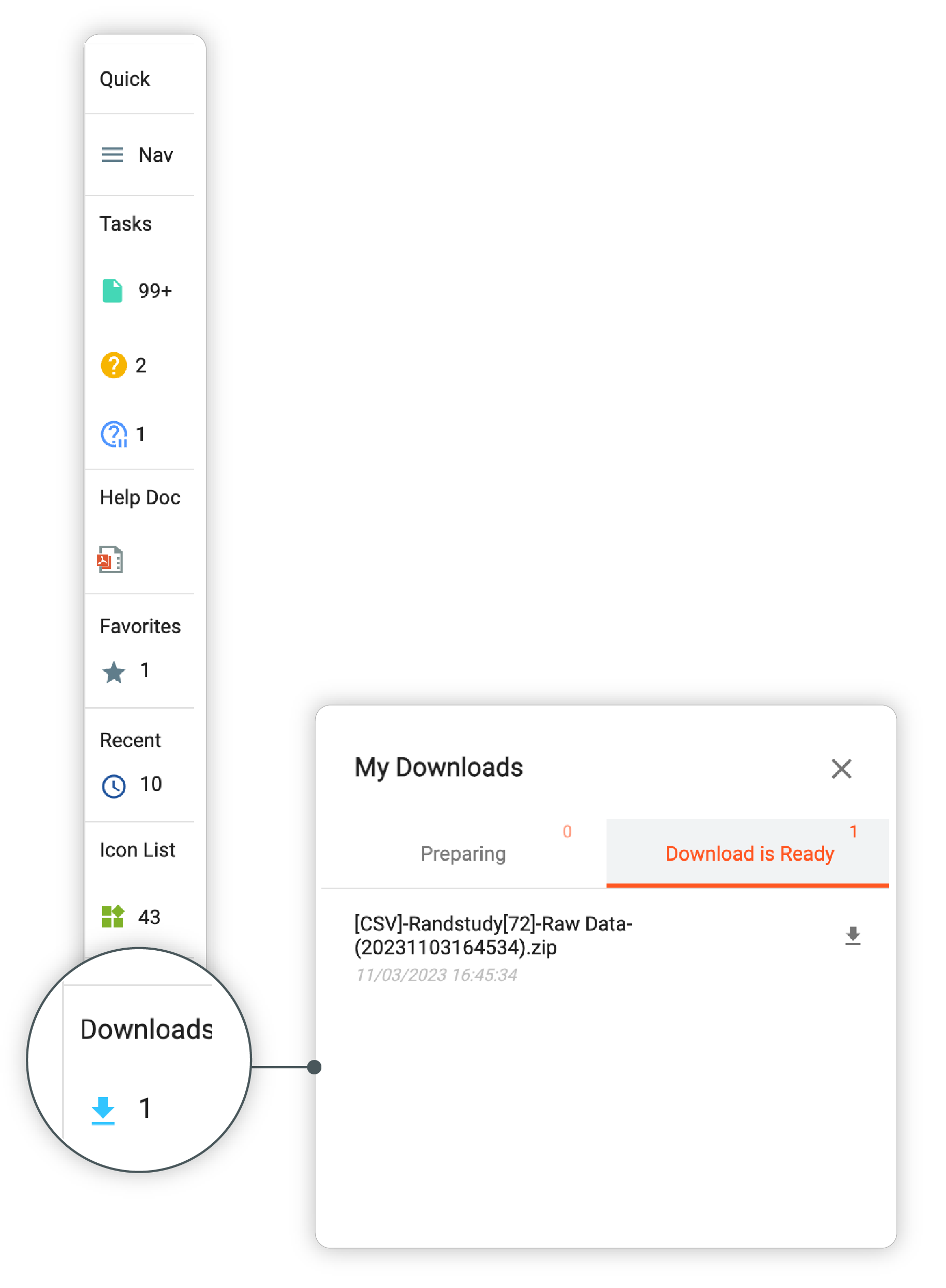 |
Figure 1. Opening My Downloads dialog
-
Preparing: the tab displays active downloads—files that are being exported from the system and are not ready to be downloaded.
-
Download is Ready: the tab displays exported files that are ready to be downloaded. Select
 next to the file of your interest
to download it to your computer.
next to the file of your interest
to download it to your computer.