View artifact audit trail
Artifacts are records, documents, or files containing any information that is captured during a clinical trial and that meet the purpose or definition described in the DIA RM. In some cases, the artifact is a single document, dataset, or piece of information, but in other cases, it can be represented by multiple document types or data types. These artifacts are stored in the respective folders of your study in Essential Documents.
The audit trail data in eTMF serves as a comprehensive record that tracks changes made to the artifacts, including additions and modifications.
-
In the eTMF application header, select the TMF tab.
-
On the page that opens, in the left pane, select the Study List subtab.
-
In the Study List table, select the needed study name.
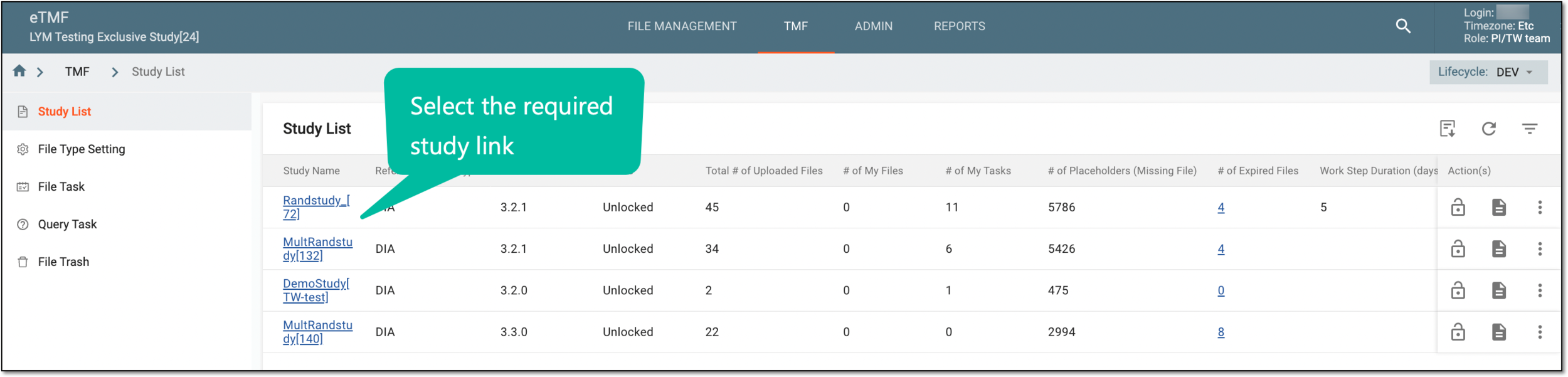 Figure 1. Selecting study
-
On the page that opens, select the Study Tracking pane option.
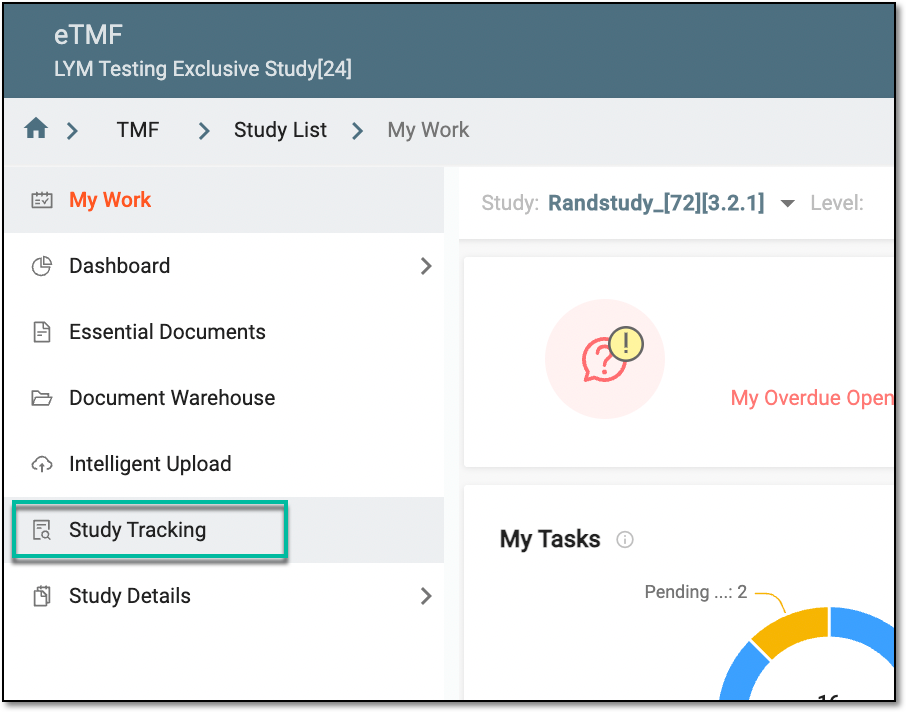 Figure 2. Accessing study tracking page
-
In the Artifact table, go to the needed artifact. In the Action(s) column next to it, select Audit Trail
 .
.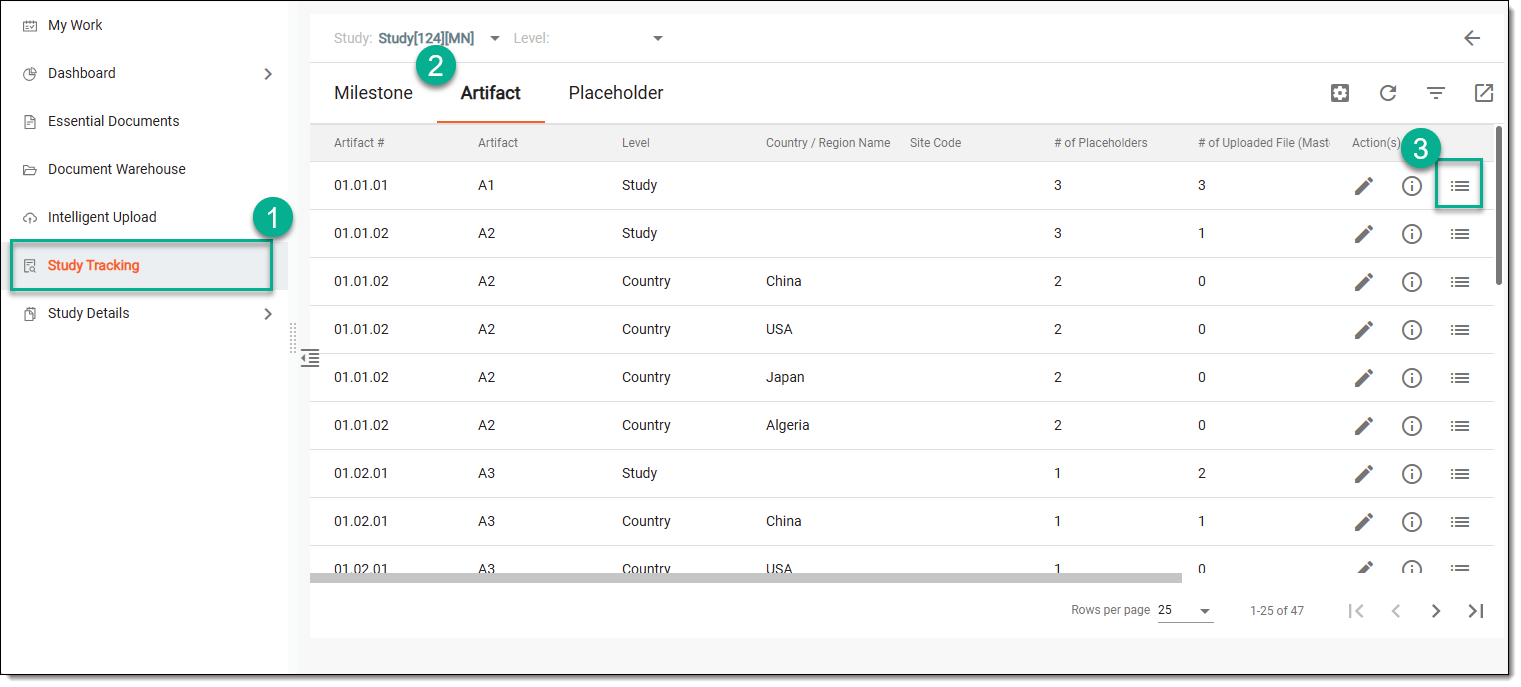 Figure 3. Accessing option to view artifact's audit trail
-
In the Audit Trail dialog that appears, you can view the log of operations performed on the artifact.
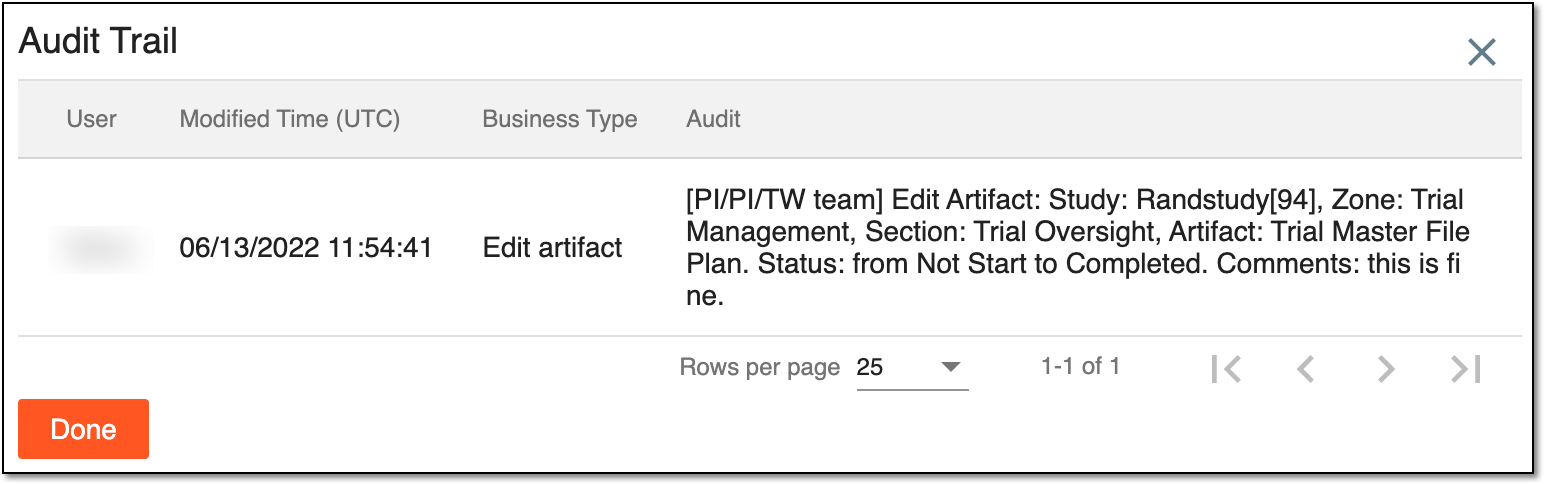 Figure 4. Viewing artifact audit trail
-
Select
 to close the dialog.
Once done, you are redirected to the Artifact table.