Analyze log management report
Within the Log Management page, you can view the log of all actions performed by different users in the CTMS application. The username, type, and time of operation are also logged in the grid so you can check who has performed a specific action and when it has occurred. The log information provides an overview of all operations in case you need to track some user actions in the CTMS system.
To analyze the log management report
-
In the CTMS application header, select the REPORT tab.
-
On the page that opens, in the left pane, select Log Management.
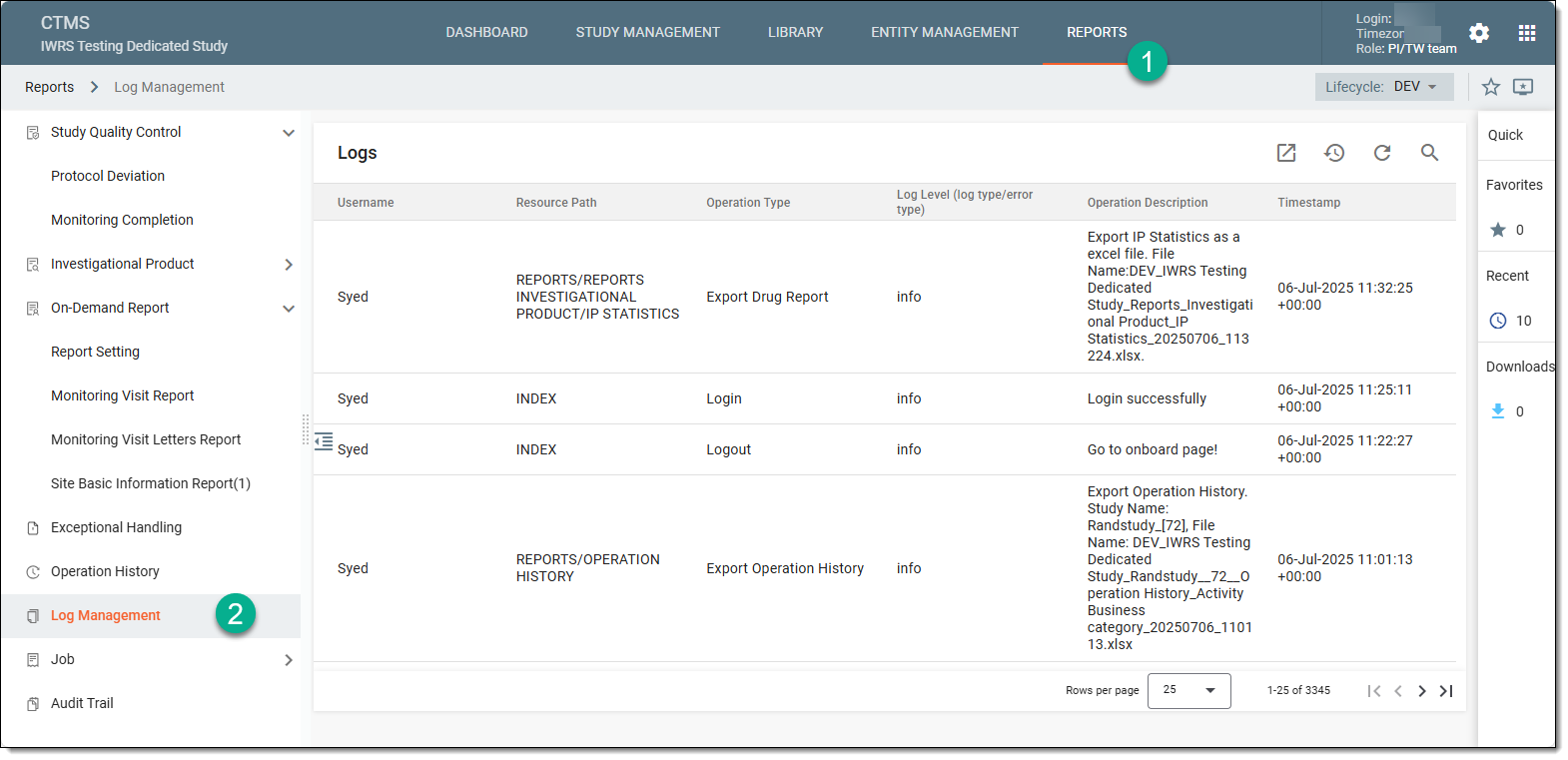 Figure 1. Accessing log management
-
In the Logs table that appears, view the log of all user actions in a single grid.
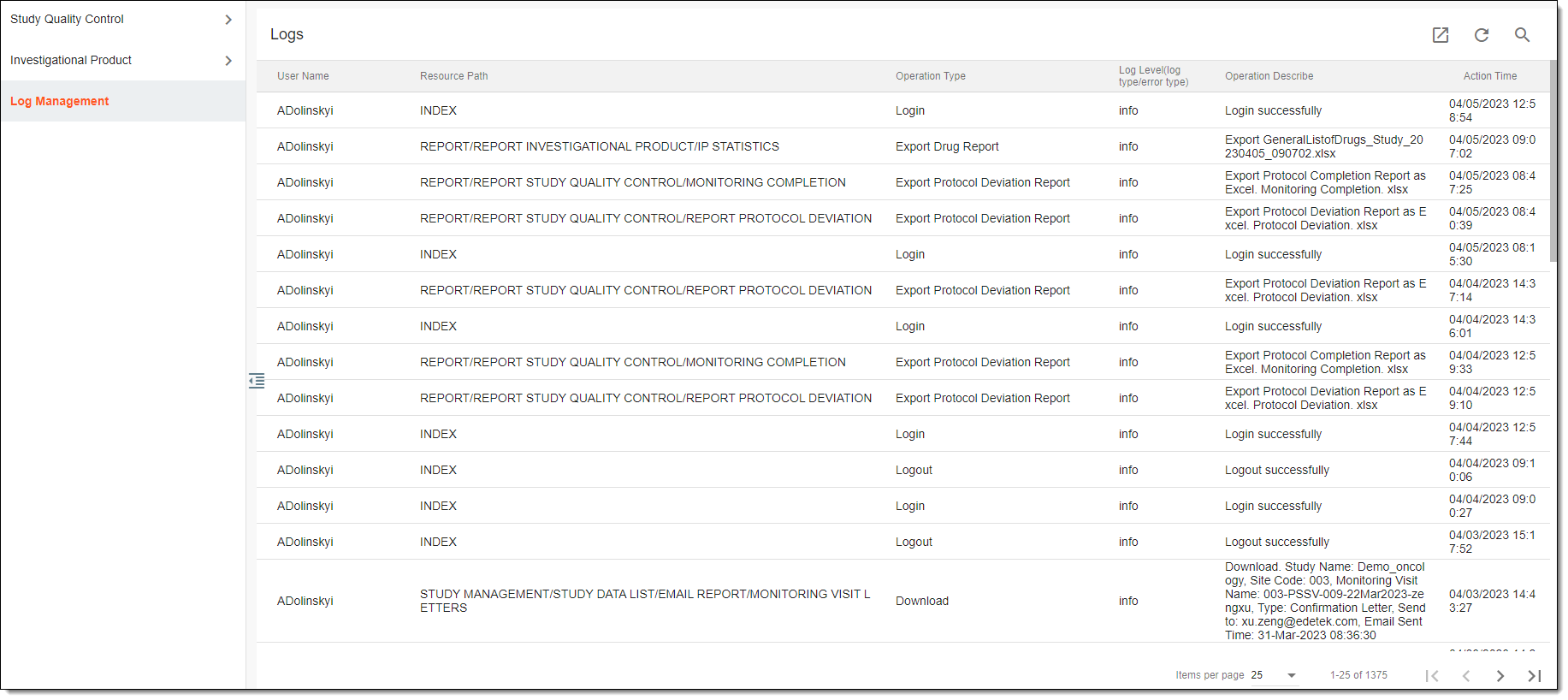 Figure 2. Viewing log management report
Once analyzed, you can now export the log to your computer if needed.