Export IP statistics
An investigational product (IP) is any pharmaceutical, biological, or medical device that is being tested or studied in clinical trials, to determine its safety, efficacy, and optimal use in treating a particular disease or condition. During clinical trials, investigational products are administered to human subjects under strict regulatory oversight, in order to evaluate their safety, efficacy, and optimal dosage, and to identify any potential adverse effects. The statistical data related to the IP statistics can be exported in the XLSX file so you can view it offline on your computer.
-
In the CTMS application header, select the REPORT tab.
-
On the page that opens, in the left pane, expand Investigational Product and select IP Statistics.
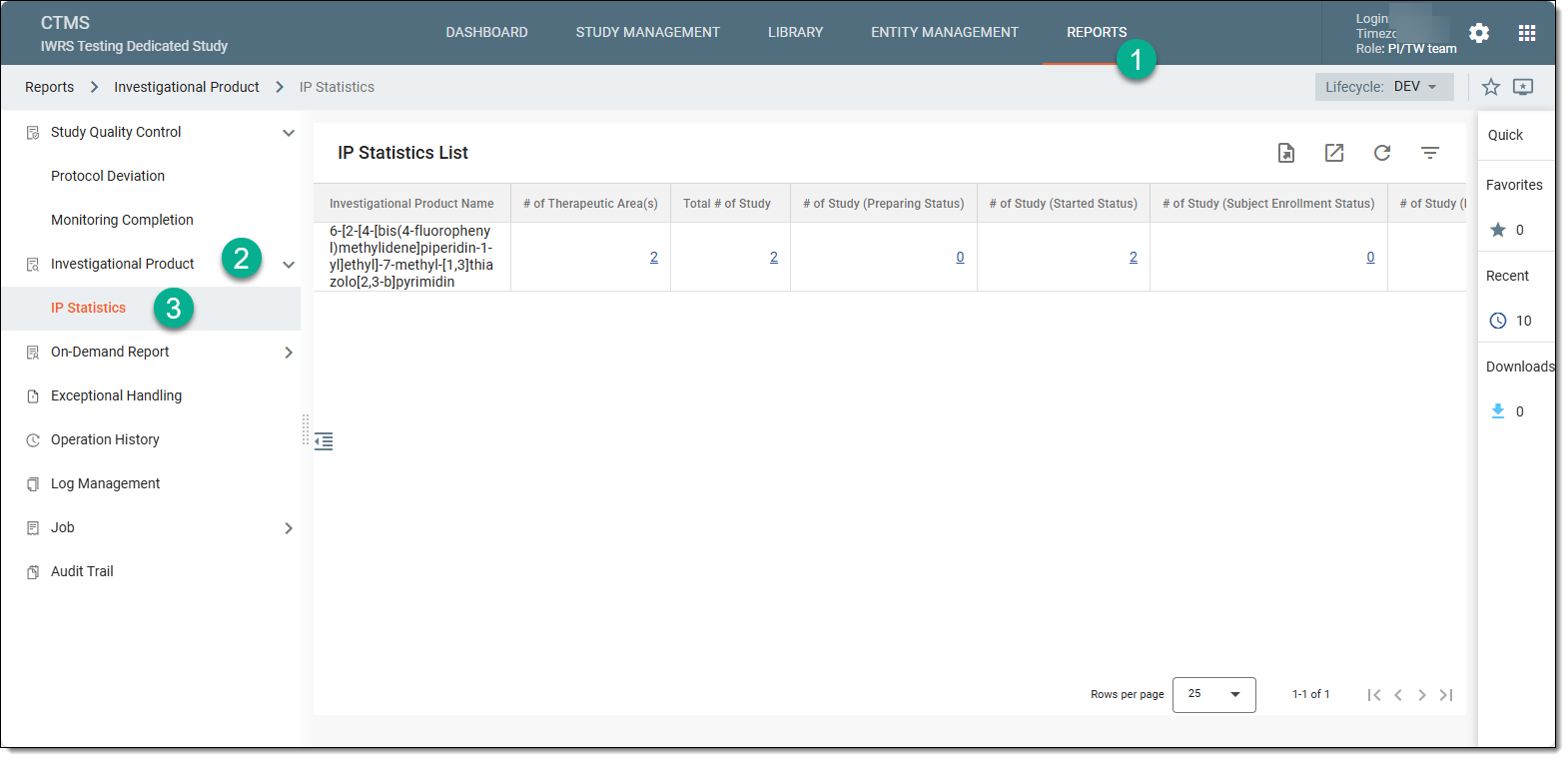 Figure 1. Accessing IP statistics
-
Above the IP Statistics List table that appears, from the workspace toolbar, select Export
 .
.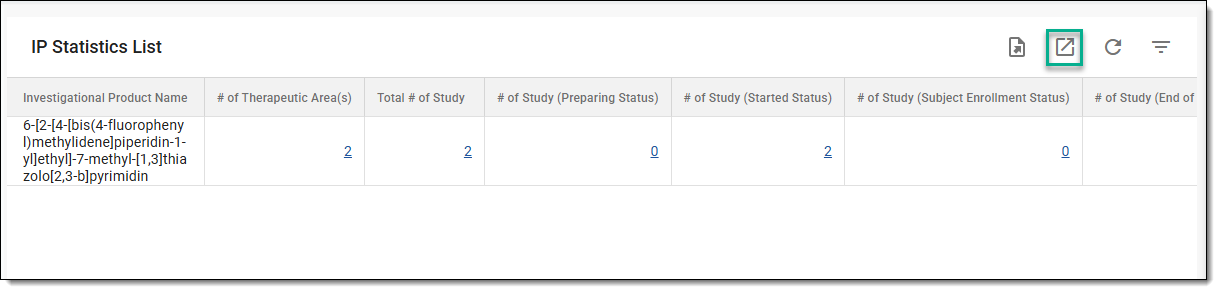 Figure 2. Exporting IP statistics
Tip
If you want to view or download the historic files of the IP statistics report, then from the workspace toolbar, select Export History
 . In the Export History dialog that opens, next to the file you want to download, select
  and save it to your computer and use it offline.
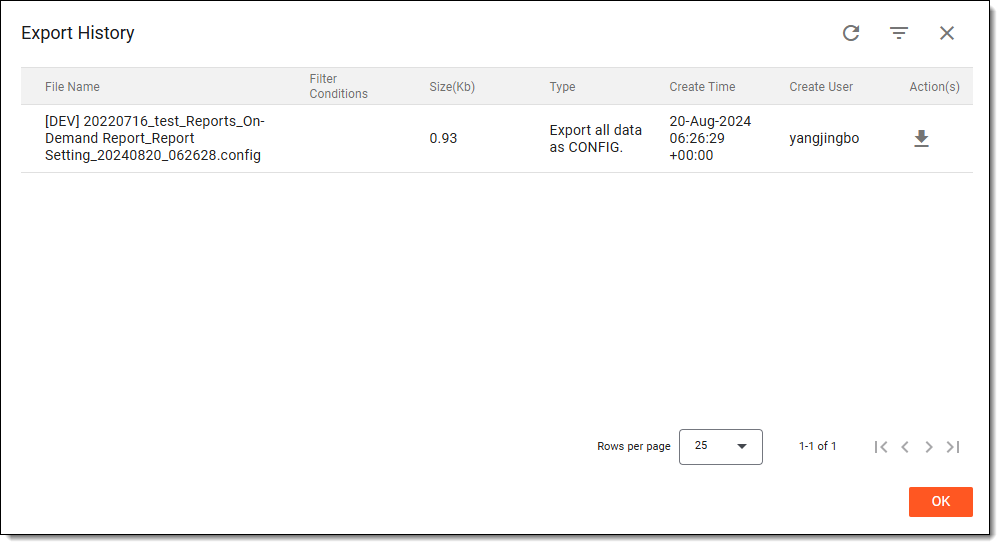 Figure 3. Exporting historic files
Once selected, the IP statistics report becomes downloaded to your computer. You can then open it to view it offline.