Analyze monitoring completion report
A monitoring visit refers to an activity when a monitor, usually a clinical research associate (CRA), visits sites to review and verify study-related activities, including data collection, patient safety, and adherence to the study protocol. The monitor also verifies that the study is conducted in compliance with relevant regulatory requirements and GCP guidelines. You can view the statistical data on the total number of monitoring visits per study within a single page.
-
In the CTMS application header, select the REPORT tab.
-
On the page that opens, in the left pane, expand Study Quality Control and select Monitoring Completion.
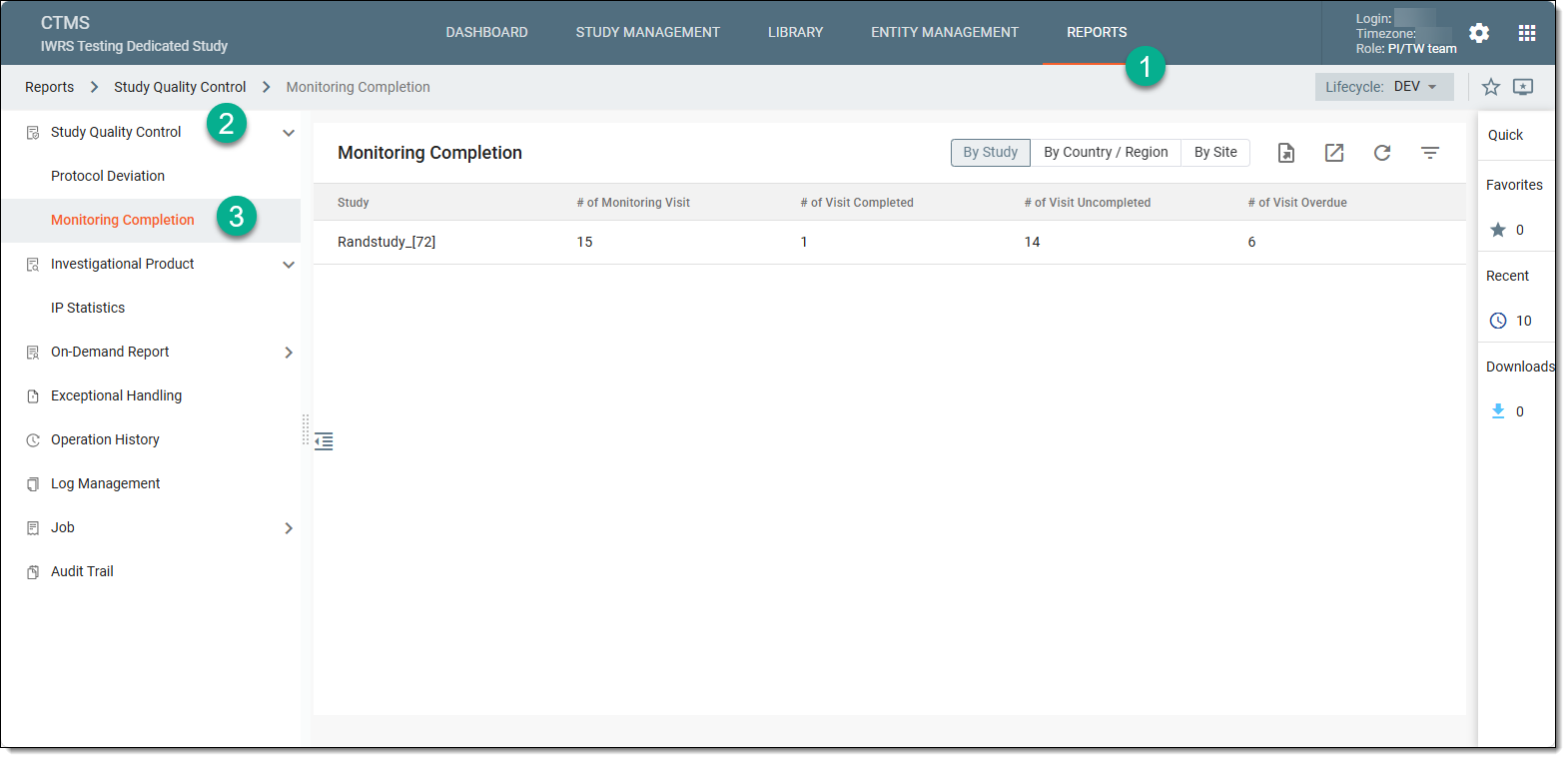 Figure 1. Accessing monitoring completion
-
In the Monitoring Completion table that appears, view the list of monitoring visits created for each available study.
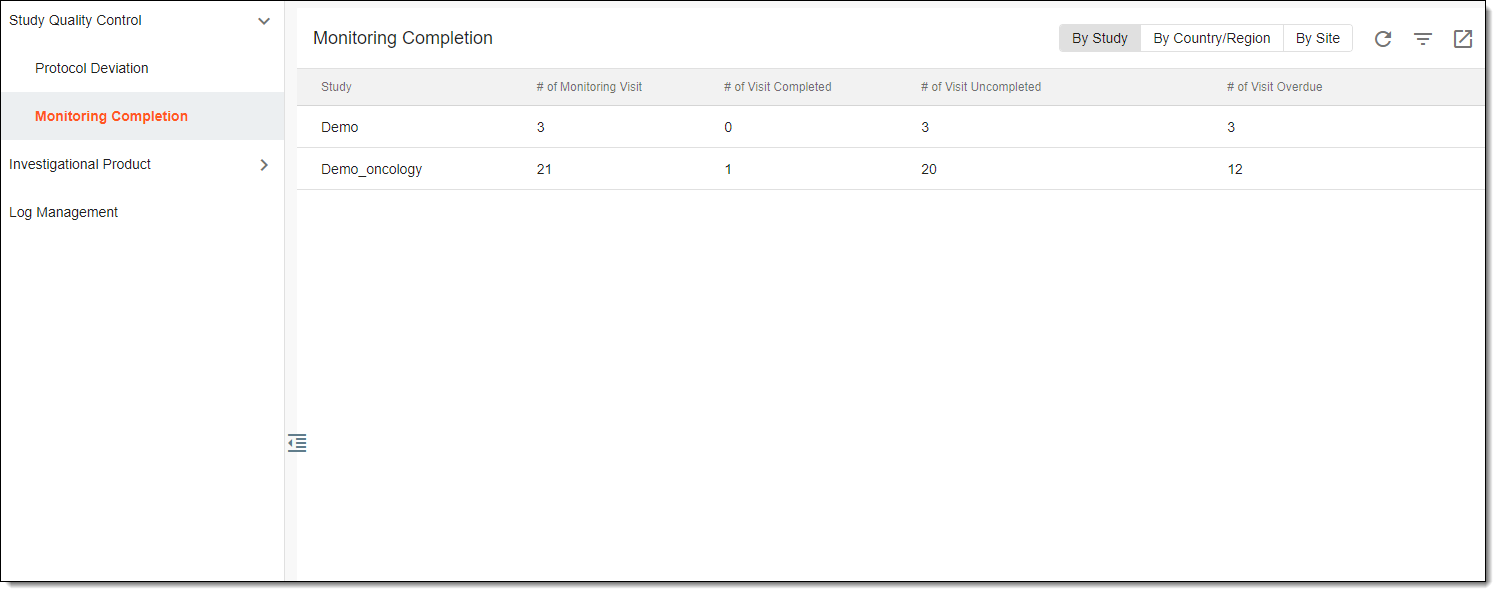 Figure 2. Viewing monitoring completion report
Tip
You can switch the table view to see the list of monitoring visits grouped by study, country/region, or site. Simply select the necessary grouping option from the workspace toolbar above the table.
Once viewed, you can now export the monitoring completion report to your computer if needed.