Export protocol deviation report
A protocol deviation refers to any departure from the study protocol that was originally approved by the responsible committee. Protocol deviations can take different forms, such as deviation from the study procedure, use of prohibited medication, failure to report adverse events or other safety concerns, and so on. The statistical data related to the protocol deviation summary can be exported in the XLSX file so you can view it offline on your computer.
-
In the CTMS application header, select the REPORT tab.
-
On the page that opens, in the left pane, expand Study Quality Control and select Protocol Deviation.
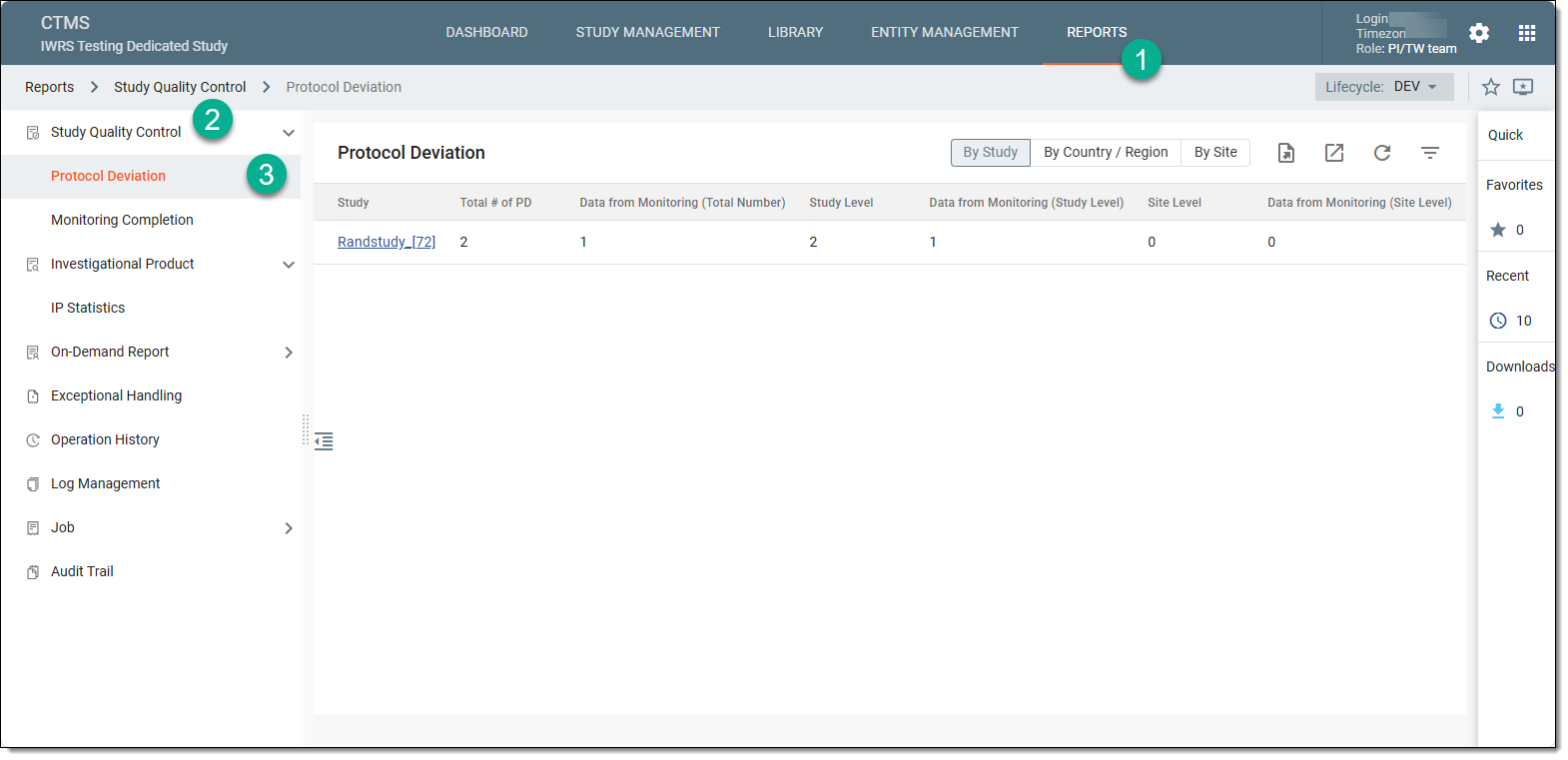 Figure 1. Accessing protocol deviation
-
Above the Protocol Deviation table that appears, from the workspace toolbar, select Export
 .
. Figure 2. Exporting protocol deviation report
Tip
If you want to view or download the historic files of the protocol deviation report, then from the workspace toolbar, select Export History
 . In the Export History dialog that opens, next to the file you want to download, select
  and save it to your computer and use it offline.
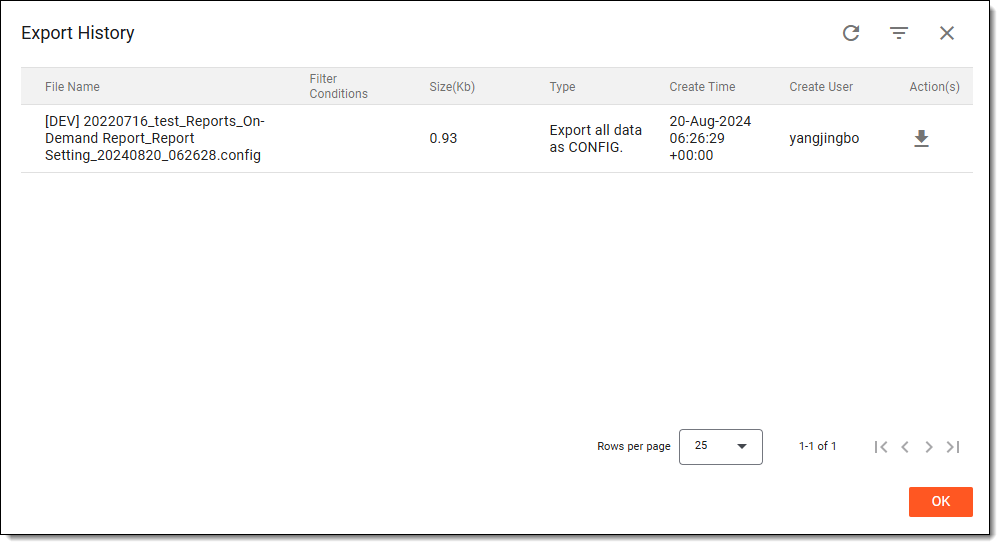 Figure 3. Exporting historic files
Once selected, the protocol deviation report becomes downloaded to your computer. You can then open it to view it offline.