Introduction to SD
The Study Designer (SD) application plays one of the most significant roles in the eClinical suite. This is the place where the data managers configure visits, cycles, edit checks, subject phases, codelists, and design case report forms (CRF) in accordance with the approved study protocol.
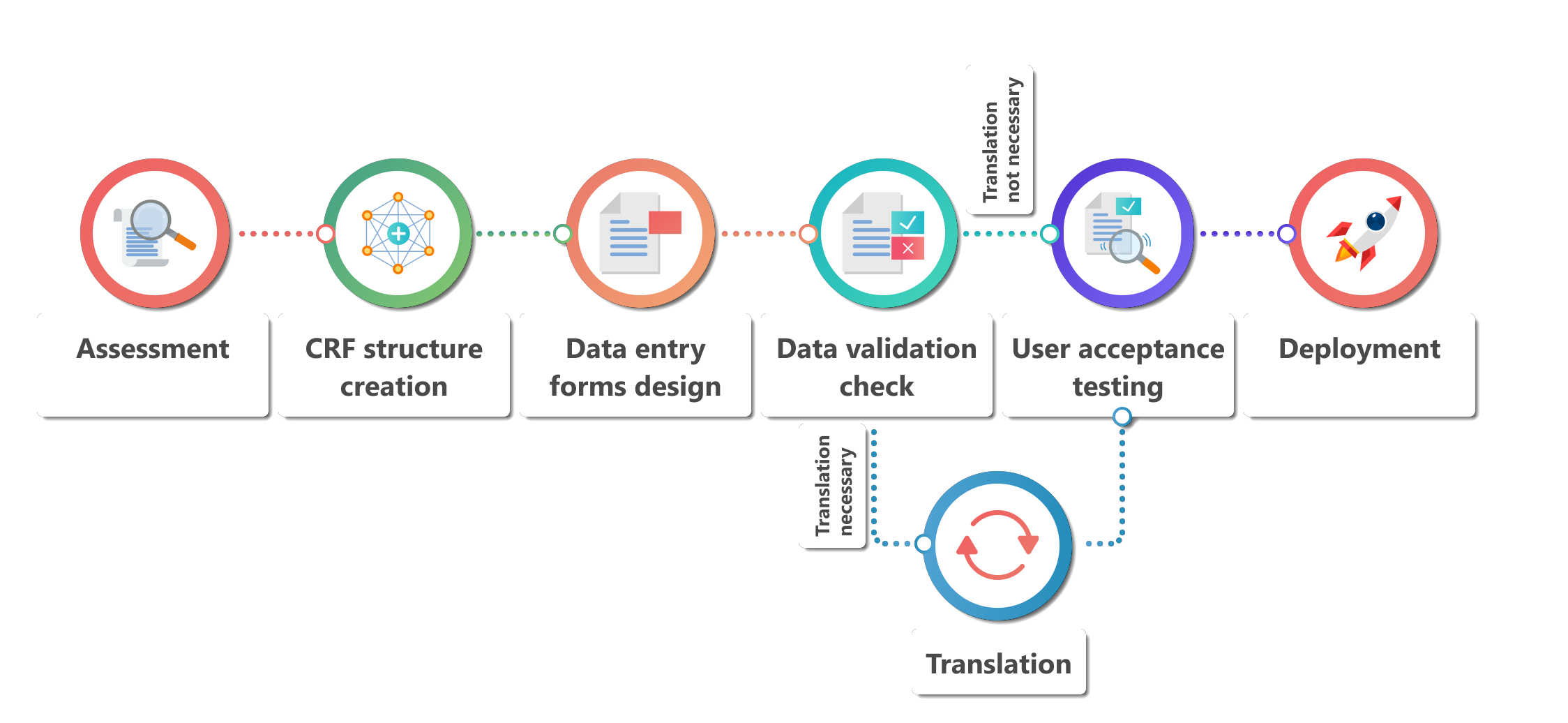
The entire process of CRF design and maintenance is as follows:
-
Assessment: data managers review the approved study protocol to gain a comprehensive understanding of data requirements. They assess the variables where the data is to be collected, their definitions, and any specific instructions provided by the protocol.
-
CRF structure creation: based on the study protocol, the responsible data managers create the structure of the CRF. They determine the layout, sections, and data entry fields required to collect the necessary data. This process typically involves working closely with the study team, including investigators and study coordinators, to ensure all data elements are captured appropriately.
-
Data Entry Forms Design: data managers utilize the Study Designer interface and all of its form-building tools to design the data entry forms. They create electronic versions of the CRFs, replicating the structure and layout defined in the previous step, and then map each data field in the CRF to corresponding variables. This step ensures that the collected data can be properly stored and analyzed later. Mapping involves associating each CRF field with the appropriate data type, data length, and any necessary codelists that are configured separately.
-
Data Validation Check: to ensure data integrity and quality, data managers set up data validation checks within SD. These checks can include range checks (for example, ensuring that a blood pressure value falls within a certain range), consistency checks (for example, verifying that dates are entered correctly), or logic checks (for example, ensuring that certain fields are completed based on specific conditions). Data managers collaborate with the study team to define these checks based on the study protocol requirements.
-
Translation: if the CRF is to be used at study sites located in different countries, data managers may consult their colleagues who speak corresponding languages to do the translation of fields in data entry forms. This can facilitate the data collection process at sites, reducing the possibility of data entry errors and discrepancies.
-
User Acceptance Testing: before deploying the CRF to study sites, data managers conduct user acceptance testing to verify that all data entry forms are configured correctly. They simulate data entry scenarios, test the data validation checks, and ensure that the CRF captures the required information accurately. Any issues or discrepancies that may be identified during testing are addressed and resolved.
-
Deployment: once the CRF configuration and testing are complete, data managers deploy the CRF to the study sites participating in the clinical trial. They provide training and support to site personnel for using the EDC system to enter data into the CRF. Throughout the study, data managers continuously monitor the data entry process, address any queries from the study sites, and ensure data quality and completeness.
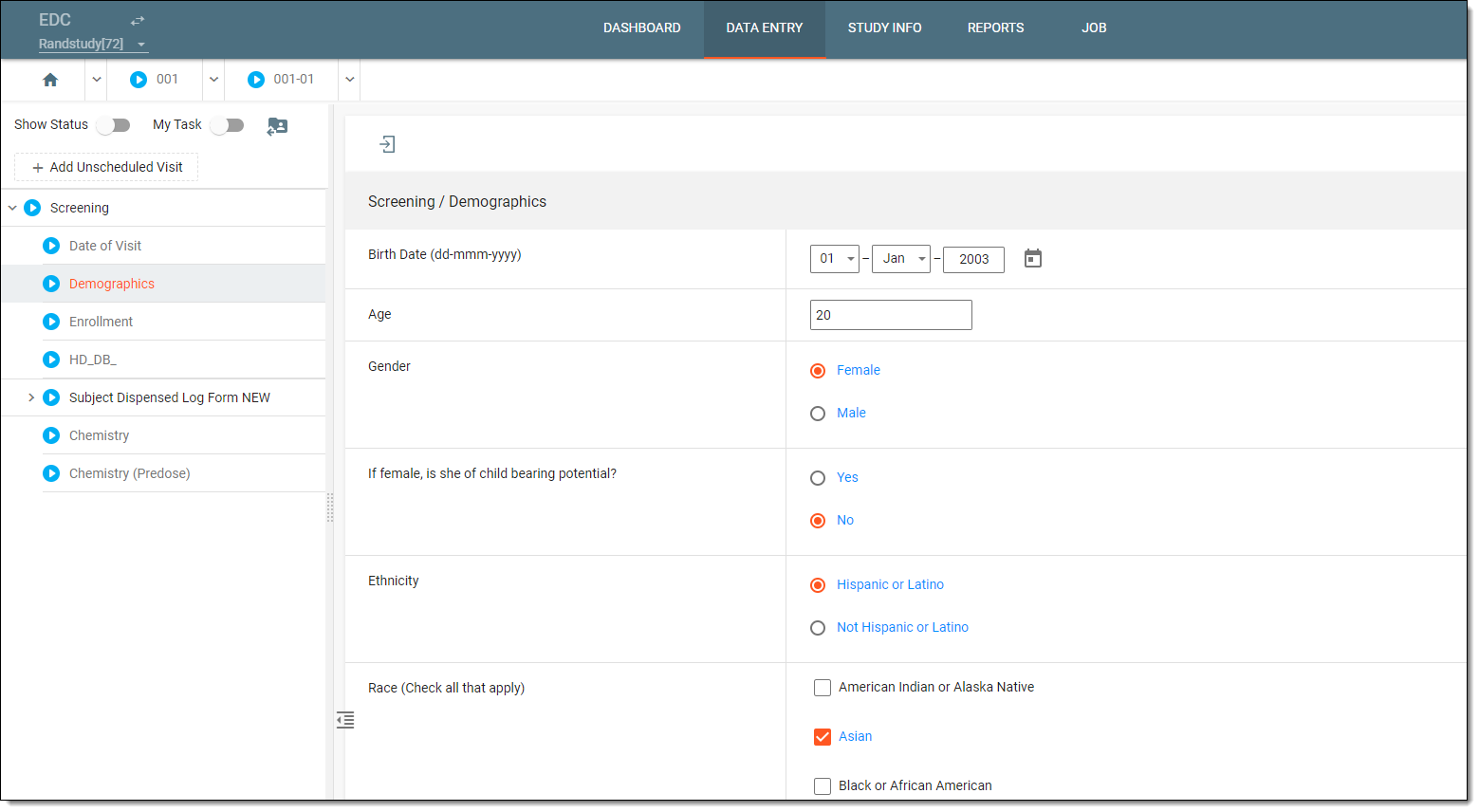 Figure 2. Entering data in EDC