View ICSR workflow history
You can view the history of workflow status changes in a separate dialog. This can help when you need to track route updates for a specific case and decide whether to return or forward a route.
-
In the PV application header, select the ICSR tab.
-
From the left pane, select ICSR List.
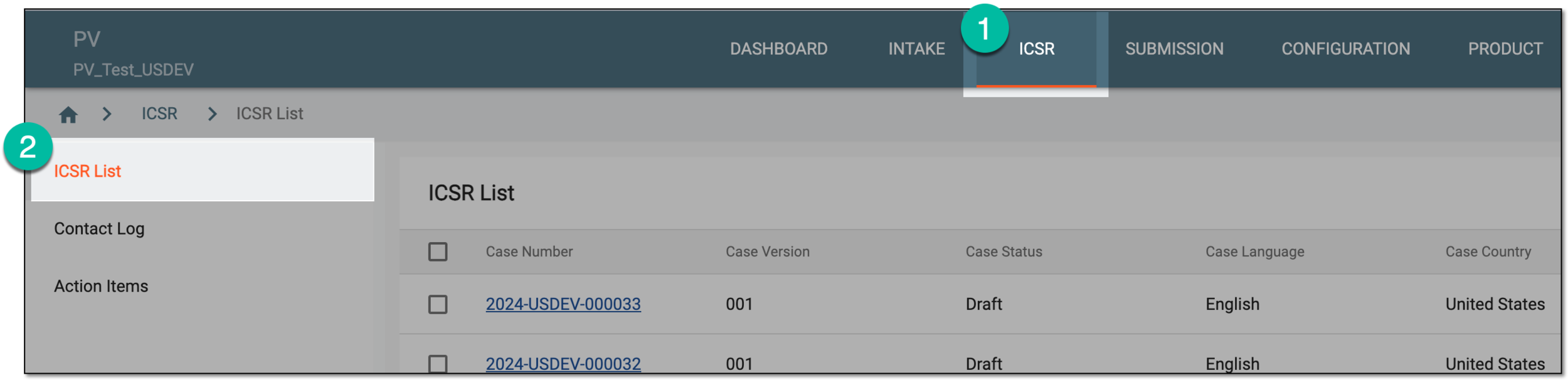 Figure 1. Accessing ICSR list
-
On the ICSR List page that opens, in the table, locate the ICSR record for which you want to review the workflow history. Then select its case number to open the details page in the new browser tab.
Alternatively, from the Actions column next to your ICSR, select Edit
 to open the
ICSR details in the same browser tab.
to open the
ICSR details in the same browser tab. Figure 2. Accessing ICSR details
-
On the page that opens, on the toolbar, select More
 > Workflow History
 .
.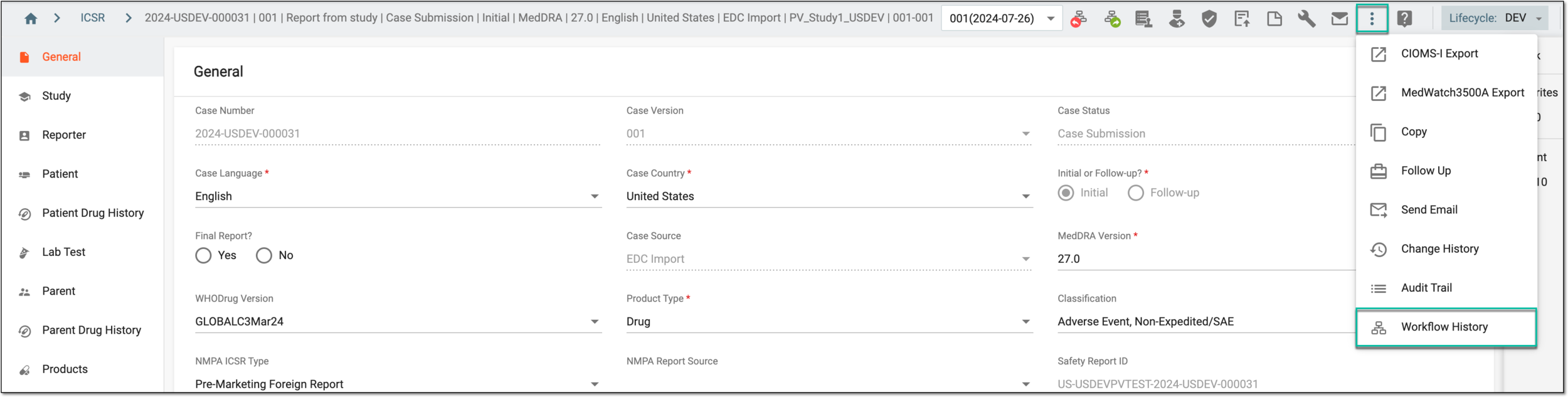 Figure 3. Accessing workflow history
-
In the Workflow History dialog that appears, view the workflow status change for the opened ICSR case.
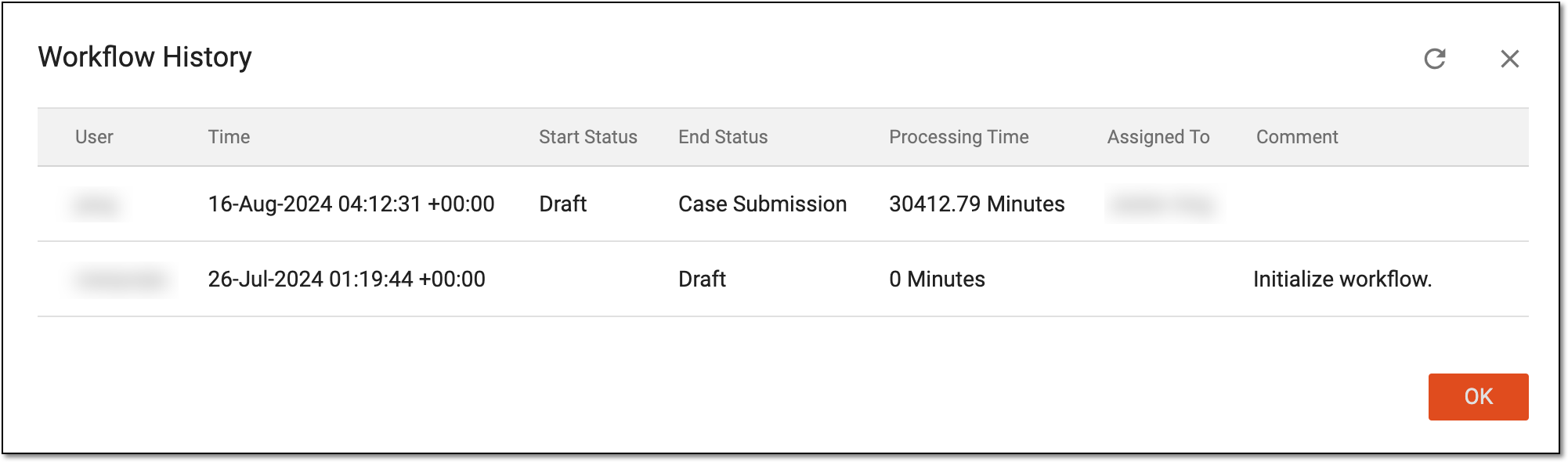 Figure 4. Reviewing workflow history
-
Select
 to close the Workflow History dialog.
The workflow history has been viewed.