Delete file type
While managing files in eTMF, you can create and manage custom file types per your business needs. Sometimes, you might need to delete some file type that is no longer used and you know for sure will not be needed in the future.
To delete the file type
-
In the eTMF application header, select the TMF tab.
-
On the page that opens, in the left pane, select the File Type Setting subtab.
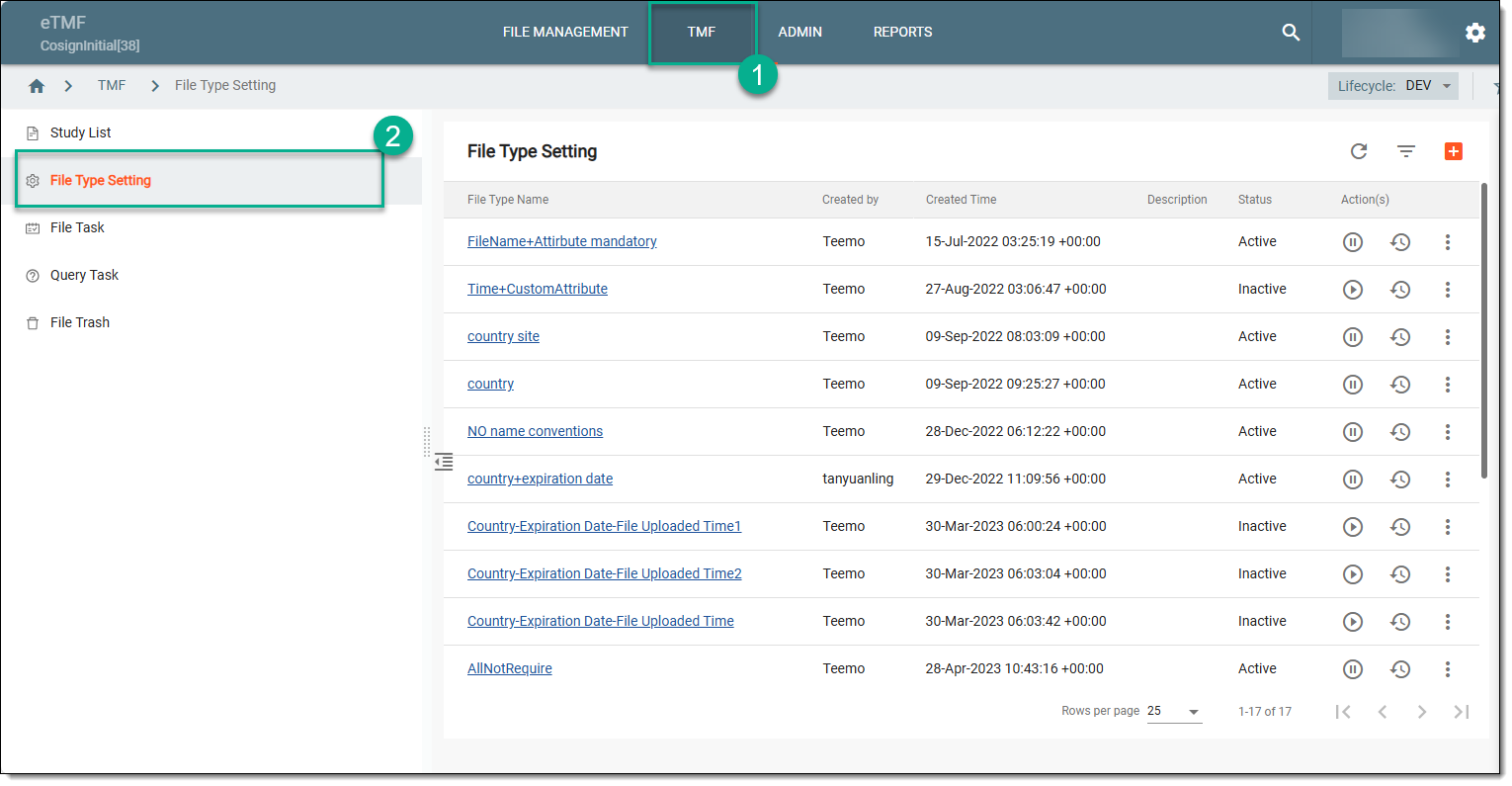 Figure 1. Selecting file type setting
-
On the File Type Setting page that opens, go to the file type of your interest. Then in the Actions column next to it, select More
 > Delete
  .
.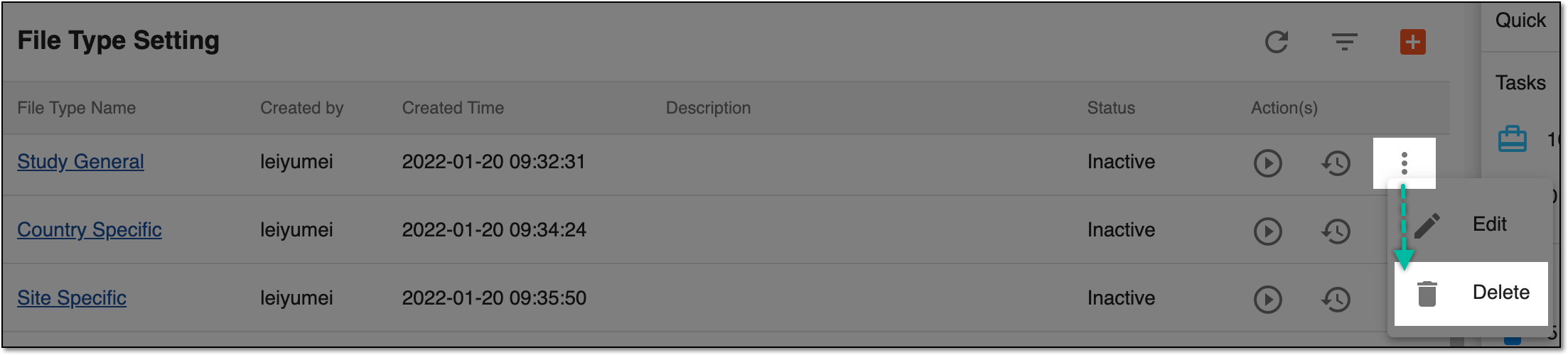 Figure 2. Deleting custom file type
-
In the Delete Item confirmation dialog that appears, select
 to confirm the file type deletion.
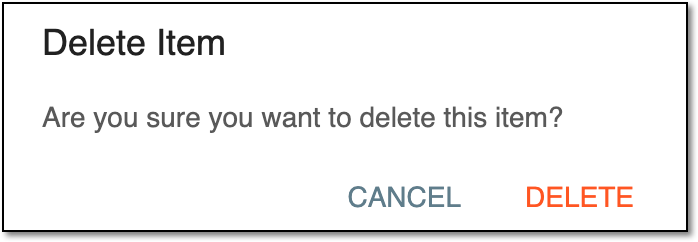 Figure 3. Confirming file type deletion
Upon confirmation, the file type is deleted.