Delete placeholders
In eTMF, placeholders (also known as "planned documents") are folders or containers that store study documents and records planned to be collected during a clinical trial. With these documents and records, you can evaluate the clinical trial conduct, the integrity and quality of trial data, and compliance of the investigator, sponsor, and monitor with the standards of Good Clinical Practice (GCP) and with all applicable regulatory requirements (ICH Guideline for GCP, E6, Section 8).
Some placeholders can become irrelevant, be duplicated, or otherwise no longer applicable to the study and should be deleted to keep the list up-to-date.
Important
You cannot delete the placeholders that already have uploaded files.
-
In the eTMF application header, select the TMF tab.
-
On the page that opens, in the left pane, select the Study List subtab.
-
In the Study List table, select the needed study name.
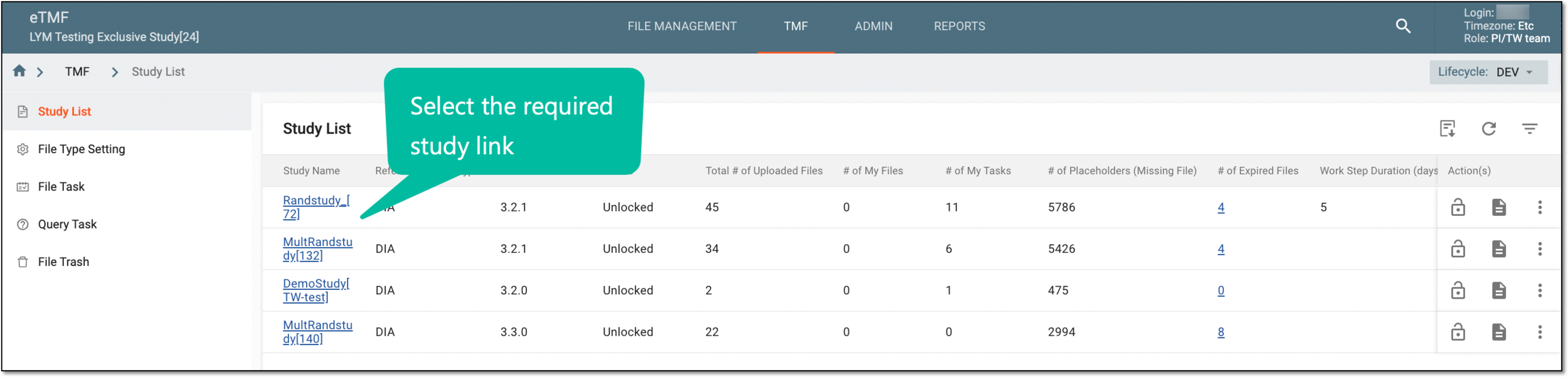 Figure 1. Selecting study
-
On the page that opens, select the Study Tracking pane option.
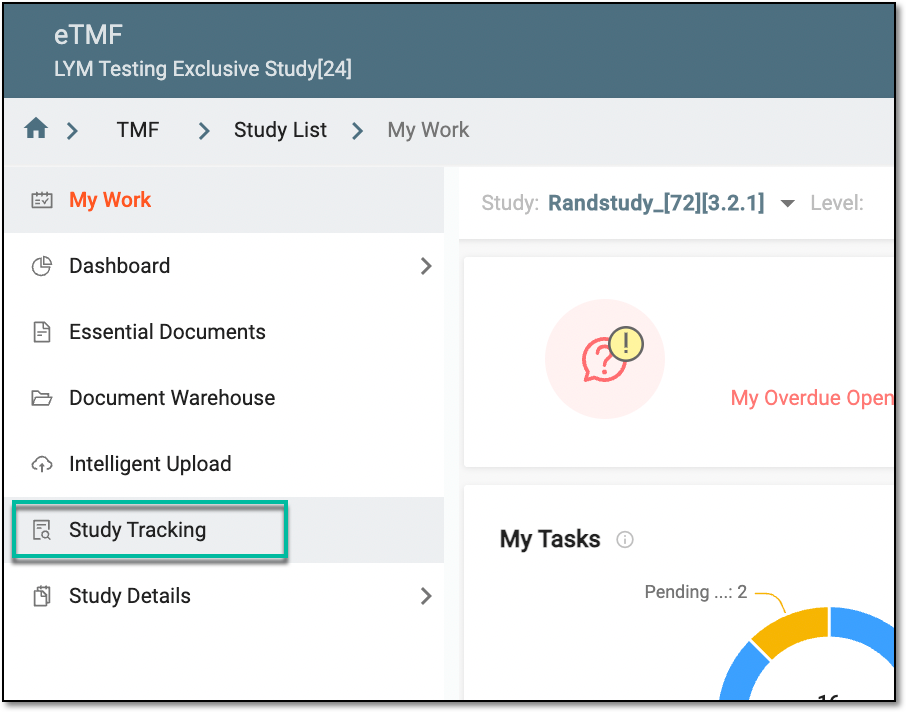 Figure 2. Accessing study tracking page
-
On the Study Tracking page that opens, switch to the Placeholder tab.
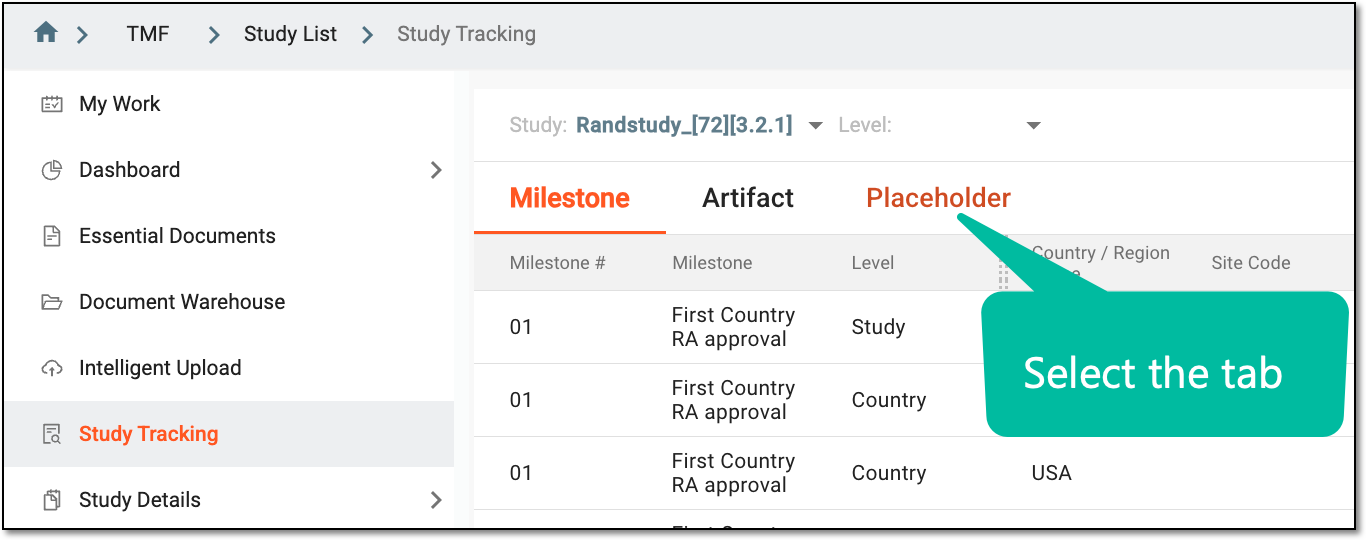 Figure 3. Accessing placeholders
-
In the Placeholder list that opens, select checkboxes next to the placeholders you want to delete, and from the workspace toolbar, select Delete
 .
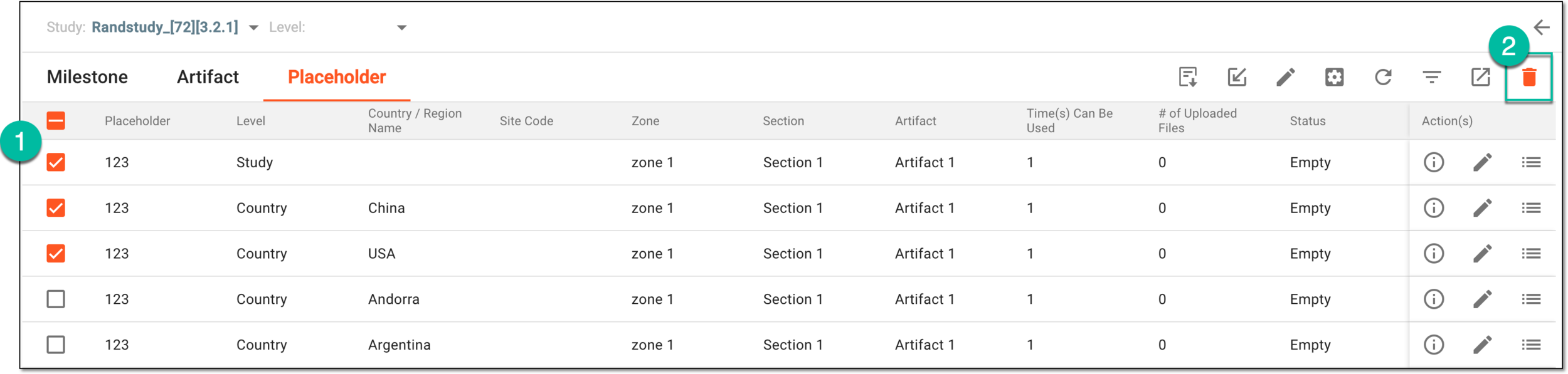 Figure 4. Selecting placeholders to delete
-
In the Confirm Deletion dialog that opens, select the reason for deleting the placeholders. If Other is selected, then in the Comment field that appears, enter the mandatory reason. Then select
 to proceed.
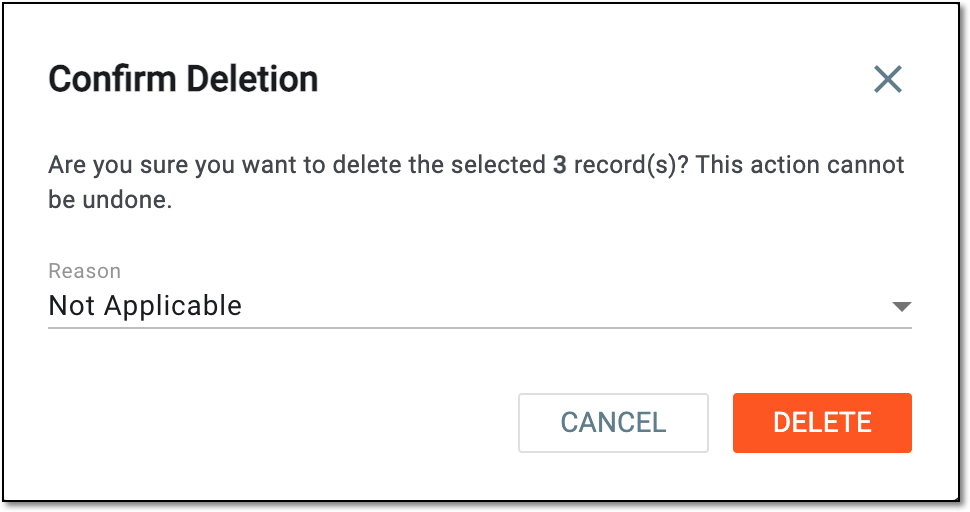 Figure 5. Confirming placeholder deletion
Upon confirmation, the selected placeholders are deleted.