Skip PPC execution for subjects
Post-production change (PPC) is a clinical data management term that usually implies changes to the visit structure, form fields, or CRF edit checks. These changes can be attributed to planned or unplanned updates. Planned PPCs refer to study-specific updates known by a clinical data manager in advance or specified in the protocol. On the other hand, unplanned PPCs are not included in the protocol but may be requested by the sponsor or due to important protocol alterations.
If for some subjects in your study you do not need to apply the PPC, you can exclude them from the execution. This can be applicable if the CRF design was not changed or for other business reasons.
-
From the EDC application toolbar, select the PROD lifecycle and the necessary role.
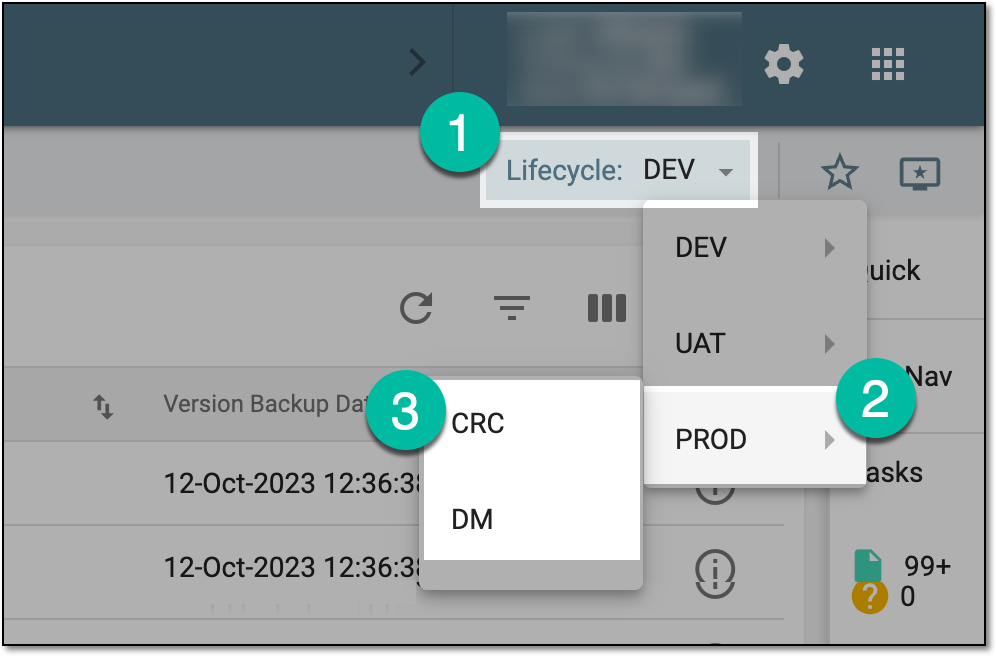 Figure 1. Accessing PROD lifecycle
-
In the EDC application header, select the STUDY INFO tab.
-
On the page that opens, in the left pane, select CRF Version > Post Production Change.
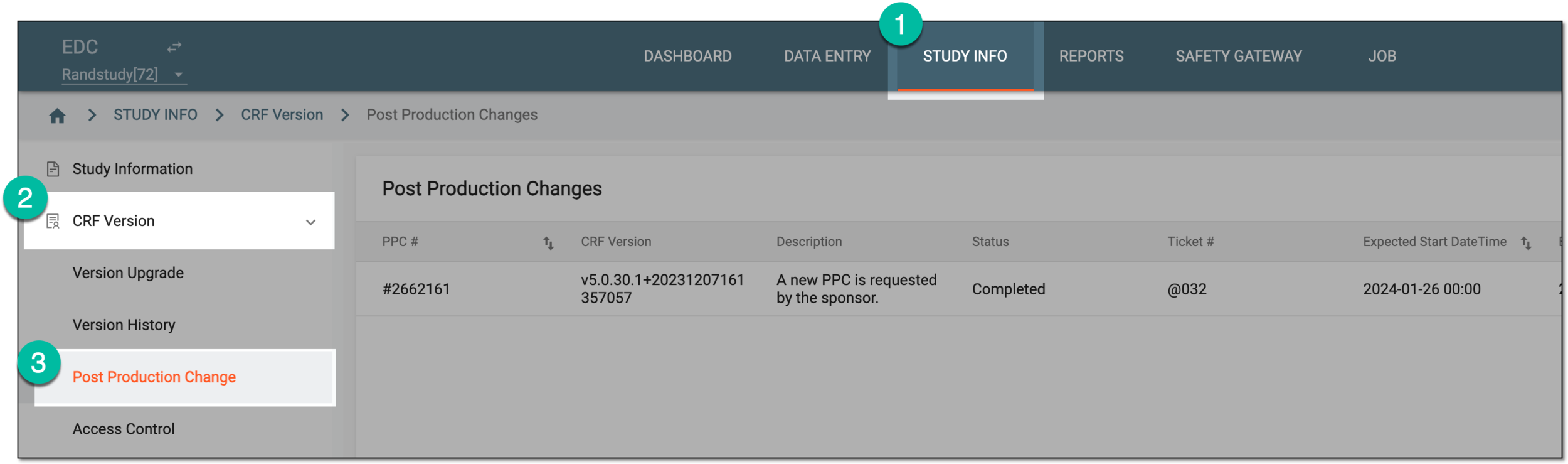 Figure 2. Accessing post production change
-
In the Post Production Changes table that appears, next to the needed PPC, select Skip Subjects to Upgrade
 .
. Figure 3. Accessing subject settings for PPC execution
-
In the Skip Subjects to Upgrade dialog that opens, select the checkboxes next to the subjects whose CRFs you do not want to upgrade upon the PPC execution. Then select
 .
.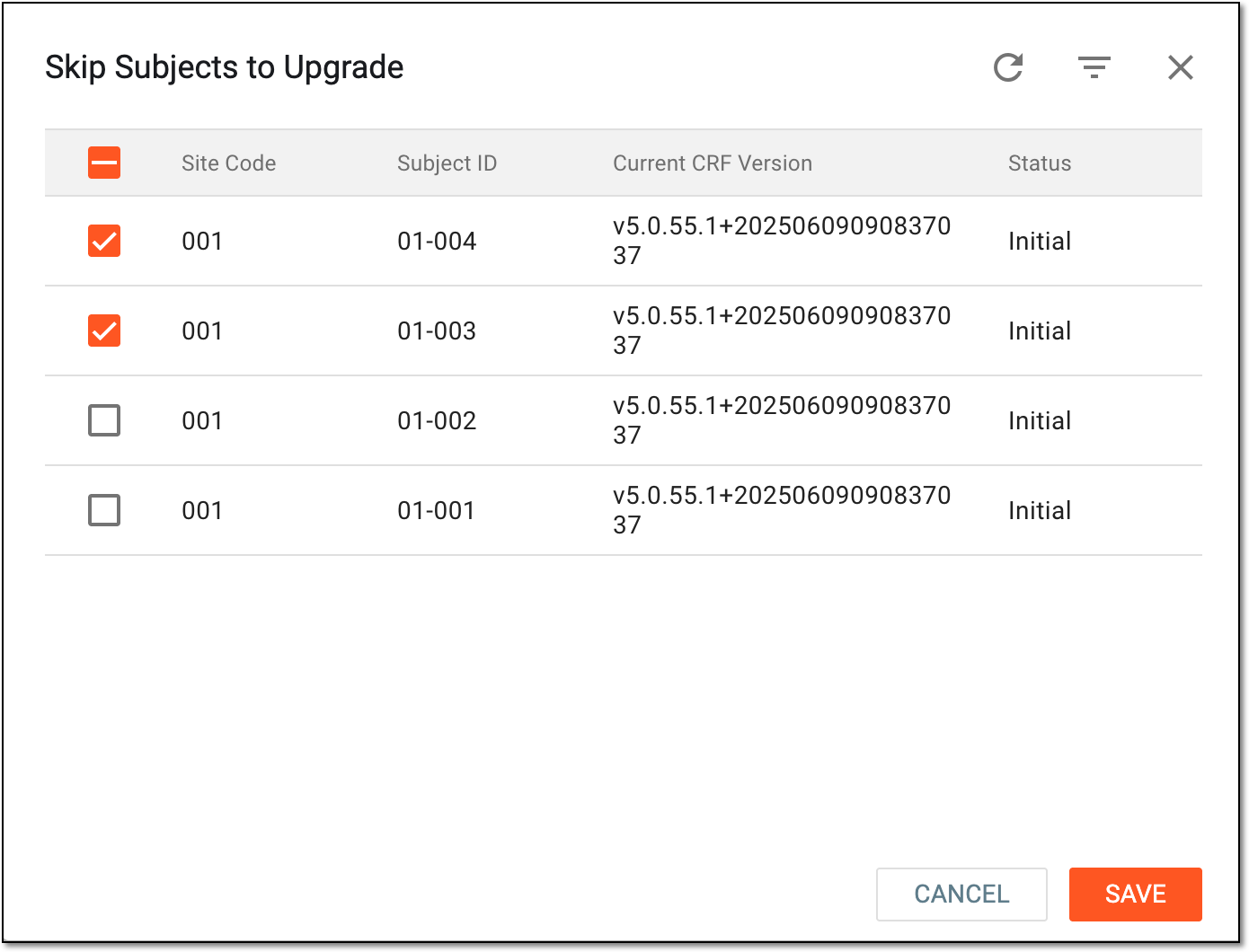 Figure 4. Selecting subject to exclude from PPC execution
Once saved, the selected subjects will be excluded from upgrading of CRFs upon the PPC execution on schedule or manually.